Chapter 03 — Analysis → Plan → Delivery
The transformation engine — how an assessment becomes governed change on the target surface
Dependency chain: Inventory → Plan → Identity → Policy → Network services → Devices and servers → Access plane → Retire AD DS → Prove steady state
The pipeline contract
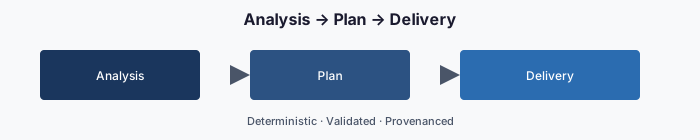
The modernization framework turns an Active Directory assessment into a delivered Hybrid-Cloud change through three sequential stages: Analyze, Plan, Deliver. Each stage produces a signed, versioned artifact in the authoritative repository. Each stage has a distinct responsibility (governance review or execution) and a distinct authorization gate. Nothing skips a stage. Nothing touches the target surface without a plan. No plan touches the target surface without authorization.
Why three stages (not one)
The obvious alternative — “scan the forest, apply the changes” — is how many one-off migration scripts work. It fails for three reasons:
- Changes are not reviewable. A tool that reads and writes in one pass gives an operator no chance to inspect what is about to happen.
- Provenance is thin. If the scan drifts between read and write, the resulting change is attributed to a phantom input.
- Rollback is impossible. Without a materialized plan, there is no diff to invert.
Separating Analyze, Plan, and Deliver gives three review gates, three audit trails, and three named artifacts per run. This is what “governed modernization” means in practice.
Stage 1 — Analyze
Input: the raw assessment artifact set from Chapter 02.
Output: a normalized analysis report + a proposed change set.
Responsibility: Governance layer.
The Analyze stage reads the eleven ingestion streams and produces four derivative artifacts, each stored under plans/<plan-id>/analysis/:
- Current-state graph. A normalized representation of the forest — organizational units, users, computers, groups, Group Policy links, trust edges, service-principal-name map — in a single graph. This is the input to every downstream decision.
- Target-state graph. The proposed Hybrid-Cloud equivalent — attribute-driven hierarchy, dynamic group rule set, administrative-unit map, Conditional Access targeting, device-management compliance groupings, hybrid-management tag set, IP address management record set. This is what the finished state looks like.
- Diff. The machine-readable delta between current and target. A list of proposed additions, modifications, retirements, and no-change-needed items, each typed and each linked to a source record in the assessment.
- Risk score. The blast-radius model for the change set — which users are affected, which downstream systems get touched, which boundaries are crossed, which compliance controls are in scope.
Analysis is deterministic: given the same assessment input, it produces the same four artifacts. This is the property the review gate depends on. An analysis whose output varies run-to-run is broken and rejected.
Stage 2 — Plan
Input: the Analyze output + the authoritative group library, delegation matrix, and decision guidance.
Output: a signed, executable Plan.
Responsibility: Governance layer.
The Plan stage takes the Diff and expands it into a structured, deterministic action sequence. Each action is:
- Typed — one of a defined set of action types (for example: create-user, set-extension-attribute, create-dynamic-group, assign-administrative-unit, set-conditional-access-target, create-compliance-policy, update-ipam-record, enroll-hybrid-server, rotate-service-principal).
- Scoped — bounded to a single target object. No action type permits “update all users whose …”; the scope is pre-materialized.
- Dependency-ordered — actions that depend on others are ordered behind them (create the administrative unit before scoping the role to it).
- Rollback-paired — every action has a generated inverse, so the same plan can be run in reverse.
- Provenance-linked — pointer back to the source assessment record, the governing rule, and the analysis step that produced it.
A plan is a YAML document that looks, in abbreviated form, like this:
plan_id: 2026-04-24-1200-structure-phase2
assessment_id: 2026-04-24-1030-host-tierB
authorized_by: ~          # filled at authorization step
boundary: defined-scope
actions:
  - id: A0001
    type: create-administrative-unit
    target:
      display_name: AU-NCR-Finance
      membership_rule: "(user.extensionAttribute1 -eq \"NCR\") and (user.department -eq \"Finance\")"
      restricted: true
    provenance:
      source: assessments/2026-04-24-1030/ou-hierarchy.json#ou/FIN
      rule: delegation-matrix/tier2-au
    rollback:
      type: delete-administrative-unit
      target: AU-NCR-Finance
    depends_on: []
  - id: A0002
    type: assign-role-scoped
    target:
      role: User Administrator
      principal: Structure-NCR-Finance-Admins   # role-assignable, assigned membership
      scope: /administrativeUnits/AU-NCR-Finance
    provenance: …
    depends_on: [A0001]
Plan validation
Before a plan is eligible for authorization, it passes through validation:
- Schema validation — conforms to the plan schema.
- Rule validation — every dynamic-group name fits the naming pattern; every administrative unit matches the tier structure; every role assignment is valid.
- Boundary validation — no action targets an out-of-scope service; classification tags are correctly set.
- Safety checks — no action deletes more than a defined number of items at once without explicit confirmation; no rotation of credentials for roles marked high permanence; no change to the governance substrate itself outside a controlled change process.
- Idempotency check — the plan is equivalent to re-planning from the current state (so a re-run of a partially completed plan is safe).
A plan that fails any validation is rejected and the diff returned for correction. No action in a failed plan is dispatched. (A plan that passes validation can still halt mid-delivery; see Failure modes below.)
Stage 3 — Deliver
Input: the authorized plan.
Output: a result log, an evidence packet, and updated state in the target surface.
Responsibility: Execution layer.
The execution layer is deliberately a different process, running under a different service principal, with a different credential store and a different log stream than the governance layer. This is the separation of governance and execution made concrete.
Delivery proceeds as a linear walk through the plan’s action list. For each action:
- Fetch the action specification from the authorized plan.
- Resolve the target object (Graph API lookup, IPAM fetch, device-management policy lookup, etc.).
- Compare current live state to the action’s expected-before state. If the world already matches expected-after, the action is a no-op — mark as skipped: already-matches and continue.
- Invoke the adapter’s write method with the action payload.
- Verify by re-reading the object and comparing to expected-after.
- Record the result — correlation identifier, API response, timing, actual-after state — to
plans/<plan-id>/results/<action-id>.json.
Correlation identifiers
Every invocation carries a correlation identifier that includes the plan identifier, the action identifier, and a unique run identifier. That identifier appears in:
- The API call headers (so vendor-side logs can be cross-referenced).
- The local-machine event log and repository commit message.
- The evidence packet’s provenance chain.
- Telemetry emission.
A support case opened on a specific action can be traced end-to-end through every log stream.
Failure modes and rollback
An action can fail for three reasons:
- Transient — network blip, throttling. Retried with backoff, capped at a defined number of attempts.
- Adapter error — vendor API returned an error. Action marked failed; plan execution stops; no dependent actions run.
- Verification mismatch — action invoked cleanly but re-read does not match expected-after. Action marked drift; plan paused.
On any non-transient failure, the plan has a choice:
- Halt — stop at the failure; leave completed actions in place; return for remediation.
- Roll back — invoke the rollback inverse for every completed action in reverse order. Each rollback is itself a verified operation with its own result log.
The choice is action-typed (some actions are rollback: never — for example, once a user has been deprovisioned, re-hire them rather than “undelete” them). The default is halt; rollback is explicit.
Evidence packet
At the end of delivery, the engine produces an evidence packet — a single immutable artifact that summarizes the run for compliance and audit purposes. The packet contains:
- The authorized plan (with reviewer signature).
- Every action result (with verification state and correlation identifiers).
- The actual-after state of every affected object.
- The full run log (structured).
- A telemetry export.
- A signed attestation from the execution layer that the authorized plan was executed to completion with the results recorded herein.
The evidence packet is committed to the repository at plans/<plan-id>/evidence.json and can be mirrored to a security-information-and-event-management feed.
Concrete example — the end-to-end shape
Illustrative example. An assessment discovers a Finance organizational unit with 312 users. The Analyze stage proposes attribute values (Department Finance with divisions GRC and Data), three dynamic groups, one Tier-2 administrative unit, and a role scoping.
The Plan stage expands that into roughly 320 actions: 312 user attribute sets, 3 dynamic-group creates, 1 administrative-unit create, 1 role assignment, plus validation actions.
Validation runs. The reviewer examines the plan’s summary (blast radius: 312 users affected, boundary respected, no out-of-scope calls, all actions rollback-paired). The reviewer approves; the plan merges to authorized.
The execution layer picks up the authorized plan, dispatches the actions in dependency order — administrative unit first, dynamic groups second, user attributes third, role assignment last. Each action produces a result file; the final evidence packet is produced.
The next assessment run reads the new state, produces a new analysis, and — since the world now matches the target — produces a zero-action plan. This is the steady-state contract: when nothing has drifted, nothing needs to happen.
What governed modernization feels like
The contrast with the old way is clear. A long-lived forest has historically been modernized by:
- Running vendor tools manually, project by project.
- Writing change tickets after the change.
- Reconciling outcomes in spreadsheets.
- Discovering drift during audit.
Governed modernization proceeds by:
- Reading the forest once, structurally, into a versioned artifact.
- Proposing the full target state as a reviewable diff.
- Executing the diff under governance, with evidence per action.
- Detecting drift continuously, before the audit finds it.
Every stage produces a file in the repository. Every file has a signature. Every signature points to an operator. The question “who changed what, when, and why?” has a literal answer in the commit history.
Key takeaways
- Analyze, plan, and deliver are separate stages with separate review gates.
- Every action is scoped, dependency-ordered, rollback-paired, and traceable to its source.
- When nothing has drifted, the next run produces a zero-action plan.
Footnotes
Microsoft Learn, Use Microsoft Entra groups to manage role assignments - Microsoft Entra ID. https://learn.microsoft.com/en-us/entra/identity/role-based-access-control/groups-concept↩︎