Federal Modernization Workbook
Chapter 07 — Least Privilege for Service Principals
A permission nobody reviews stays forever, so the sweep reads every grant, asks its owner once a quarter, and removes only what a reviewer approved.
The sweep behind the project plan’s Gate 4, “least privilege.” You start with Learn’s own procedure for reviewing and revoking the permissions granted to an enterprise application, a Microsoft Graph PowerShell script and a set of Graph requests that the repository keeps as a pinned copy, and you run the script against stand-ins to see what it does to an app and what it misses. Then you use examples/non-person-identity for what it leaves to you: the sweep over Chapter 01’s register, a reviewed list of broad permissions with a justification per exception, Learn’s narrower replacement for each, the hand-off of privileged service principals to the Privileged Access plan, the first quarterly owner review, and the owners’ decisions as a dry-run plan, applied only by a separate write path after a reviewer approves the plan’s SHA-256. Lab 1 runs on a laptop with no tenant; Lab 2 uses a test tenant and a test subscription.
Jump to a slide (18)
Deck · Narrated deck (about 11 minutes, captions) · Script · Captions. Recorded on November 2, 2026 from the approved chapter.
Goal and audience
Goal. By the end of this chapter you can run, from code, the three tasks of the plan’s Phase 4: NP4.1, “owners review every grant; broad permissions such as Directory.ReadWrite.All replaced with application-specific roles and scopes”; NP4.2, “managed identities’ role assignments scoped to the resource and put on the app registrations’ review cadence”; and NP4.3, “first quarterly owner review of permissions closed; access reviews for service principals in privileged roles.” You can say, for each rule, whether it is Learn’s, Learn’s sample, or the program’s design, and which service principals are the Privileged Access plan’s to sweep, not this one’s.
Audience. Developers who build the project’s permission tooling, the application owners who answer the quarterly review, the identity governance officer who closes it, and the ISSOs who check Gate 4. You should read PowerShell 7 and know Chapter 01’s register and Chapter 02’s ownership check. You don’t need a tenant until Lab 2.
The rule the code holds
An application permission is an app role a client service principal holds on a resource service principal, held as an appRoleAssignment; a delegated permission is an oauth2PermissionGrant from a client to a resource, for one person or for all users.1 2 Learn’s way to see what an app can reach is to enumerate the app role assignments of every service principal and read the role from the resource service principal’s appRoles, paying particular attention to Microsoft Graph’s, and to remember that Microsoft Entra roles, Exchange RBAC and Teams resource-specific consent grant access too.3 4
The program’s rule, from the plan and Book 02, is (Design guidance):
- Owners review every grant on a cadence, “quarterly” (Book 02, Chapter 09), and the review closes with its findings acted on (Gate 4).
- No broad tenant-wide permission without a recorded justification. “Use application-specific roles and scopes; avoid broad permissions such as
Directory.ReadWrite.All” (Book 02). Learn’s permissions reference says the same of directory permissions: choose the permission specific to the resource and avoid directory permissions.5 The reviewed list isconfig/least-privilege.json; an exception names a justification, an approver, an approval date and an end date. - A narrower replacement where Learn documents one. For SharePoint and OneDrive,
Sites.Selectedand the.SelectedOperations.Selectedscopes grant access to named sites, lists or files.6 For mail, RBAC for Applications in Exchange Online grants an app a role over a management scope, and replaces application access policies; its grants are a union with the Microsoft Entra grant, so the unscoped Entra grant must be removed for the scope to mean anything.7 8 Book 04, Chapter 05 still requires an application access policy for every mail application permission the program approves; the code accepts one with a warning, and the change of standard is the CISO’s (research gaps, row 63). For a directory permission, the resource-specific permission each API’s Learn page names.9 - Managed identities’ Azure roles at the resource. Learn: assign at the narrowest scope; a role at a management group or subscription reaches everything under it; a managed identity made Contributor on a subscription when it isn’t needed widens the blast radius.10 11 12
- Privileged service principals are the Privileged Access plan’s. The plan hands “service principals in directory roles or holding protected permissions” to the Privileged Access plan’s sweep of non-human privileged identities (A3.4, external dependency X-A34), and Gate 4 waits for it. This chapter finds them and hands them off; it doesn’t repeat that sweep, and its quarterly review leaves them out.
Remove the grant, never the app. The plan’s writes remove one app role assignment or narrow one delegated grant. Learn recommends deleting an app role assignment through the appRoleAssignedTo relationship of the resource service principal.13 The service principal, its application and its other grants stay.
Which cloud, for this sweep and these writes
The reads and writes go to Graph at graph.microsoft.com and Resource Manager at management.azure.com for the target estate, Microsoft 365 GCC with commercial Azure; GCC High and DoD use graph.microsoft.us and dod-graph.microsoft.us, with Azure Government’s management.usgovcloudapi.net.14 15 Listing a service principal’s app role assignments and delegated grants, listing directory role assignments, deleting an app role assignment and updating a delegated grant all list the global service, US Government L4 and US Government L5.16 17 18 19 20 Learn’s feature availability lists access reviews, Privileged Identity Management and Microsoft Entra Workload ID Premium for Azure for US Government.21
Start with Microsoft’s sample
What Microsoft gives you
Learn’s Review permissions granted to enterprise applications is Microsoft’s procedure for this chapter. Its Microsoft Graph PowerShell tab gives a script that signs in, finds one service principal, lists its delegated grants and removes them all, then lists its application permissions and removes them all; its Microsoft Graph tab gives the requests: GET /servicePrincipals/{id}/oauth2PermissionGrants, DELETE /oAuth2PermissionGrants/{id}, GET /servicePrincipals/{servicePrincipal-id}/appRoleAssignments and DELETE /servicePrincipals/{resource-servicePrincipal-id}/appRoleAssignedTo/{appRoleAssignment-id}.22 The Graph tutorial Grant or revoke API permissions programmatically has the matching grant and revoke requests, which Lab 2 uses to restore a removed permission.23
The pinned copy
The script and requests exist only inside the Learn page, so the repository pins the page’s source, unmodified, in examples/third_party/entra-review-app-permissions-page: manage-application-permissions.md from MicrosoftDocs/entra-docs at commit 7f78b50 (October 30, 2026), retrieved October 30, 2026, with the repository’s MIT licenses for code and documentation.24 snapshot.json records each file’s SHA-256, checked against the upstream git blob hashes, and a unit test checks them. The weekly source watch reports new commits to the page. Updating the copy is a reviewed pull request.
tests/LeastPrivilegeSampleHarness.ps1 extracts the Microsoft Graph PowerShell script and the HTTP requests from the page’s source and runs the script, unmodified, in its own PowerShell runspace, the way a .ps1 file runs, against stand-ins for Connect-MgGraph, Get-MgServicePrincipal, Get-MgOauth2PermissionGrant, Remove-MgOauth2PermissionGrant, Get-MgServicePrincipalAppRoleAssignment and Remove-MgServicePrincipalAppRoleAssignedTo, served from the Chapter 07 fixture. The page’s placeholder for the object ID resolves to Mail Automation. The removal stand-in follows Learn’s Delete appRoleAssignedTo: the service principal it names must be the assignment’s resource, or it answers 404.
What it leaves to you
Each row is pinned by a test: in tests/NpiLeastPrivilegeSamples.Tests.ps1 for the sample, and in tests/NpiLeastPrivilege.Tests.ps1 for the example.
| Learn’s sample, as published | Why it matters | What examples/non-person-identity adds |
|---|---|---|
Lists grants with GET .../appRoleAssignments and GET .../oauth2PermissionGrants, and removes an app role through the resource service principal |
— | Kept as the model: the same three requests are the sweep’s reads and the write path’s removal |
| Removes every delegated grant and tries to remove every application permission, with no list of what to keep and no dry run | An app loses what it needs along with what it shouldn’t have; Mail Automation’s one-person User.Read grant goes, and its excepted Mail.Send is tried |
A reviewed list, exceptions and the owner’s decision per grant; a plan, a dry run, an approved SHA-256 and -Apply |
Passes the app’s own ID to Remove-MgServicePrincipalAppRoleAssignedTo, where Learn’s API reference and the page’s own HTTP request name the resource |
Against a fake that follows the reference, all three removals answer 404 and nothing is removed (research gaps, row 61) |
The write deletes through the resource service principal, and the writer refuses any other target |
Has a line, Example: Get-MgServicePrincipal ..., inside the script |
Run as a script, it fails with a command-not-found error and the script carries on | Nothing to copy: the example’s code is its own |
| Reads every delegated grant in the tenant to find one app’s | A tenant-wide read for one row | One client’s grants through GET /servicePrincipals/{id}/oauth2PermissionGrants |
Signs in with Directory.ReadWrite.All and three other write permissions to review |
Write permissions for a read | The sweep holds Application.Read.All, Directory.Read.All, RoleManagement.Read.Directory and Reader; the writes are a separate, delegated task |
| Names Cloud Application Administrator | Delete appRoleAssignedTo names Privileged Role Administrator for Microsoft Graph app roles (research gaps, row 62) | The write path runs as a person with Privileged Role Administrator |
Hard-codes graph.microsoft.com |
The host is wrong for GCC High and DoD | The host from the cloud table, checked on every request |
| Reads no directory roles and no Azure role assignments; names Exchange RBAC only as text | A service principal in a directory role, or a managed identity that is Contributor on a subscription, passes unseen | Directory roles are read and hand the service principal to the Privileged Access plan; managed identities’ Azure roles are read at each listed scope and classed by scope |
The verdict. Use Learn’s requests as the model for the reads and the one removal. Don’t run the script against a tenant: it removes everything it can reach, and on Learn’s own API contract its application-permission removals miss.
The code: what examples/non-person-identity adds
This chapter’s code is powershell/NpiLeastPrivilege/NpiLeastPrivilege.psm1, two entry scripts (Invoke-NpiLeastPrivilege.ps1, which only reads, and Invoke-NpiLeastPrivilegeAction.ps1, the write path), its own call list config/calls-ch07.json with the least-privilege and least-privilege-apply tasks, the reviewed list config/least-privilege.json, and three input files kept with the records.
The inputs
| File | Who keeps it | What it holds |
|---|---|---|
| Chapter 01’s run folder | The pipeline | register.json and manifest.json; the sweep refuses a register whose SHA-256 isn’t the manifest’s |
config/least-privilege.json |
The program, in reviewed changes | The broad application permissions by resource and class (Directory, Escalation, Mail, Sites), the delegated scopes that are broad when consented for all users, Learn’s replacement for each class, the privileged Azure roles, the directory role names |
permission-exceptions.csv |
The CISO’s office | IdentityId, Kind, ResourceAppId, Permission, Justification, Control (ExchangeRbacScope, ApplicationAccessPolicy or empty), ApprovedBy, ApprovedOn, ExpiresOn |
owner-decisions.csv |
Application owners, through the identity governance office | Key (from the review packet), Decision (Keep, Remove or Narrow), NewScope, Replacement, DecidedBy, DecidedOn |
azure-scopes.csv |
Identity engineering | The management groups and subscriptions to read managed identities’ role assignments at |
The sweep
Get-NpiLpSweep takes every Microsoft Entra row of the register that holds permissions: app registrations (through their service principal in this tenant), external, legacy and unknown service principals, and managed identities. Agent identities and blueprints are Chapter 09’s; a service principal row is covered by its app registration. For each, it reads its app role assignments on every resource, not only Microsoft Graph, with each resource service principal read once for its appRoles; its delegated grants; its directory roles, filtered on principalId; and for a managed identity, its Azure role assignments with assignedTo('{objectId}') at each scope in azure-scopes.csv, each role definition read once for its name.25 26 27 28 29 30 Each grant gets a stable key: app:<client>:<assignment>, grant:<id> or azure:<assignment>.
The check
Test-NpiLeastPrivilege reads the sweep against the reviewed list and the exceptions.
| Rule | Severity | What it flags | Source |
|---|---|---|---|
| NPI-LP-01 | Finding | A broad application permission with no recorded exception | Book 02; Learn, permissions reference31 |
| NPI-LP-02 | Finding | An exception that ended, or that names no justification, approver, approval date or end date | Gate 4 (Design guidance) |
| NPI-LP-03 | Finding | A broad delegated scope consented for all users (AllPrincipals) with no exception |
Design guidance; Book 04, Chapter 05 |
| NPI-LP-04 | Finding | A mail permission still granted in Microsoft Entra ID whose exception names RBAC for Applications as its control: the scope has no effect while the Entra grant stays | Learn, RBAC for Applications32 |
| NPI-LP-05 | Warn | A mail permission limited by an application access policy (legacy), or whose exception names no mailbox control | Learn33; Book 04 (research gaps, row 63) |
| NPI-LP-06 | Finding | A managed identity’s Azure role at subscription, management group or root scope, with no exception | Learn34 35 |
| NPI-LP-07 | Warn | A managed identity’s Azure role at resource group scope | Learn36 |
| NPI-LP-08 | Info | A privileged service principal handed to the Privileged Access plan (A3.4): any directory role, a permission that can grant itself more, or a privileged Azure administrator role | Project plan; Learn37 38 (research gaps, row 64) |
| NPI-LP-09 | Warn | An app role the resource doesn’t publish, so the permission can’t be named | Design guidance |
The escalation class is four permissions that let an app grant authorization or act as others: Learn’s reference cautions that AppRoleAssignment.ReadWrite.All and RoleManagement.ReadWrite.Directory can grant authorization and that Application.ReadWrite.All lets an app act as other entities,39 and Learn’s guide to granting permissions says only appropriate users should access apps granted DelegatedPermissionGrant.ReadWrite.All.40 A service principal holding one of them is handed off whole, with every grant it holds listed in pa-handoff.json, and gets no NPI-LP-01 here. Each broad grant carries the class’s proposal from the reviewed list. Every finding has a stable ID, <rule>:<key>.
The quarterly owner review
New-NpiLpOwnerReview writes owner-review.csv, one row per grant of every service principal the sweep keeps (privileged ones are out), with its owners from the register, whether it’s broad, its exception, the proposal, and the owner’s decision if it was made this quarter. A decision from an earlier quarter shows as LastDecision and doesn’t count. review-status.json counts the rows, the decided, the open and the changes still pending; the review is closed when every row has a decision this quarter and no Remove or Narrow is still granted, which the next sweep after the plan is applied shows.
Access reviews for service principals in privileged roles are Learn’s PIM access reviews, which need Microsoft Entra Workload ID Premium in addition to Microsoft Entra ID P2 or ID Governance; Learn’s FAQ adds that they apply to managed identities in privileged roles too, and that the Workload ID free trial isn’t available in Azure Government.41 42 Those service principals are handed to the Privileged Access plan, whose workbook builds those reviews in its Chapter 07; the licence is decision D-NP4 (research gaps, row 66).
The plan
New-NpiLpPlan turns the review into one action per broad grant and per decided change. Nothing in it writes.
| Action | When | Writes? |
|---|---|---|
RemoveAppRole |
The owner decided Remove on an application permission, and any named replacement is already granted: DELETE /servicePrincipals/{resourceId}/appRoleAssignedTo/{id} |
Yes, after review |
NarrowGrant |
The owner decided Narrow on a delegated grant, to a smaller, non-empty subset of its scopes: PATCH /oauth2PermissionGrants/{id} with {"scope": "..."} |
Yes, after review |
AwaitReplacement |
Remove names a replacement (for example Sites.Selected) that isn’t granted yet |
No |
AwaitOwnerDecision |
A broad grant with no decision this quarter | No |
Kept, KeepNeedsException |
A broad grant kept under a current exception, or kept without one | No |
RescopeByOwner |
Remove on an Azure role: re-scope it in the subscription’s reviewed infrastructure code; this example doesn’t write to Azure |
No |
RevokeByOwner |
Remove on a delegated grant, or Narrow to nothing: the grant’s deletion is a reviewed change, not this code’s |
No |
DecisionRefused |
Narrow on an application permission, a scope not granted now, or an unknown decision |
No |
HandedOff |
A privileged service principal: the Privileged Access plan (A3.4) | No |
The plan is written as lp-plan.json with the register’s SHA-256, the tenant, the cloud, the quarter and the date, and the run prints the plan’s own SHA-256. The same inputs give the same plan, byte for byte, so a reviewer approves a hash.
The separate write path
Invoke-NpiLeastPrivilegeAction.ps1 is the only code in this chapter that can write, and it writes only through New-NpiLpWriter, whose calls are the least-privilege-apply task’s. It refuses to run unless:
- the plan file’s SHA-256 is the one passed as
-ApprovedSha256; - the plan is for this tenant and this cloud, and no more than seven days old (Design guidance);
- each write is a declared call with its method: the only
DELETEis of an app role assignment through the resource service principal the plan read, never a service principal or an application; the onlyPATCHbody is{"scope": ...}, a smaller subset of the scopes the plan read; - a live run is delegated: a person signed in with Privileged Role Administrator, never an unattended app.
Before each write it re-reads the client’s app role assignments or delegated grants and skips the write if the assignment is already gone or changed, if a named replacement is no longer granted, or if the grant’s scope changed since the plan was reviewed. Without -Apply it stops after the prechecks and reports WouldSend. With -Apply it sends and records every request in its manifest. Learn notes that recently granted or removed app role assignments can take time to replicate, so the next sweep may still show a removal for a while.43
| Task | Calls | Permissions or role |
|---|---|---|
least-privilege (read) |
GET /servicePrincipals/{id}/appRoleAssignments; GET /servicePrincipals/{id}/oauth2PermissionGrants; GET /servicePrincipals/{id}; GET /roleManagement/directory/roleAssignments; Resource Manager role assignments and role definitions |
Application.Read.All, Directory.Read.All, RoleManagement.Read.Directory; Reader on the listed scopes44 45 46 47 48 |
least-privilege-apply (write, delegated only) |
Re-read the two lists; DELETE .../appRoleAssignedTo/{id}; PATCH /oauth2PermissionGrants/{id} |
Application.Read.All, Directory.Read.All, AppRoleAssignment.ReadWrite.All, DelegatedPermissionGrant.ReadWrite.All; Privileged Role Administrator49 50 |
AppRoleAssignment.ReadWrite.All and DelegatedPermissionGrant.ReadWrite.All are themselves permissions that can grant authorization: Learn’s reference cautions about the first, and its guide to granting permissions says only appropriate users should access apps granted either;51 52 Application.ReadWrite.All doesn’t manage app role assignments exposed by Microsoft Graph.53 That is why the write path is a person’s delegated session, not an app’s standing permission.
The tests
Pester 5 under PowerShell 7. This chapter’s are:
tests/NpiLeastPrivilegeSamples.Tests.ps1, 10 tests: Learn’s script and requests, run as published.tests/NpiLeastPrivilege.Tests.ps1, 34 tests: the call list’s least privilege (each task’s declaration equal to the union of its calls), the register’s hash, the sweep’s reads and paging, each rule, the hand-off, stable IDs, the review and its quarter, each plan action, the deterministic plan hash, the writer’s refusals (hash, tenant, age, target, body, scope), dry run,-Apply, the prechecks that skip a write, and the entry scripts.
The commands below run Learn’s pinned script against stand-ins, and the example against a fictional estate. -Apply in Lab 1 changes only the fake, in memory. Review the code, and run Lab 2 in a test tenant and test subscription, before it reads or writes a real one.
Lab 1: fixtures, no tenant
You need PowerShell 7.1 or later with Pester 5. Work in examples/non-person-identity. First make Chapter 01’s out/inventory (Lab 1 of Chapter 01, step 3):
Every command in this lab, in order, from examples/non-person-identity. Each step below says what it does and what to look for.
./Invoke-NpiInventory.ps1 -Cloud gcc -FixturePath tests/fixtures/estate.json -OutputPath out/inventory

# Step 1: Run Learn's script against the stand-ins
Invoke-Pester -Path tests/NpiLeastPrivilegeSamples.Tests.ps1 -Output None -PassThru |
    Select-Object PassedCount, FailedCount, NotRunCount

# Step 2: List what each task needs
Import-Module ./powershell/NpiLeastPrivilege/NpiLeastPrivilege.psm1
foreach ($t in 'least-privilege', 'least-privilege-apply') { $p = Get-NpiLpRequiredPermission -Task $t; "$t : " + (@($p.GraphPermissions) + @($p.AzureRoles) -join ', ') }

# Step 3: Sweep, check, and build the review and the plan
./Invoke-NpiLeastPrivilege.ps1 -Cloud gcc -RegisterRun out/inventory -FixturePath tests/fixtures/ch07/estate-ch07.json -InputPath tests/fixtures/ch07/inputs -OutputPath out/least-privilege

# Step 4: Read the findings and the hand-off
Get-Content out/least-privilege/findings.json -Raw | ConvertFrom-Json | Group-Object Rule | Format-Table Name, Count
Get-Content out/least-privilege/pa-handoff.json -Raw | ConvertFrom-Json | Format-Table Name, Reasons -Wrap

# Step 5: Read the open rows of the owner review
Import-Csv out/least-privilege/owner-review.csv | Where-Object { -not $_.Decision } | Format-Table Name, Kind, Permission, Broad, LastDecision -AutoSize

# Step 6: Read the plan
Get-Content out/least-privilege/lp-plan.json -Raw | ConvertFrom-Json | Select-Object -ExpandProperty actions | Format-Table Action, Name, Write

# Step 7: Dry-run the plan with its approved hash
$sha = (Get-FileHash out/least-privilege/lp-plan.json -Algorithm SHA256).Hash.ToLower()
./Invoke-NpiLeastPrivilegeAction.ps1 -Cloud gcc -PlanPath out/least-privilege/lp-plan.json -ApprovedSha256 $sha -FixturePath tests/fixtures/ch07/estate-ch07.json -OutputPath out/lp-dryrun

# Step 8: Apply it to the fake, then try a hash nobody approved
./Invoke-NpiLeastPrivilegeAction.ps1 -Cloud gcc -PlanPath out/least-privilege/lp-plan.json -ApprovedSha256 $sha -FixturePath tests/fixtures/ch07/estate-ch07.json -OutputPath out/lp-apply -Apply
./Invoke-NpiLeastPrivilegeAction.ps1 -Cloud gcc -PlanPath out/least-privilege/lp-plan.json -ApprovedSha256 ('0' * 64) -FixturePath tests/fixtures/ch07/estate-ch07.json -OutputPath out/lp-x

# Step 9: Run the tests
Invoke-Pester -Path tests

# After the steps
Remove-Item -Recurse -Force out./Invoke-NpiInventory.ps1 -Cloud gcc -FixturePath tests/fixtures/estate.json -OutputPath out/inventory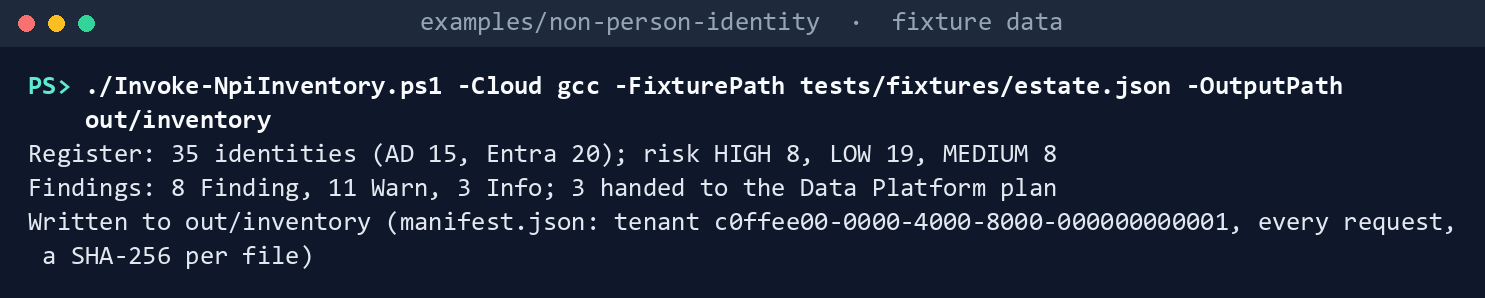
It prints the three lines of Chapter 01’s step 3, ending Written to out/inventory.
Run Learn’s script against the stand-ins:
Invoke-Pester -Path tests/NpiLeastPrivilegeSamples.Tests.ps1 -Output None -PassThru |
    Select-Object PassedCount, FailedCount, NotRunCount
What the terminal shows, run on the kit’s fixtures (the same output as text) PassedCount 10,FailedCount 0,NotRunCount 0. Read the test that removes application permissions: the script names Mail Automation’s own ID, and all three removals answer404.List what each task needs:
Import-Module ./powershell/NpiLeastPrivilege/NpiLeastPrivilege.psm1
foreach ($t in 'least-privilege', 'least-privilege-apply') { $p = Get-NpiLpRequiredPermission -Task $t; "$t : " + (@($p.GraphPermissions) + @($p.AzureRoles) -join ', ') }
least-privilege : Application.Read.All, Directory.Read.All, RoleManagement.Read.Directory, Reader least-privilege-apply : Application.Read.All, AppRoleAssignment.ReadWrite.All, DelegatedPermissionGrant.ReadWrite.All, Directory.Read.All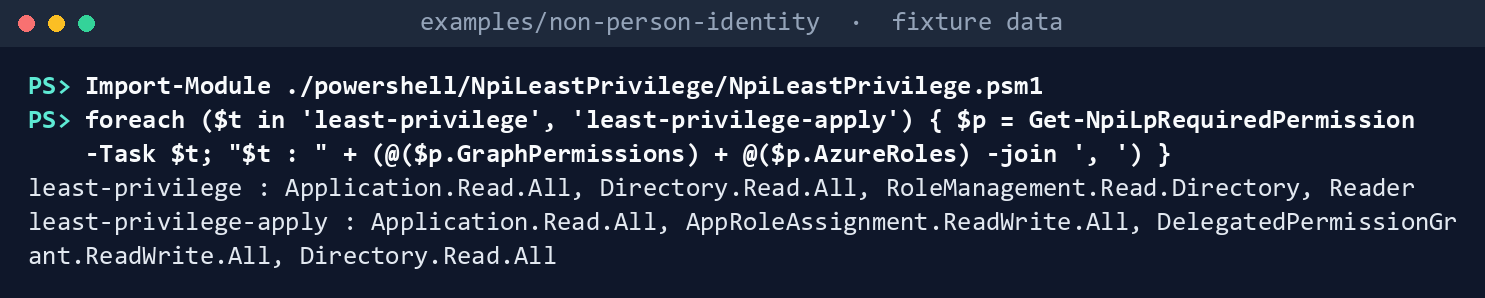
What the terminal shows, run on the kit’s fixtures (the same output as text) Sweep, check, and build the review and the plan:
./Invoke-NpiLeastPrivilege.ps1 -Cloud gcc -RegisterRun out/inventory -FixturePath tests/fixtures/ch07/estate-ch07.json -InputPath tests/fixtures/ch07/inputs -OutputPath out/least-privilegeSweep: 11 service principals, 20 grants (12 Application, 5 AzureRole, 3 Delegated); 2 skipped; 3 handed to the Privileged Access plan Findings: 7 Finding, 3 Warn, 3 Info Owner review 2026-Q4: 15 rows, 9 decided, 6 open, 4 changes pending; closed: False Plan: 11 actions, 3 of them writes (1 NarrowGrant, 2 RemoveAppRole); nothing sent Plan SHA-256: fca44f9f423c5c3590bf1b90b36e13a8cc9c4565dc0fdb30c9d6ef4ce1a1a0f8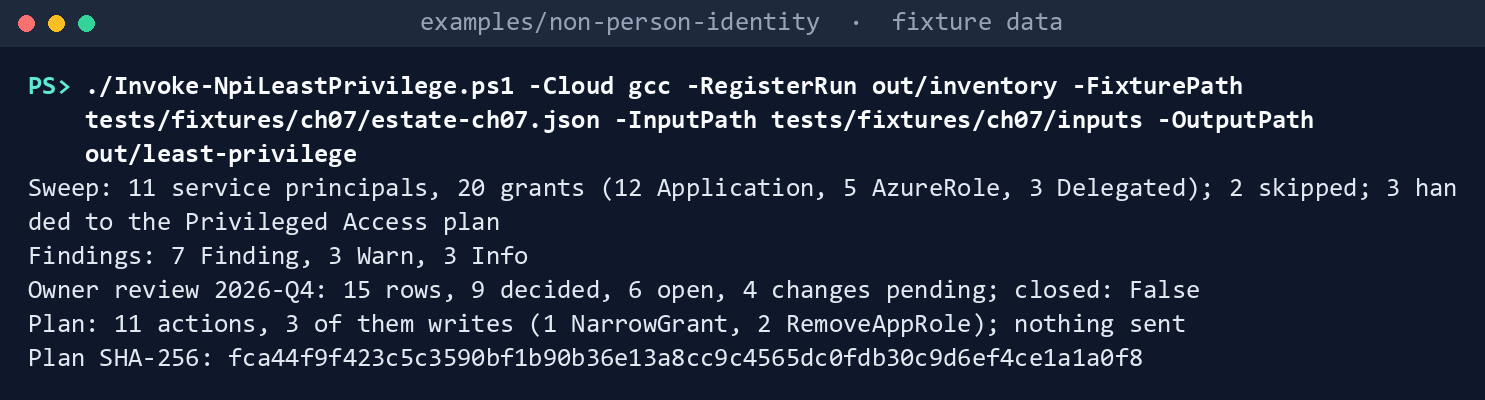
What the terminal shows, run on the kit’s fixtures (the same output as text) The two skipped are the agent identity and its blueprint, Chapter 09’s. The plan’s hash is the same on every run with these inputs.
Read the findings and the hand-off:
Get-Content out/least-privilege/findings.json -Raw | ConvertFrom-Json | Group-Object Rule | Format-Table Name, Count
Get-Content out/least-privilege/pa-handoff.json -Raw | ConvertFrom-Json | Format-Table Name, Reasons -Wrap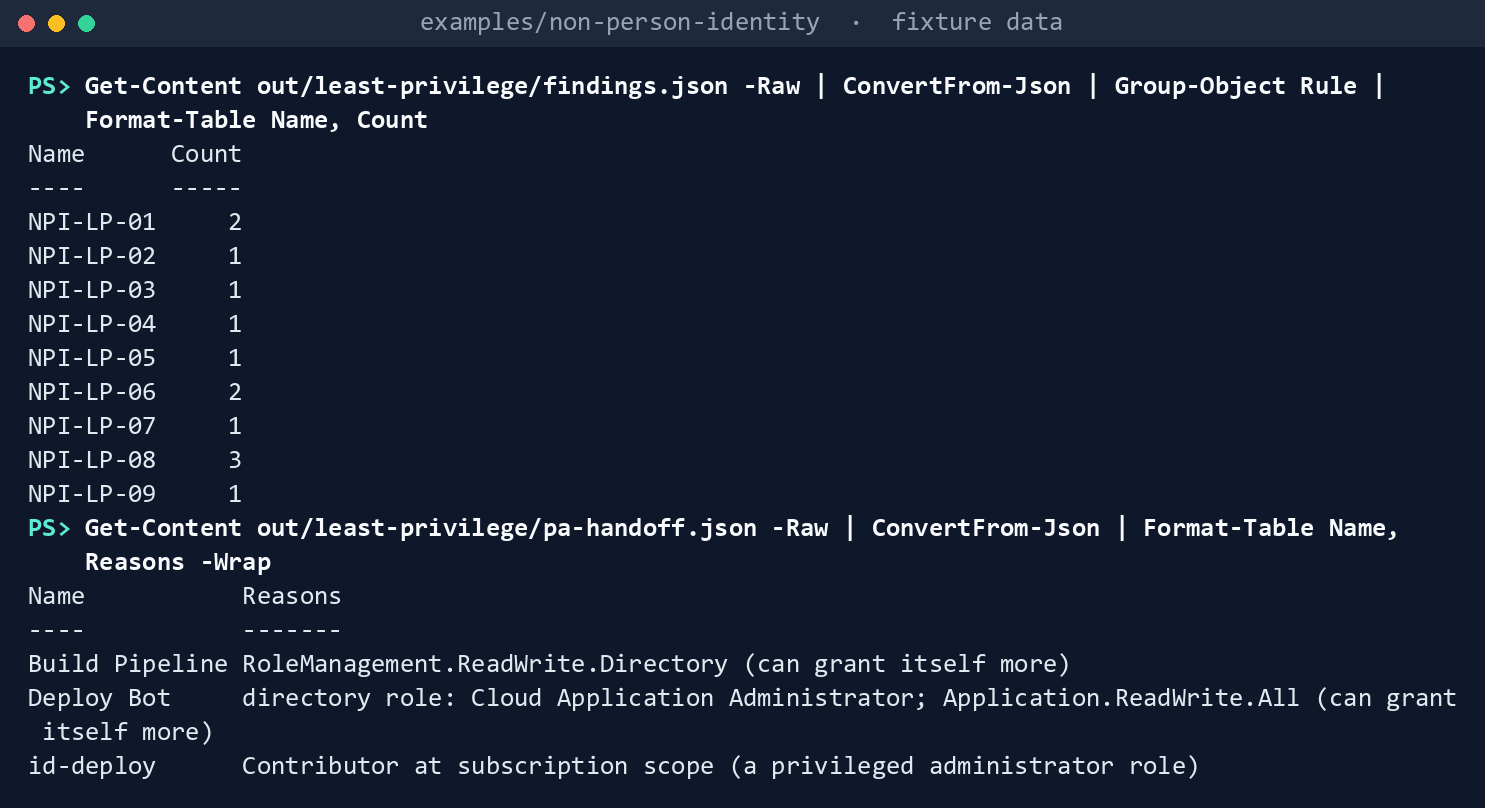
What the terminal shows, run on the kit’s fixtures (the same output as text) NPI-LP-01 twice (Mail Automation’s
Directory.ReadWrite.AllandMail.ReadWrite), NPI-LP-02 once (HR Connector’sSites.FullControl.All, whose exception ended September 30), NPI-LP-03 once (Partner CRM’sMail.Readfor all users), NPI-LP-04 once (Mail Automation’sMail.Send, excepted under an Exchange RBAC scope while the Entra grant stays), NPI-LP-05 once (Vendor Portal’sfull_access_as_appon Exchange Online under an application access policy), NPI-LP-06 twice and NPI-LP-07 once (vm-batch01: Storage Blob Data Reader on the subscription, Reader on a management group, Reader on a resource group), NPI-LP-08 three times and NPI-LP-09 once (Legacy Reports holds an app role Microsoft Graph doesn’t publish). The hand-off:Name Reasons ---- ------- Build Pipeline RoleManagement.ReadWrite.Directory (can grant itself more) Deploy Bot directory role: Cloud Application Administrator; Application.ReadWrite.All (can grant itself more) id-deploy Contributor at subscription scope (a privileged administrator role)Read the open rows of the owner review:
Import-Csv out/least-privilege/owner-review.csv | Where-Object { -not $_.Decision } | Format-Table Name, Kind, Permission, Broad, LastDecision -AutoSizeName Kind Permission Broad LastDecision ---- ---- ---------- ----- ------------ Legacy Reports Application unknown:a0000000-0000-4000-8000-0000000000ff False Mail Automation Application Mail.ReadWrite True vm-batch01 Application User.Read.All False Keep on 2026-07-15, an earlier quarter vm-batch01 AzureRole Reader False vm-batch01 AzureRole Reader True Mail Automation Delegated User.Read False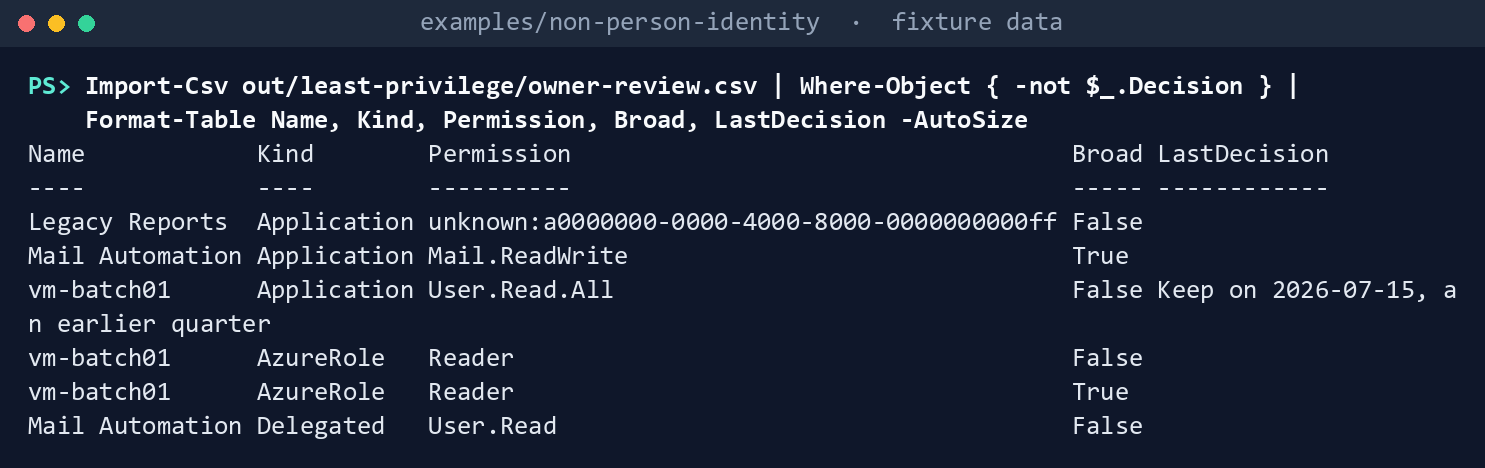
What the terminal shows, run on the kit’s fixtures (the same output as text) The broad Reader is the one at the management group; the other is at a resource group. vm-batch01’s July decision belongs to the last quarter, so its row is open again.
Read the plan:
Get-Content out/least-privilege/lp-plan.json -Raw | ConvertFrom-Json | Select-Object -ExpandProperty actions | Format-Table Action, Name, WriteAction Name Write ------ ---- ----- HandedOff Build Pipeline False HandedOff Deploy Bot False HandedOff id-deploy False RemoveAppRole HR Connector True Kept Vendor Portal False RemoveAppRole Mail Automation True Kept Mail Automation False AwaitOwnerDecision Mail Automation False RescopeByOwner vm-batch01 False AwaitOwnerDecision vm-batch01 False NarrowGrant Partner CRM True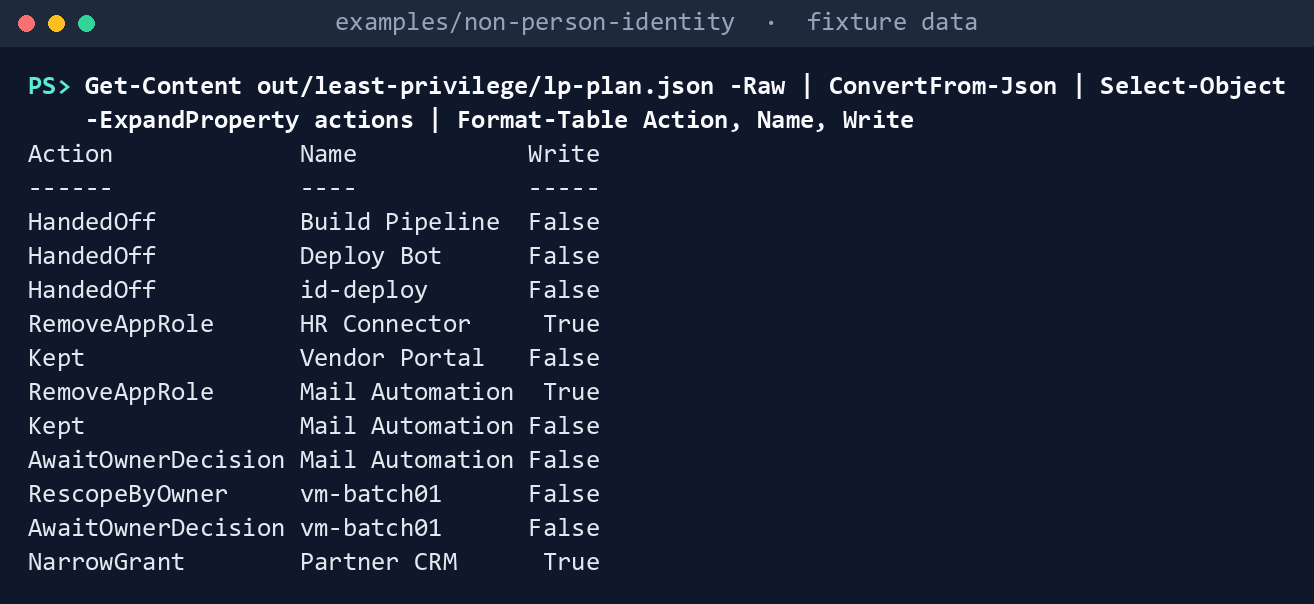
What the terminal shows, run on the kit’s fixtures (the same output as text) HR Connector’s
Sites.FullControl.Allis removed because its replacement,Sites.Selected, is already granted; Mail Automation’sDirectory.ReadWrite.Allis removed; Partner CRM’s grant for all users is narrowed fromUser.Read Mail.ReadtoUser.Read.Dry-run the plan with its approved hash:
$sha = (Get-FileHash out/least-privilege/lp-plan.json -Algorithm SHA256).Hash.ToLower()
./Invoke-NpiLeastPrivilegeAction.ps1 -Cloud gcc -PlanPath out/least-privilege/lp-plan.json -ApprovedSha256 $sha -FixturePath tests/fixtures/ch07/estate-ch07.json -OutputPath out/lp-dryrun
DryRun: 3 WouldSend WouldSend RemoveAppRole DELETE https://graph.microsoft.com/v1.0/servicePrincipals/5b000000-0000-4000-8000-000000000010/appRoleAssignedTo/ar-10 WouldSend RemoveAppRole DELETE https://graph.microsoft.com/v1.0/servicePrincipals/5b000000-0000-4000-8000-000000000010/appRoleAssignedTo/ar-01 WouldSend NarrowGrant PATCH https://graph.microsoft.com/v1.0/oauth2PermissionGrants/og-01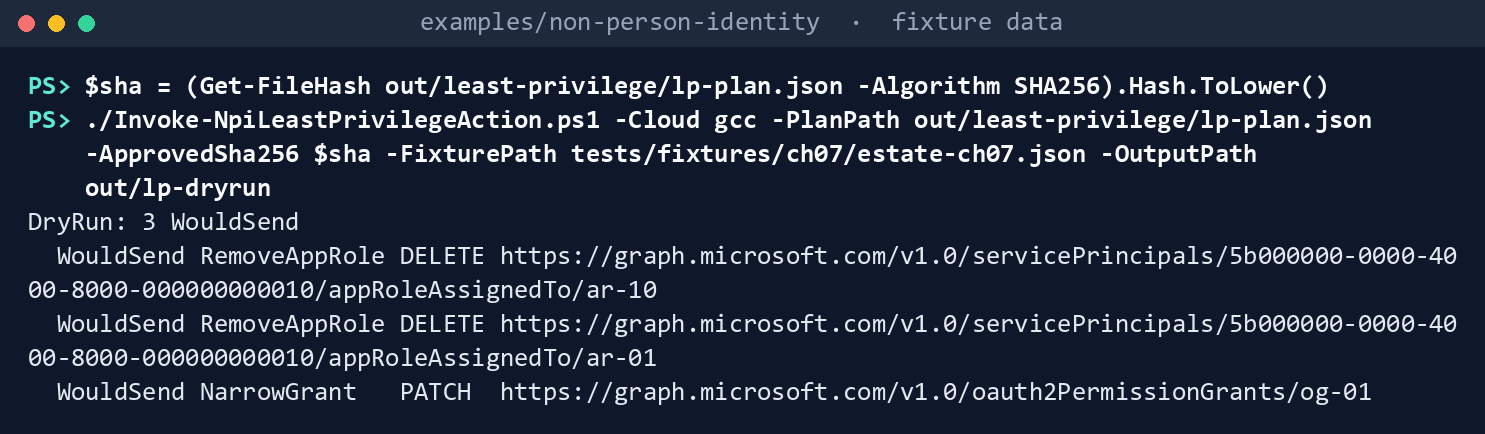
What the terminal shows, run on the kit’s fixtures (the same output as text) Both removals go through
5b000000-…-000000000010, Microsoft Graph’s service principal: the resource, not the app.Apply it to the fake, then try a hash nobody approved:
./Invoke-NpiLeastPrivilegeAction.ps1 -Cloud gcc -PlanPath out/least-privilege/lp-plan.json -ApprovedSha256 $sha -FixturePath tests/fixtures/ch07/estate-ch07.json -OutputPath out/lp-apply -Apply
./Invoke-NpiLeastPrivilegeAction.ps1 -Cloud gcc -PlanPath out/least-privilege/lp-plan.json -ApprovedSha256 ('0' * 64) -FixturePath tests/fixtures/ch07/estate-ch07.json -OutputPath out/lp-x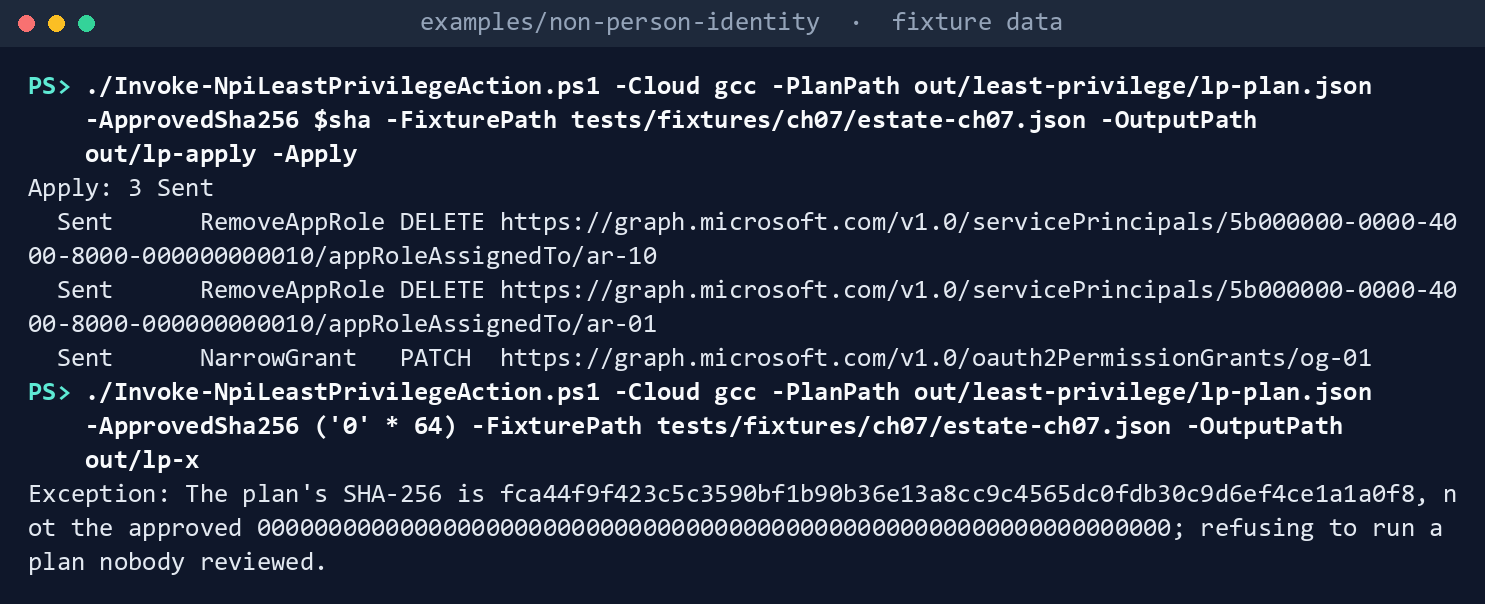
What the terminal shows, run on the kit’s fixtures (the same output as text) Apply: 3 Sent, then the refusal,The plan's SHA-256 is fca44f9f…, not the approved 0000…; refusing to run a plan nobody reviewed.Run the tests:
Invoke-Pester -Path tests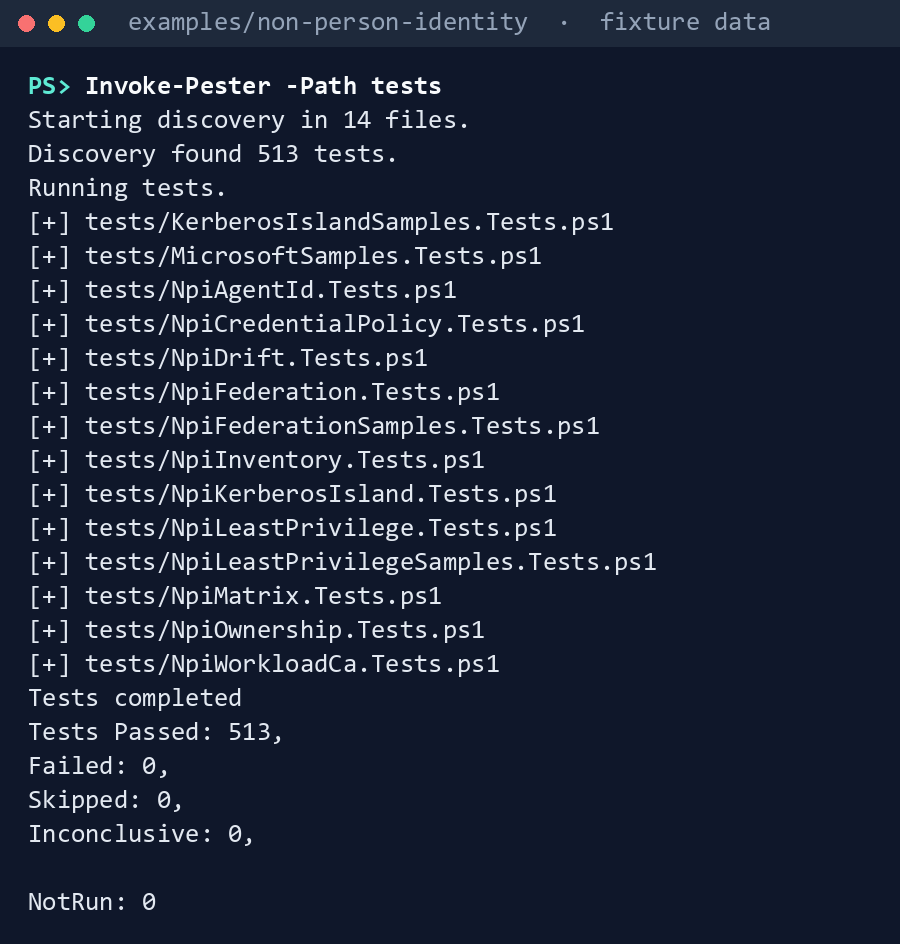
What the terminal shows, run on the kit’s fixtures (the same output as text)
Expected result: 513 tests passing across the example, out/least-privilege/manifest.json listing 45 reads (12 app role assignment pages, 11 grant lists, 11 directory role lists, 2 resource service principals, 4 role assignment lists and 5 role definitions), and out/lp-apply/manifest.json listing the prechecks and the three writes. Delete out when you’re done: the review names owners:
Remove-Item -Recurse -Force out
Lab 2: test tenant
Use a test tenant in the worldwide or GCC cloud and a test Azure subscription, never production, with fictional people, and Chapter 01’s Lab 2 run (out/inventory-test). Work in examples/non-person-identity on Chapter 01’s test host. You’ll replace: <tenant-id>, <inventory-app-id> and <inventory-thumbprint> (Chapter 01’s tenant, reading app and certificate), <app-id> and <thumbprint> (an app holding only Application.Read.All, Directory.Read.All and RoleManagement.Read.Directory, with Reader on the listed scopes, and its certificate), <test-domain> (the test domain’s DNS name), <inputs> (a folder for this lab’s input files), <test-app-name> and <test-sp-object-id> (the test app registration’s name and the Object ID of its enterprise application), <subscription-id> and <management-group-id> (the test subscription and the test management group above it), <owner-upn> (the test app’s owner), and <sha> (the plan’s SHA-256, as the reviewer passes it to you).
Every command in this lab, in order, from examples/non-person-identity. Each step below says what it does and what to look for.
# Step 1: Make a test grant to sweep
Connect-MgGraph -Environment Global -TenantId <tenant-id> -Scopes AppRoleAssignment.ReadWrite.All, Application.Read.All
$graph = Invoke-MgGraphRequest -Uri "https://graph.microsoft.com/v1.0/servicePrincipals(appId='00000003-0000-0000-c000-000000000000')?`$select=id,appId,appRoles"
foreach ($perm in 'Directory.ReadWrite.All', 'User.Read.All') {
    $role = $graph.appRoles | Where-Object value -eq $perm
    Invoke-MgGraphRequest -Method POST -Uri "https://graph.microsoft.com/v1.0/servicePrincipals/$($graph.id)/appRoleAssignedTo" -Body @{ principalId = '<test-sp-object-id>'; resourceId = $graph.id; appRoleId = $role.id }
}

# Step 1: Make a test grant to sweep
New-Item -ItemType Directory -Force <inputs> | Out-Null
foreach ($f in 'owner-decisions', 'permission-exceptions') { Get-Content tests/fixtures/ch07/inputs/$f.csv -TotalCount 1 | Set-Content <inputs>/$f.csv }
Set-Content <inputs>/azure-scopes.csv 'Scope', '/providers/Microsoft.Management/managementGroups/<management-group-id>', '/subscriptions/<subscription-id>'
Connect-MgGraph -Environment Global -TenantId <tenant-id> -ClientId <inventory-app-id> -CertificateThumbprint <inventory-thumbprint>
Connect-AzAccount -ServicePrincipal -Environment AzureCloud -Tenant <tenant-id> -ApplicationId <inventory-app-id> -CertificateThumbprint <inventory-thumbprint>
./Invoke-NpiInventory.ps1 -Cloud gcc -TenantId <tenant-id> -Domain <test-domain> -OutputPath out/inventory-test

# Step 2: Run the sweep
Connect-MgGraph -Environment Global -TenantId <tenant-id> -ClientId <app-id> -CertificateThumbprint <thumbprint>
Connect-AzAccount -ServicePrincipal -Environment AzureCloud -Tenant <tenant-id> -ApplicationId <app-id> -CertificateThumbprint <thumbprint>
./Invoke-NpiLeastPrivilege.ps1 -Cloud gcc -RegisterRun out/inventory-test -InputPath <inputs> -OutputPath out/lp-test
Get-Content out/lp-test/findings.json -Raw | ConvertFrom-Json | Format-Table Rule, Severity, Object -Wrap

# Step 3: Decide and review
$row = Import-Csv out/lp-test/owner-review.csv | Where-Object { $_.Name -eq '<test-app-name>' -and $_.Permission -eq 'Directory.ReadWrite.All' }
Add-Content <inputs>/owner-decisions.csv "$($row.Key),Remove,,,<owner-upn>,$(Get-Date -Format yyyy-MM-dd)"
./Invoke-NpiLeastPrivilege.ps1 -Cloud gcc -RegisterRun out/inventory-test -InputPath <inputs> -OutputPath out/lp-test

# Step 3: Decide and review
(Get-FileHash out/lp-test/lp-plan.json -Algorithm SHA256).Hash.ToLower()

# Step 4: Dry-run, then apply
Connect-MgGraph -Environment Global -TenantId <tenant-id> -Scopes Application.Read.All, AppRoleAssignment.ReadWrite.All, DelegatedPermissionGrant.ReadWrite.All, Directory.Read.All
./Invoke-NpiLeastPrivilegeAction.ps1 -Cloud gcc -PlanPath out/lp-test/lp-plan.json -ApprovedSha256 <sha> -OutputPath out/lp-test-dry
./Invoke-NpiLeastPrivilegeAction.ps1 -Cloud gcc -PlanPath out/lp-test/lp-plan.json -ApprovedSha256 <sha> -OutputPath out/lp-test-apply -Apply

# Step 4: Dry-run, then apply
$ura = (Invoke-MgGraphRequest -Uri https://graph.microsoft.com/v1.0/servicePrincipals/<test-sp-object-id>/appRoleAssignments).value | Where-Object appRoleId -eq ($graph.appRoles | Where-Object value -eq 'User.Read.All').id
Remove-MgServicePrincipalAppRoleAssignedTo -ServicePrincipalId <test-sp-object-id> -AppRoleAssignmentId $ura.id

# Step 5: Check the result
Connect-MgGraph -Environment Global -TenantId <tenant-id> -ClientId <app-id> -CertificateThumbprint <thumbprint>
Connect-AzAccount -ServicePrincipal -Environment AzureCloud -Tenant <tenant-id> -ApplicationId <app-id> -CertificateThumbprint <thumbprint>
./Invoke-NpiLeastPrivilege.ps1 -Cloud gcc -RegisterRun out/inventory-test -InputPath <inputs> -OutputPath out/lp-test-after
Import-Csv out/lp-test-after/owner-review.csv | Where-Object Name -eq '<test-app-name>' | Format-Table Kind, Permission, Decision
(Invoke-MgGraphRequest -Uri "https://graph.microsoft.com/v1.0/roleManagement/directory/roleAssignments?`$filter=principalId eq '<test-sp-object-id>'").value.Count

# Step 6: Back it out
Connect-MgGraph -Environment Global -TenantId <tenant-id> -Scopes AppRoleAssignment.ReadWrite.All, Application.Read.All
$role = $graph.appRoles | Where-Object value -eq 'Directory.ReadWrite.All'
Invoke-MgGraphRequest -Method POST -Uri "https://graph.microsoft.com/v1.0/servicePrincipals/$($graph.id)/appRoleAssignedTo" -Body @{ principalId = '<test-sp-object-id>'; resourceId = $graph.id; appRoleId = $role.id }

# Step 6: Back it out
$role = $graph.appRoles | Where-Object value -eq 'User.Read.All'
Invoke-MgGraphRequest -Method POST -Uri "https://graph.microsoft.com/v1.0/servicePrincipals/$($graph.id)/appRoleAssignedTo" -Body @{ principalId = '<test-sp-object-id>'; resourceId = $graph.id; appRoleId = $role.id }

# Step 6: Back it out
Remove-Item -Recurse -Force out/lp-test*
Make a test grant to sweep. Signed in as a test Privileged Role Administrator, give a test app registration’s service principal the Microsoft Graph application permissions
Directory.ReadWrite.AllandUser.Read.Allwith Learn’s grant request,POST /servicePrincipals/{resource-id}/appRoleAssignedTo.54 Give a test user-assigned managed identity Reader on the test subscription and on a test management group above it, and list both inazure-scopes.csv. Run Chapter 01’s Lab 2 again so the register has them. The grant, with Microsoft Graph’s service principal as the resource:Connect-MgGraph -Environment Global -TenantId <tenant-id> -Scopes AppRoleAssignment.ReadWrite.All, Application.Read.All $graph = Invoke-MgGraphRequest -Uri "https://graph.microsoft.com/v1.0/servicePrincipals(appId='00000003-0000-0000-c000-000000000000')?`$select=id,appId,appRoles" foreach ($perm in 'Directory.ReadWrite.All', 'User.Read.All') { $role = $graph.appRoles | Where-Object value -eq $perm Invoke-MgGraphRequest -Method POST -Uri "https://graph.microsoft.com/v1.0/servicePrincipals/$($graph.id)/appRoleAssignedTo" -Body @{ principalId = '<test-sp-object-id>'; resourceId = $graph.id; appRoleId = $role.id } }The two Reader assignments, in the Azure portal, once on the test subscription and once on the test management group (Management groups, then the group):
- Access control (IAM) > Add > Add role assignment.
- On Role, select Reader, then Next.
- On Members, choose Managed identity, Select members, select the test identity, then Select and Review + assign.
Then the input files, with the two scopes, and the register read again:
New-Item -ItemType Directory -Force <inputs> | Out-Null
foreach ($f in 'owner-decisions', 'permission-exceptions') { Get-Content tests/fixtures/ch07/inputs/$f.csv -TotalCount 1 | Set-Content <inputs>/$f.csv }
Set-Content <inputs>/azure-scopes.csv 'Scope', '/providers/Microsoft.Management/managementGroups/<management-group-id>', '/subscriptions/<subscription-id>'
Connect-MgGraph -Environment Global -TenantId <tenant-id> -ClientId <inventory-app-id> -CertificateThumbprint <inventory-thumbprint>
Connect-AzAccount -ServicePrincipal -Environment AzureCloud -Tenant <tenant-id> -ApplicationId <inventory-app-id> -CertificateThumbprint <inventory-thumbprint>
./Invoke-NpiInventory.ps1 -Cloud gcc -TenantId <tenant-id> -Domain <test-domain> -OutputPath out/inventory-test
Run the sweep with an app holding only
Application.Read.All,Directory.Read.AllandRoleManagement.Read.Directory, and Reader on the listed scopes:Connect-MgGraph -Environment Global -TenantId <tenant-id> -ClientId <app-id> -CertificateThumbprint <thumbprint> Connect-AzAccount -ServicePrincipal -Environment AzureCloud -Tenant <tenant-id> -ApplicationId <app-id> -CertificateThumbprint <thumbprint> ./Invoke-NpiLeastPrivilege.ps1 -Cloud gcc -RegisterRun out/inventory-test -InputPath <inputs> -OutputPath out/lp-test Get-Content out/lp-test/findings.json -Raw | ConvertFrom-Json | Format-Table Rule, Severity, Object -WrapExpect NPI-LP-01 for
Directory.ReadWrite.Alland NPI-LP-06 for the managed identity. Record whether the subscription’s list also returned the management group’s assignment (research gaps, row 65).Decide and review. Add the
Directory.ReadWrite.Allrow’s key toowner-decisions.csvwithDecisionRemove, run step 2 again, and have a second person reviewlp-plan.jsonand pass you its SHA-256. These commands add the decision, dated today, and sweep again:$row = Import-Csv out/lp-test/owner-review.csv | Where-Object { $_.Name -eq '<test-app-name>' -and $_.Permission -eq 'Directory.ReadWrite.All' } Add-Content <inputs>/owner-decisions.csv "$($row.Key),Remove,,,<owner-upn>,$(Get-Date -Format yyyy-MM-dd)" ./Invoke-NpiLeastPrivilege.ps1 -Cloud gcc -RegisterRun out/inventory-test -InputPath <inputs> -OutputPath out/lp-testThe reviewer computes the hash with:
(Get-FileHash out/lp-test/lp-plan.json -Algorithm SHA256).Hash.ToLower()Dry-run, then apply, signed in as a person with Privileged Role Administrator:
Connect-MgGraph -Environment Global -TenantId <tenant-id> -Scopes Application.Read.All, AppRoleAssignment.ReadWrite.All, DelegatedPermissionGrant.ReadWrite.All, Directory.Read.All
./Invoke-NpiLeastPrivilegeAction.ps1 -Cloud gcc -PlanPath out/lp-test/lp-plan.json -ApprovedSha256 <sha> -OutputPath out/lp-test-dry
./Invoke-NpiLeastPrivilegeAction.ps1 -Cloud gcc -PlanPath out/lp-test/lp-plan.json -ApprovedSha256 <sha> -OutputPath out/lp-test-apply -Apply
Then, for row 61, send Learn’s script’s request shape for the test app’s
User.Read.Allassignment,Remove-MgServicePrincipalAppRoleAssignedTo -ServicePrincipalId <the test app's own ID> -AppRoleAssignmentId <id>, and record what Graph answers. The first command finds that assignment’s ID; the second sends the request:$ura = (Invoke-MgGraphRequest -Uri https://graph.microsoft.com/v1.0/servicePrincipals/<test-sp-object-id>/appRoleAssignments).value | Where-Object appRoleId -eq ($graph.appRoles | Where-Object value -eq 'User.Read.All').id Remove-MgServicePrincipalAppRoleAssignedTo -ServicePrincipalId <test-sp-object-id> -AppRoleAssignmentId $ura.idCheck the result. Run step 2 again after a few minutes (Learn warns of replication delay):55 the removed row is gone, and the test service principal has no directory role (research gaps, row 68). The audit log shows the removal with the person as actor. Learn’s pages name it two ways: Remove app role assignment from the service principal on the page about these logs,56 and Remove app role assignment from service principal in the activity list,57 which is the name Chapter 10 filters on. The sweep, and the service principal’s directory roles, with the filter the code sends:
Connect-MgGraph -Environment Global -TenantId <tenant-id> -ClientId <app-id> -CertificateThumbprint <thumbprint>
Connect-AzAccount -ServicePrincipal -Environment AzureCloud -Tenant <tenant-id> -ApplicationId <app-id> -CertificateThumbprint <thumbprint>
./Invoke-NpiLeastPrivilege.ps1 -Cloud gcc -RegisterRun out/inventory-test -InputPath <inputs> -OutputPath out/lp-test-after
Import-Csv out/lp-test-after/owner-review.csv | Where-Object Name -eq '<test-app-name>' | Format-Table Kind, Permission, Decision
(Invoke-MgGraphRequest -Uri "https://graph.microsoft.com/v1.0/roleManagement/directory/roleAssignments?`$filter=principalId eq '<test-sp-object-id>'").value.Count
Back it out. Grant the removed permissions again with Learn’s grant request, as Learn’s restore page describes for a known permission,58 59 then remove the test managed identity’s role assignments and delete the test identity and the test app registration, which are test objects, not the estate’s; delete the
outfolders: they name owners. The grant ofDirectory.ReadWrite.All, as in step 1:Connect-MgGraph -Environment Global -TenantId <tenant-id> -Scopes AppRoleAssignment.ReadWrite.All, Application.Read.All $role = $graph.appRoles | Where-Object value -eq 'Directory.ReadWrite.All' Invoke-MgGraphRequest -Method POST -Uri "https://graph.microsoft.com/v1.0/servicePrincipals/$($graph.id)/appRoleAssignedTo" -Body @{ principalId = '<test-sp-object-id>'; resourceId = $graph.id; appRoleId = $role.id }If step 4’s request removed
User.Read.All, grant it again the same way:$role = $graph.appRoles | Where-Object value -eq 'User.Read.All' Invoke-MgGraphRequest -Method POST -Uri "https://graph.microsoft.com/v1.0/servicePrincipals/$($graph.id)/appRoleAssignedTo" -Body @{ principalId = '<test-sp-object-id>'; resourceId = $graph.id; appRoleId = $role.id }In the Azure portal, on the test subscription and on the test management group, Access control (IAM) > Role assignments, select the test identity’s Reader row, and Delete. Delete the test identity and the test app registration, then the
outfolders:Remove-Item -Recurse -Force out/lp-test*
Verified facts
| Item | Value | US Government clouds | Stage | Source |
|---|---|---|---|---|
| List a service principal’s app role assignments | GET /servicePrincipals/{id}/appRoleAssignments; Application.Read.All; replication delays for recent changes |
L4 and L5 | v1.0 | 60 |
| List a service principal’s delegated grants | GET /servicePrincipals/{id}/oauth2PermissionGrants; Directory.Read.All |
L4 and L5 | v1.0 | 61 |
| Get a service principal | GET /servicePrincipals/{id}; Application.Read.All |
— | v1.0 | 62 |
| List directory role assignments | GET /roleManagement/directory/roleAssignments, $filter on principalId; RoleManagement.Read.Directory |
L4 and L5 | v1.0 | 63 |
| Delete appRoleAssignedTo | Through the resource service principal (Learn’s recommended way); AppRoleAssignment.ReadWrite.All; Privileged Role Administrator is the least privileged role for Microsoft Graph app roles |
L4 and L5 | v1.0 | 64 |
| Update a delegated grant | PATCH /oauth2PermissionGrants/{id}; DelegatedPermissionGrant.ReadWrite.All; the scope sent replaces the list |
L4 and L5 | v1.0 | 65 |
| Escalation permissions | AppRoleAssignment.ReadWrite.All, RoleManagement.ReadWrite.Directory can grant the app more; Application.ReadWrite.All doesn’t manage Microsoft Graph app role assignments; Directory.ReadWrite.All granted before December 3, 2020 also assigned Directory Writers |
— | — | 66 |
| Selected permissions | Sites.Selected and Lists, ListItems, Files .SelectedOperations.Selected, granted per resource |
— | — | 67 |
| RBAC for Applications in Exchange Online | Replaces application access policies; grants are a union with the Microsoft Entra grant | — | — | 68 69 |
| List Azure role assignments | {scope}/providers/Microsoft.Authorization/roleAssignments?api-version=2022-04-01, $filter=assignedTo('{objectId}'); Microsoft.Authorization/roleAssignments/read, such as Reader |
n/a (Resource Manager; GCC uses commercial Azure) | GA | 70 71 |
| Narrowest Azure scope | Use a resource group or resource; a parent scope’s role is inherited | n/a | — | 72 73 74 |
| Access reviews of service principals | PIM reviews; Workload ID Premium plus Microsoft Entra ID P2 or ID Governance; managed identities included; no free trial in Azure Government | Access reviews, PIM and Workload ID Premium listed for Azure for US Government | Not marked preview on the PIM page; Securing service principals says the reviews are in preview, so this chapter treats them as preview | 75 76 77 78 |
Where Learn’s pages differ: the review page’s PowerShell script removes application permissions through the client’s ID while its own HTTP request and Delete appRoleAssignedTo name the resource (research gaps, row 61); the review page names Cloud Application Administrator while Delete appRoleAssignedTo and the restore page name Privileged Role Administrator for Microsoft Graph app roles (row 62); and Book 04’s application access policy is now legacy on Learn (row 63). The code follows the stricter reading in each case.
Federal requirements and evidence
The sweep, the owner review and the plan are what the guide’s G4 Least privilege gate checks: every broad grant justified with an approver and a review date, or removed, and privileged service principals handed to the Privileged Access plan. Each row names the file or command that is the evidence. The controls are in the NIST SP 800-53 Rev. 5 Moderate baseline.79
| What the output proves | Requirement it supports | KSI it aligns to | Who keeps it |
|---|---|---|---|
Learn’s review-and-revoke script and requests, run as published against stand-ins, are the models the code keeps, and each gap is pinned by a test (Lab 1, step 1: NpiLeastPrivilegeSamples.Tests.ps1, 10 passed) |
AC-6 Least Privilege | KSI-IAM-ELP | The repository’s tests; the pinned copies |
The sweep reads with Application.Read.All, Directory.Read.All, RoleManagement.Read.Directory and Reader; the write task is separate and delegated (Lab 1, step 2, and Lab 2, step 2: the permissions for least-privilege and least-privilege-apply) |
AC-6; CM-5 Access Restrictions for Change | KSI-IAM-ELP, KSI-IAM-JIT (AC-6); KSI-CMT-RVP (CM-5) | Identity engineering; the ISSO keeps the consent record |
Every application permission, delegated grant, directory role and Azure role held by each service principal and managed identity, and what was skipped and why (Lab 1, step 3: sweep.json, identities.json, skipped.json) |
AC-6; AC-2 Account Management (monitor the use of accounts) | KSI-IAM-ELP, KSI-IAM-JIT; KSI-IAM-SNU | Identity engineering |
A broad permission or tenant-wide grant without an exception, an exception that ended or is incomplete, a mail permission whose limit has no effect, a managed identity’s role above resource group: each is a finding (Lab 1, step 4: findings.json, NPI-LP-01 to -07 and -09) |
AC-6 | KSI-IAM-ELP, KSI-IAM-JIT | The CISO’s office, for exceptions; application owners |
Privileged service principals go to the Privileged Access plan (Lab 1, step 4: pa-handoff.json; NPI-LP-08) |
AC-6(5) Privileged Accounts | KSI-IAM-SNU, KSI-IAM-JIT | The Privileged Access plan (A3.4) |
One review row per grant, with its owners and proposal, and a count of decided and open rows for the quarter (Lab 1, step 5: owner-review.csv, review-status.json) |
AC-6(7) Review of User Privileges | KSI-IAM-AAM, KSI-IAM-JIT | Application owners, through the identity governance office |
Each owner’s decision becomes one action, nothing in the plan writes, and the same inputs give the same plan hash (Lab 1, step 6, and Lab 2, step 3: lp-plan.json; owner-decisions.csv) |
AC-6(7); CM-3 Configuration Change Control | KSI-IAM-AAM; KSI-CMT-LMC, KSI-CMT-RVP | Application owners; the reviewer who approves the hash |
A second person approves the plan’s SHA-256 before anything is removed (Lab 2, step 3: the hash from Get-FileHash) |
AC-5 Separation of Duties | KSI-IAM-JIT | The reviewer |
The write path stops after its prechecks without -Apply, and refuses a plan whose hash nobody approved (Lab 1, steps 7 and 8: results.json in the dry-run folder; the refusal text) |
CM-3; CM-5 | KSI-CMT-RVP; KSI-IAM-JIT | The reviewer; the ISSO |
The approved removals and narrowings were sent after fresh re-reads, and recorded (Lab 1, step 8, and Lab 2, step 4: results.json and manifest.json in the apply folder) |
AC-6; CM-3 | KSI-IAM-ELP; KSI-CMT-LMC | The ISSO, with the run’s folder |
The removed grant is gone on the next sweep, and the audit log shows the removal (Lab 2, step 5: the next sweep.json; the Entra audit entry) |
AC-6; AU-2 Event Logging | KSI-IAM-ELP; KSI-MLA-LET, KSI-CMT-LMC | Identity engineering; security operations |
Every run records the tenant, the cloud, every request, and the SHA-256 of the register, of each input and of each file (manifest.json in each output folder) |
AU-9 Protection of Audit Information; SI-7 Software, Firmware, and Information Integrity | KSI-MLA-OSM (AU-9); KSI-SVC-VRI (SI-7) | The ISSO |
The code passes its tests (Lab 1, step 9: Invoke-Pester -Path tests, 513 passed) |
CM-3(2) Testing, Validation, and Documentation of Changes | KSI-CMT-VTD | The repository; the pull request’s checks |
| The lab’s removal is reversed by a person with Learn’s grant request (Lab 2, step 6) | CM-3 | KSI-CMT-LMC | Identity engineering |
KSIs are FedRAMP 20x indicators for cloud service providers. The KSI column names the indicators whose related controls, as FedRAMP lists them, include the row’s control or one of its enhancements; which output supports which indicator is the program’s mapping (design guidance).80 The agency authorizes its own system and lines this evidence up with what its providers report against KSIs; it doesn’t report KSIs itself (Book 00, Appendix B). Lab steps that only make test grants, run Chapter 01 or delete out have no row. The track-wide mapping is the guide’s Evidence table.
Dangers
| Danger | What happens | The guard |
|---|---|---|
| Learn’s script run against a tenant | Every delegated grant goes, the excepted ones too, and nobody planned it | The example never removes anything an owner didn’t decide; a plan, an approved SHA-256 and -Apply |
| An app deleted, or its service principal | Every grant and credential lost at once | The only DELETE is of one app role assignment through its resource service principal; the writer refuses any other target |
| A broad permission removed before its replacement | The workload fails in production | Remove with a Replacement waits until the replacement is granted, and the precheck checks it again before the write |
| An Exchange scope that does nothing | The app still reads every mailbox, and the exception says it doesn’t | NPI-LP-04: the Entra grant must go once the RBAC for Applications assignment is tested |
| A privileged service principal swept twice, or not at all | Two plans disagree, or Gate 4 passes on a Global Administrator app | Directory roles, escalation permissions and privileged Azure roles hand the identity to A3.4; Gate 4 waits for it |
| A narrowing that widens | A PATCH adds a scope the owner never had |
The new scope must be a smaller subset of the scope the plan read; the writer refuses anything else |
| A plan changed after review, or the tenant changed | Different writes from the ones approved | The approved SHA-256 is checked; tenant, cloud and seven days are checked; each write is re-read and skipped if its target changed |
An unattended app with AppRoleAssignment.ReadWrite.All |
A standing permission that can grant itself anything | The write path is delegated only, a person with Privileged Role Administrator; the sweep holds read permissions only |
| A decision from last quarter treated as current | The review closes on stale answers | Only decisions dated this quarter count; earlier ones show as LastDecision |
| A re-grant after the removal | The permission is back at the next admin consent | The quarterly sweep shows it as a new row; the owner removes it from the registration’s required permissions (research gaps, row 69) |
Checklist
Footnotes
Microsoft Learn, “List appRoleAssignments granted to a service principal,” permissions, HTTP request and note, https://learn.microsoft.com/graph/api/serviceprincipal-list-approleassignments?view=graph-rest-1.0 (accessed Oct 30, 2026).↩︎
Microsoft Learn, “List oauth2PermissionGrants granted to a service principal,” https://learn.microsoft.com/graph/api/serviceprincipal-list-oauth2permissiongrants?view=graph-rest-1.0 (accessed Oct 30, 2026).↩︎
Microsoft Learn, “Roles across Microsoft services,” Microsoft Graph application permissions, https://learn.microsoft.com/entra/identity/role-based-access-control/m365-workload-docs (accessed Oct 30, 2026).↩︎
Microsoft Learn, “Review permissions granted to enterprise applications,” prerequisites, Microsoft Graph PowerShell, Microsoft Graph, other authorization to consider, https://learn.microsoft.com/entra/identity/enterprise-apps/manage-application-permissions (accessed Oct 30, 2026).↩︎
Microsoft Learn, “Microsoft Graph permissions reference,”
Application.ReadWrite.All,AppRoleAssignment.ReadWrite.All,Directory.ReadWrite.All,RoleManagement.ReadWrite.Directory, https://learn.microsoft.com/graph/permissions-reference (accessed Oct 31, 2026).↩︎Microsoft Learn, “Overview of Selected permissions in OneDrive and SharePoint,” https://learn.microsoft.com/graph/permissions-selected-overview (accessed Oct 30, 2026).↩︎
Microsoft Learn, “Role Based Access Control for Applications in Exchange Online,” overview, limitations and FAQ, https://learn.microsoft.com/exchange/permissions-exo/application-rbac (accessed Oct 30, 2026).↩︎
Microsoft Learn, “Application Access Policies (legacy),” https://learn.microsoft.com/exchange/permissions-exo/application-access-policies, and “New-ApplicationAccessPolicy,” https://learn.microsoft.com/powershell/module/exchangepowershell/new-applicationaccesspolicy?view=exchange-ps (accessed Oct 30, 2026).↩︎
Microsoft Learn, “Microsoft Graph permissions reference,”
Application.ReadWrite.All,AppRoleAssignment.ReadWrite.All,Directory.ReadWrite.All,RoleManagement.ReadWrite.Directory, https://learn.microsoft.com/graph/permissions-reference (accessed Oct 31, 2026).↩︎Microsoft Learn, “Steps to assign an Azure role,” step 3, identify the needed scope, https://learn.microsoft.com/azure/role-based-access-control/role-assignments-steps (accessed Oct 30, 2026).↩︎
Microsoft Learn, “Managed identity best practice recommendations,” follow the principle of least privilege when granting access, https://learn.microsoft.com/entra/identity/managed-identities-azure-resources/managed-identity-best-practice-recommendations (accessed Oct 30, 2026).↩︎
Microsoft Learn, “Best practices for Azure RBAC,” limit privileged administrator role assignments, https://learn.microsoft.com/azure/role-based-access-control/best-practices (accessed Oct 30, 2026).↩︎
Microsoft Learn, “Delete appRoleAssignedTo,” permissions, HTTP request and note, https://learn.microsoft.com/graph/api/serviceprincipal-delete-approleassignedto?view=graph-rest-1.0 (accessed Oct 30, 2026).↩︎
Microsoft Learn, “Microsoft Graph national cloud deployments,” https://learn.microsoft.com/graph/deployments (accessed Oct 30, 2026).↩︎
Microsoft Learn, “Compare Azure Government and global Azure,” guidance for developers (Azure Resource Manager endpoints), https://learn.microsoft.com/azure/azure-government/compare-azure-government-global-azure (accessed Oct 31, 2026).↩︎
Microsoft Learn, “List appRoleAssignments granted to a service principal,” permissions, HTTP request and note, https://learn.microsoft.com/graph/api/serviceprincipal-list-approleassignments?view=graph-rest-1.0 (accessed Oct 30, 2026).↩︎
Microsoft Learn, “List oauth2PermissionGrants granted to a service principal,” https://learn.microsoft.com/graph/api/serviceprincipal-list-oauth2permissiongrants?view=graph-rest-1.0 (accessed Oct 30, 2026).↩︎
Microsoft Learn, “List unifiedRoleAssignments,” permissions and example 2, https://learn.microsoft.com/graph/api/rbacapplication-list-roleassignments?view=graph-rest-1.0 (accessed Oct 30, 2026).↩︎
Microsoft Learn, “Delete appRoleAssignedTo,” permissions, HTTP request and note, https://learn.microsoft.com/graph/api/serviceprincipal-delete-approleassignedto?view=graph-rest-1.0 (accessed Oct 30, 2026).↩︎
Microsoft Learn, “Update a delegated permission grant (oAuth2PermissionGrant),” https://learn.microsoft.com/graph/api/oauth2permissiongrant-update?view=graph-rest-1.0 (accessed Oct 30, 2026).↩︎
Microsoft Learn, “Microsoft Entra feature availability,” identity governance; other Microsoft Entra products, https://learn.microsoft.com/entra/identity/authentication/feature-availability (accessed Oct 30, 2026).↩︎
Microsoft Learn, “Review permissions granted to enterprise applications,” prerequisites, Microsoft Graph PowerShell, Microsoft Graph, other authorization to consider, https://learn.microsoft.com/entra/identity/enterprise-apps/manage-application-permissions (accessed Oct 30, 2026).↩︎
Microsoft Learn, “Grant or revoke API permissions programmatically,” steps 2 and 3, https://learn.microsoft.com/graph/permissions-grant-via-msgraph (accessed Oct 31, 2026).↩︎
Microsoft, MicrosoftDocs/entra-docs,
docs/identity/enterprise-apps/manage-application-permissions.mdat commit7f78b50dce9d8cf119de57cbd6fd66e24a6c58d4(October 30, 2026; the page last changed February 19, 2026), code and documentation MIT License, https://github.com/MicrosoftDocs/entra-docs/blob/7f78b50dce9d8cf119de57cbd6fd66e24a6c58d4/docs/identity/enterprise-apps/manage-application-permissions.md (accessed Oct 30, 2026); pinned copy inexamples/third_party/entra-review-app-permissions-page.↩︎Microsoft Learn, “List appRoleAssignments granted to a service principal,” permissions, HTTP request and note, https://learn.microsoft.com/graph/api/serviceprincipal-list-approleassignments?view=graph-rest-1.0 (accessed Oct 30, 2026).↩︎
Microsoft Learn, “List oauth2PermissionGrants granted to a service principal,” https://learn.microsoft.com/graph/api/serviceprincipal-list-oauth2permissiongrants?view=graph-rest-1.0 (accessed Oct 30, 2026).↩︎
Microsoft Learn, “Get servicePrincipal,” permissions, https://learn.microsoft.com/graph/api/serviceprincipal-get?view=graph-rest-1.0 (accessed Oct 30, 2026).↩︎
Microsoft Learn, “List unifiedRoleAssignments,” permissions and example 2, https://learn.microsoft.com/graph/api/rbacapplication-list-roleassignments?view=graph-rest-1.0 (accessed Oct 30, 2026).↩︎
Microsoft Learn, “List Azure role assignments using the REST API,” https://learn.microsoft.com/azure/role-based-access-control/role-assignments-list-rest (accessed Oct 30, 2026).↩︎
Microsoft Learn, “List Azure role definitions,” REST API, https://learn.microsoft.com/azure/role-based-access-control/role-definitions-list (accessed Oct 30, 2026).↩︎
Microsoft Learn, “Microsoft Graph permissions reference,”
Application.ReadWrite.All,AppRoleAssignment.ReadWrite.All,Directory.ReadWrite.All,RoleManagement.ReadWrite.Directory, https://learn.microsoft.com/graph/permissions-reference (accessed Oct 31, 2026).↩︎Microsoft Learn, “Role Based Access Control for Applications in Exchange Online,” overview, limitations and FAQ, https://learn.microsoft.com/exchange/permissions-exo/application-rbac (accessed Oct 30, 2026).↩︎
Microsoft Learn, “Application Access Policies (legacy),” https://learn.microsoft.com/exchange/permissions-exo/application-access-policies, and “New-ApplicationAccessPolicy,” https://learn.microsoft.com/powershell/module/exchangepowershell/new-applicationaccesspolicy?view=exchange-ps (accessed Oct 30, 2026).↩︎
Microsoft Learn, “Steps to assign an Azure role,” step 3, identify the needed scope, https://learn.microsoft.com/azure/role-based-access-control/role-assignments-steps (accessed Oct 30, 2026).↩︎
Microsoft Learn, “Managed identity best practice recommendations,” follow the principle of least privilege when granting access, https://learn.microsoft.com/entra/identity/managed-identities-azure-resources/managed-identity-best-practice-recommendations (accessed Oct 30, 2026).↩︎
Microsoft Learn, “Steps to assign an Azure role,” step 3, identify the needed scope, https://learn.microsoft.com/azure/role-based-access-control/role-assignments-steps (accessed Oct 30, 2026).↩︎
Microsoft Learn, “Microsoft Graph permissions reference,”
Application.ReadWrite.All,AppRoleAssignment.ReadWrite.All,Directory.ReadWrite.All,RoleManagement.ReadWrite.Directory, https://learn.microsoft.com/graph/permissions-reference (accessed Oct 31, 2026).↩︎Microsoft Learn, “Best practices for Azure RBAC,” limit privileged administrator role assignments, https://learn.microsoft.com/azure/role-based-access-control/best-practices (accessed Oct 30, 2026).↩︎
Microsoft Learn, “Microsoft Graph permissions reference,”
Application.ReadWrite.All,AppRoleAssignment.ReadWrite.All,Directory.ReadWrite.All,RoleManagement.ReadWrite.Directory, https://learn.microsoft.com/graph/permissions-reference (accessed Oct 31, 2026).↩︎Microsoft Learn, “Grant or revoke API permissions programmatically,” steps 2 and 3, https://learn.microsoft.com/graph/permissions-grant-via-msgraph (accessed Oct 31, 2026).↩︎
Microsoft Learn, “Create an access review of Azure resource and Microsoft Entra roles in PIM,” prerequisites, https://learn.microsoft.com/entra/id-governance/privileged-identity-management/pim-create-roles-and-resource-roles-review (accessed Oct 30, 2026).↩︎
Microsoft Learn, “Frequently asked questions about Microsoft Entra Workload ID,” licensing and free trial, https://learn.microsoft.com/entra/workload-id/workload-identities-faqs (accessed Oct 30, 2026).↩︎
Microsoft Learn, “List appRoleAssignments granted to a service principal,” permissions, HTTP request and note, https://learn.microsoft.com/graph/api/serviceprincipal-list-approleassignments?view=graph-rest-1.0 (accessed Oct 30, 2026).↩︎
Microsoft Learn, “List appRoleAssignments granted to a service principal,” permissions, HTTP request and note, https://learn.microsoft.com/graph/api/serviceprincipal-list-approleassignments?view=graph-rest-1.0 (accessed Oct 30, 2026).↩︎
Microsoft Learn, “List oauth2PermissionGrants granted to a service principal,” https://learn.microsoft.com/graph/api/serviceprincipal-list-oauth2permissiongrants?view=graph-rest-1.0 (accessed Oct 30, 2026).↩︎
Microsoft Learn, “Get servicePrincipal,” permissions, https://learn.microsoft.com/graph/api/serviceprincipal-get?view=graph-rest-1.0 (accessed Oct 30, 2026).↩︎
Microsoft Learn, “List unifiedRoleAssignments,” permissions and example 2, https://learn.microsoft.com/graph/api/rbacapplication-list-roleassignments?view=graph-rest-1.0 (accessed Oct 30, 2026).↩︎
Microsoft Learn, “List Azure role assignments using the Azure portal,” prerequisites, https://learn.microsoft.com/azure/role-based-access-control/role-assignments-list-portal (accessed Oct 30, 2026).↩︎
Microsoft Learn, “Delete appRoleAssignedTo,” permissions, HTTP request and note, https://learn.microsoft.com/graph/api/serviceprincipal-delete-approleassignedto?view=graph-rest-1.0 (accessed Oct 30, 2026).↩︎
Microsoft Learn, “Update a delegated permission grant (oAuth2PermissionGrant),” https://learn.microsoft.com/graph/api/oauth2permissiongrant-update?view=graph-rest-1.0 (accessed Oct 30, 2026).↩︎
Microsoft Learn, “Microsoft Graph permissions reference,”
Application.ReadWrite.All,AppRoleAssignment.ReadWrite.All,Directory.ReadWrite.All,RoleManagement.ReadWrite.Directory, https://learn.microsoft.com/graph/permissions-reference (accessed Oct 31, 2026).↩︎Microsoft Learn, “Grant or revoke API permissions programmatically,” steps 2 and 3, https://learn.microsoft.com/graph/permissions-grant-via-msgraph (accessed Oct 31, 2026).↩︎
Microsoft Learn, “Microsoft Graph permissions reference,”
Application.ReadWrite.All,AppRoleAssignment.ReadWrite.All,Directory.ReadWrite.All,RoleManagement.ReadWrite.Directory, https://learn.microsoft.com/graph/permissions-reference (accessed Oct 31, 2026).↩︎Microsoft Learn, “Grant or revoke API permissions programmatically,” steps 2 and 3, https://learn.microsoft.com/graph/permissions-grant-via-msgraph (accessed Oct 31, 2026).↩︎
Microsoft Learn, “List appRoleAssignments granted to a service principal,” permissions, HTTP request and note, https://learn.microsoft.com/graph/api/serviceprincipal-list-approleassignments?view=graph-rest-1.0 (accessed Oct 30, 2026).↩︎
Microsoft Learn, “View activity logs of application permissions,” audit logs, https://learn.microsoft.com/entra/identity/enterprise-apps/app-perms-audit-logs (accessed Oct 31, 2026).↩︎
Microsoft Learn, “Microsoft Entra audit log categories and activities,” Core Directory, https://learn.microsoft.com/entra/identity/monitoring-health/reference-audit-activities (accessed Oct 31, 2026).↩︎
Microsoft Learn, “Grant or revoke API permissions programmatically,” steps 2 and 3, https://learn.microsoft.com/graph/permissions-grant-via-msgraph (accessed Oct 31, 2026).↩︎
Microsoft Learn, “Restore revoked permissions granted to applications,” restore revoked permissions for an application; restore app-only permissions, https://learn.microsoft.com/entra/identity/enterprise-apps/restore-permissions (accessed Oct 30, 2026).↩︎
Microsoft Learn, “List appRoleAssignments granted to a service principal,” permissions, HTTP request and note, https://learn.microsoft.com/graph/api/serviceprincipal-list-approleassignments?view=graph-rest-1.0 (accessed Oct 30, 2026).↩︎
Microsoft Learn, “List oauth2PermissionGrants granted to a service principal,” https://learn.microsoft.com/graph/api/serviceprincipal-list-oauth2permissiongrants?view=graph-rest-1.0 (accessed Oct 30, 2026).↩︎
Microsoft Learn, “Get servicePrincipal,” permissions, https://learn.microsoft.com/graph/api/serviceprincipal-get?view=graph-rest-1.0 (accessed Oct 30, 2026).↩︎
Microsoft Learn, “List unifiedRoleAssignments,” permissions and example 2, https://learn.microsoft.com/graph/api/rbacapplication-list-roleassignments?view=graph-rest-1.0 (accessed Oct 30, 2026).↩︎
Microsoft Learn, “Delete appRoleAssignedTo,” permissions, HTTP request and note, https://learn.microsoft.com/graph/api/serviceprincipal-delete-approleassignedto?view=graph-rest-1.0 (accessed Oct 30, 2026).↩︎
Microsoft Learn, “Update a delegated permission grant (oAuth2PermissionGrant),” https://learn.microsoft.com/graph/api/oauth2permissiongrant-update?view=graph-rest-1.0 (accessed Oct 30, 2026).↩︎
Microsoft Learn, “Microsoft Graph permissions reference,”
Application.ReadWrite.All,AppRoleAssignment.ReadWrite.All,Directory.ReadWrite.All,RoleManagement.ReadWrite.Directory, https://learn.microsoft.com/graph/permissions-reference (accessed Oct 31, 2026).↩︎Microsoft Learn, “Overview of Selected permissions in OneDrive and SharePoint,” https://learn.microsoft.com/graph/permissions-selected-overview (accessed Oct 30, 2026).↩︎
Microsoft Learn, “Role Based Access Control for Applications in Exchange Online,” overview, limitations and FAQ, https://learn.microsoft.com/exchange/permissions-exo/application-rbac (accessed Oct 30, 2026).↩︎
Microsoft Learn, “Application Access Policies (legacy),” https://learn.microsoft.com/exchange/permissions-exo/application-access-policies, and “New-ApplicationAccessPolicy,” https://learn.microsoft.com/powershell/module/exchangepowershell/new-applicationaccesspolicy?view=exchange-ps (accessed Oct 30, 2026).↩︎
Microsoft Learn, “List Azure role assignments using the REST API,” https://learn.microsoft.com/azure/role-based-access-control/role-assignments-list-rest (accessed Oct 30, 2026).↩︎
Microsoft Learn, “List Azure role assignments using the Azure portal,” prerequisites, https://learn.microsoft.com/azure/role-based-access-control/role-assignments-list-portal (accessed Oct 30, 2026).↩︎
Microsoft Learn, “Steps to assign an Azure role,” step 3, identify the needed scope, https://learn.microsoft.com/azure/role-based-access-control/role-assignments-steps (accessed Oct 30, 2026).↩︎
Microsoft Learn, “Best practices for Azure RBAC,” limit privileged administrator role assignments, https://learn.microsoft.com/azure/role-based-access-control/best-practices (accessed Oct 30, 2026).↩︎
Microsoft Learn, “Managed identity best practice recommendations,” follow the principle of least privilege when granting access, https://learn.microsoft.com/entra/identity/managed-identities-azure-resources/managed-identity-best-practice-recommendations (accessed Oct 30, 2026).↩︎
Microsoft Learn, “Create an access review of Azure resource and Microsoft Entra roles in PIM,” prerequisites, https://learn.microsoft.com/entra/id-governance/privileged-identity-management/pim-create-roles-and-resource-roles-review (accessed Oct 30, 2026).↩︎
Microsoft Learn, “Frequently asked questions about Microsoft Entra Workload ID,” licensing and free trial, https://learn.microsoft.com/entra/workload-id/workload-identities-faqs (accessed Oct 30, 2026).↩︎
Microsoft Learn, “Microsoft Entra feature availability,” identity governance; other Microsoft Entra products, https://learn.microsoft.com/entra/identity/authentication/feature-availability (accessed Oct 30, 2026).↩︎
Microsoft Learn, “Securing service principals in Microsoft Entra ID,” access reviews of service principals in privileged roles, https://learn.microsoft.com/entra/architecture/service-accounts-principal (accessed Oct 31, 2026).↩︎
National Institute of Standards and Technology, SP 800-53B Moderate baseline, release 5.2.0 OSCAL profile (includes AC-2, AC-5, AC-6, AC-6(5), AC-6(7), AU-2, AU-9, CM-3, CM-3(2), CM-5 and SI-7), https://github.com/usnistgov/oscal-content/blob/main/nist.gov/SP800-53/rev5/json/NIST_SP-800-53_rev5_MODERATE-baseline_profile.json (read November 2, 2026).↩︎
FedRAMP, “Key Security Indicators,” FedRAMP Consolidated Rules for 2026, indicator statements and “Related SP 800-53 Controls,” https://www.fedramp.gov/2026/reference/key-security-indicators/ (read November 2, 2026).↩︎