Federal Modernization Workbook
Chapter 03 — Joiner Workflows as Code and the Temporary Access Pass Bridge
A workflow edited in the portal is a change nobody reviewed. A workflow kept as a file is one a reviewer can read, a test can lint, and a plan can turn into exactly one new version.
The code behind the guide’s Gate 3, “pre-hire and day-one workflows run with limits; day-one readiness measured.” You start with Learn’s procedure for creating a lifecycle workflow through Microsoft Graph: the v1.0 request body, the createNewVersion action, the built-in task table and the rule properties a scope may use. Then you use examples/hr-lifecycle for what Learn leaves to you: the workflows as reviewed files, a lint of fourteen rules (JW-13 is retired; JW-15 runs in plan) including the Temporary Access Pass’s lifetime, a plan that says which files become a new workflow and which a new version, and the day-one readiness rate. Lab 1 runs on a laptop with no tenant; Lab 2 uses a test tenant.
Jump to a slide (18)
Deck · Narrated deck (about 11 minutes, captions) · Script · Captions. Recorded on November 2, 2026 from the approved chapter.
Goal and audience
Goal. By the end of this chapter you can keep every joiner, mover and leaver workflow as a file a reviewer approves, catch the mistakes Learn’s limits and the program’s guardrails forbid before anything reaches the tenant, produce the exact request that creates a workflow or its next version, and report the share of new hires who were ready at the start of day one. For each rule you can say whether it is Learn’s limit, Learn’s recommendation, or the program’s own design.
Audience. Developers who build the project’s lifecycle automation, identity engineers who own the workflows, and the reviewers who approve them. You should read Python and JSON. You don’t need a tenant until Lab 2.
Why this gate needs code
The guide’s Step 3 asks for few workflows scoped by code, a pass that bridges to the card, baseline access by package, execution limits on every scheduled workflow and a measured readiness rate. Book 03, Chapter 08 explains why: its guardrails at agency scale and its triggers and schedule. Each of those is a property of a workflow definition, and Learn makes a definition change a new version rather than an in-place update.12 That is what makes code the right home for them: the file is the version, and the plan is the diff.
Which cloud, for these reads and writes
The tools read Microsoft Graph: graph.microsoft.com for GCC, graph.microsoft.us for GCC High and dod-graph.microsoft.us for DoD, chosen by --cloud with no default. Learn marks Create workflow, createNewVersion and the user processing results as available in US Government L4 and L5.345 Lifecycle Workflows and entitlement management are available in Azure Government, and GCC uses the commercial service.6 Learn’s Azure Government table has no row for Temporary Access Pass, so its availability in GCC High wasn’t confirmed; the guide records the same gap (What couldn’t be verified).
Start with Microsoft’s procedure
What Microsoft gives you
Learn’s Create workflow page gives the v1.0 request: POST /identityGovernance/lifecycleWorkflows/workflows with a category, a display name, isEnabled, isSchedulingEnabled, executionConditions (a ruleBasedSubjectSet scope and a trigger) and the tasks; it allows up to 100 workflows in a tenant and names Lifecycle Workflows Administrator as the least privileged role.7 workflow: createNewVersion posts a changed definition to /workflows/{workflowId}/createNewVersion.8 The time-based trigger takes employeeHireDate, employeeLeaveDateTime or createdDateTime and an offset from -180 to 180 days;9 the attribute-change trigger takes a list of trigger attributes.10 The scope’s rule may use only the user properties Learn lists, with eq, ne, in and startsWith, including employeeType and the on-premises extension attributes 1 to 15.11
Learn’s Lifecycle Workflow built-in tasks table gives each task’s definition ID. The Generate Temporary Access Pass and send via email to user’s manager task uses the hire date as the pass’s start time, takes a lifetime from 10 to 43,200 minutes and a one-time-use flag, needs the manager and the manager’s mail, needs the tenant’s pass policy enabled, and works only for a user with no other authentication methods, sign-ins or Microsoft Entra role assignments.12 Learn recommends a 24-hour maximum lifetime for a pass sent to a new hire.13 Learn’s execution limits page sets tenant-wide or per-workflow limits that quarantine a scheduled run, and says an updated workflow limit “isn’t currently reflected in the API.”14
What it leaves to you
Learn gives one request at a time, written by hand. It doesn’t keep the definitions anywhere a reviewer approves them, check a definition against its own limits before the request, decide create versus new version, or measure what the workflows achieved. Each row is pinned by a test in tests/test_joiners_and_access.py.
| Learn, as published | Why it matters | What examples/hr-lifecycle adds |
Test |
|---|---|---|---|
| One example body per request | A body pasted into a request is never reviewed or kept | One file per workflow in config/workflows, the v1.0 body plus a _program block the code strips |
test_the_body_never_carries_program_fields |
| A scope rule can use any listed property | A rule on a department name drops users when the organization is renamed | JW-02 warns on a rule with no coded attribute or one that reads a display value; JW-12 refuses a property Learn doesn’t list | test_the_bad_workflows_raise_each_rule |
| Offset -180 to 180; trigger attributes by category | A joiner triggered on the leave date runs on the wrong people | JW-03 and JW-04 | test_the_bad_workflows_raise_each_rule |
| The pass’s lifetime, 10 to 43,200 minutes; 24 hours recommended | A three-day pass outlives the bridge it is for | JW-05: outside the range is a Finding, over 24 hours or reusable a Warn; both of Learn’s argument names accepted | test_tap_lifetime_accepts_both_of_learns_argument_names |
| 25 tasks per workflow; task IDs in a table | A typo in a task ID fails only at the request | JW-06 and JW-10 | test_unknown_task_and_too_many_tasks |
| 100 workflows on the create page; 50 on the licensing page | The two ceilings disagree | JW-07 holds the budget to 50 and refuses more than 100 | test_the_ceilings |
| Execution limits set in the admin center, not in the API | A scheduled workflow with no limit runs a mass mistake to the end | JW-08 needs the limit recorded in _program |
test_the_bad_workflows_raise_each_rule |
| A body for a new workflow, a separate action for a version | Recreating a workflow loses its history | plan compares each file with the tenant’s export: create, new version or none; JW-15 warns on a workflow no file defines |
test_plan_creates_versions_and_leaves_alone |
| — | A plan from a file with findings carries the mistake into the tenant | plan refuses to run while the files have a Finding |
test_plan_refuses_files_with_lint_findings |
| Run history per user | Nobody counts who was ready on day one | readiness: the readiness rate and what each unready hire lacked |
test_readiness_counts_only_todays_hires_and_names_what_is_missing |
The verdict. Keep Learn’s request bodies exactly as Learn shapes them, and send them with Learn’s cmdlets. Add the file, the lint and the plan in front of the request, and the readiness measure after it.
The code: what examples/hr-lifecycle adds
Much of the joiner’s code exists. The HR feed that sends the account early and disabled is Book 19, Chapter 01. Custom task extensions, and the check that a leaver blocks before its custom task, are Book 19, Chapter 05 (examples/lifecycle-extensions). The validation kit’s VK-HR-05 reports users whose hire date passed with no processing record, and VK-HR-06 reads whether execution limits are set and counts workflows against a ceiling (the validation kit’s README). This chapter adds python/joiner_workflows.py, its six workflow files and its fixtures, and links to those for the rest.
The workflow files
config/workflows holds six files: a pre-hire workflow that sends the pass seven days before day one, a day-one workflow that requests the onboarding package, a mover on the organization code,15 a leaver, a post-separation delete 30 days after the leave date,16 and a contractor leaver. All of them scope on employeeType and the worker type code in extensionAttribute11, never on a name. The day-one workflow doesn’t enable the account: in this program the pipeline’s active value is the writer at hire, as the register in Chapter 01 records. Each file’s _program block holds its version, its owner and its execution limit (Design guidance: a little above a normal week’s volume).
The lint
| Rule | Severity | What it flags | Source |
|---|---|---|---|
| JW-01 | Finding | A category other than joiner, leaver or mover | Learn17 |
| JW-02 | Warn | A scope with no coded attribute, or one that reads a display value such as department |
Design guidance, from Book 03, Chapter 08 |
| JW-03 | Finding | An offset outside -180 to 180 days | Learn18 |
| JW-04 | Finding | A trigger attribute that doesn’t fit the category, or an attribute-change trigger on a workflow that isn’t a mover | Learn19; Design guidance |
| JW-05 | Finding; Warn | The pass’s lifetime missing or outside 10 to 43,200 minutes (Finding); over 24 hours, or not one-time use (Warn) | Learn2021; Design guidance for one-time use |
| JW-06 | Finding | More than 25 tasks | Learn22 |
| JW-07 | Finding | More workflows than the budget (50), or than Learn’s 100 | Learn2324 |
| JW-08 | Finding | A scheduled workflow with no execution limit recorded | Design guidance; Learn says the limit isn’t in the API25 |
| JW-09 | Finding | A joiner that adds the user to groups directly | Design guidance, from Book 04, Chapter 09 |
| JW-10 | Finding | A task definition ID not in Learn’s table | Learn26 |
| JW-11 | Finding | Delete and disable in the same leaver workflow | Design guidance, from Book 03, Chapter 08 |
| JW-12 | Finding | A scope property Learn doesn’t list | Learn27 |
| JW-14 | Finding | Two files with the same display name | Design guidance |
| JW-15 | Warn | (plan) A workflow in the tenant that no file defines |
Design guidance |
The plan
plan lints the folder and refuses to go on if any file has a Finding. It then matches each file to the tenant’s export by display name and compares the parts a definition owns: category, description, the enabled and scheduling flags, the execution conditions and each task’s definition ID, arguments and flags. A file with no match becomes the body for POST /identityGovernance/lifecycleWorkflows/workflows; a changed one becomes {"workflow": ...} for createNewVersion; an unchanged one is left alone. It writes plan.json, one body per change and a manifest with a SHA-256 per file, and sends nothing. The read needs only LifecycleWorkflows-Workflow.Read.All (task joiner-plan in config/calls.json).
Day-one readiness
readiness counts the hires whose hire date is the day of --as-of, and calls a hire ready when the account exists and is enabled, holds a license, has the onboarding package delivered and has a completed pre-hire run. It reads the hires from HR and three exports: the users with their hire date and licenses, the pre-hire workflow’s user processing results,28 and the onboarding package’s assignments. Run it on an export taken at the start of the day, because it measures state, not timestamps. The reads are task joiner-readiness:
| Call | Least-privileged permission | Delegated role |
|---|---|---|
List users, with employeeHireDate and assignedLicenses |
User.Read.All, with User-LifeCycleInfo.Read.All for the hire date |
— |
| List userProcessingResults of the pre-hire workflow | LifecycleWorkflows-Reports.Read.All29 |
Global Reader or Lifecycle Workflows Administrator |
| List access package assignments, filtered by package | EntitlementManagement.Read.All30 |
— |
The tests
This chapter’s tests are the nine in the Chapter 03 block of tests/test_joiners_and_access.py: the shipped files lint clean, the bad files raise each rule, both argument names, the task limits, the two ceilings, the stripped body, the plan, the refusal and readiness. The kit’s 57 tests pass under Python 3.10 or later with no package, tenant or network.
The commands below run against the repository’s workflow files and fictional exports. They show what the code does, not that a tenant returns the same shapes. Review the files and the plan, and run Lab 2 in a test tenant, before a body reaches production.
Lab 1: fixtures, no tenant
You need Python 3.10 or later. Work in examples/hr-lifecycle.
Every command in this lab, in order, from examples/hr-lifecycle. Each step below says what it does and what to look for.
# Step 1: List the reads and their permissions
python python/graph_export.py --task joiner-plan --list
python python/graph_export.py --task joiner-readiness --list

# Step 2: Lint the program's workflows
python python/joiner_workflows.py lint config/workflows --budget 50

# Step 3: Lint three broken copies, with a budget of two to see JW-07
python python/joiner_workflows.py lint tests/fixtures/ch03/bad-workflows --budget 2

# Step 4: Plan against the tenant's export
python python/joiner_workflows.py plan config/workflows --current tests/fixtures/ch03/workflows.json --out out/ch03/plan

# Step 4: Plan against the tenant's export
python python/joiner_workflows.py plan tests/fixtures/ch03/bad-workflows --current tests/fixtures/ch03/workflows.json --out out/ch03/plan-bad

# Step 5: Measure day one
python python/joiner_workflows.py readiness --hires tests/fixtures/ch03/hr-hires.csv --users tests/fixtures/ch03/hire-users.json \
    --prehire-results tests/fixtures/ch03/prehire-results.json --assignments tests/fixtures/ch03/joiner-assignments.json \
    --workflows config/workflows --as-of 2026-11-02T08:00:00Z --cloud gcc --out out/ch03/readiness

# Step 6: Run the tests
python -m pytest tests -q

# After the steps
rm -rf out/ch03
List the reads and their permissions:
python python/graph_export.py --task joiner-plan --list
python python/graph_export.py --task joiner-readiness --list
Task joiner-plan: LifecycleWorkflows-Workflow.Read.All GET /identityGovernance/lifecycleWorkflows/workflows [LifecycleWorkflows-Workflow.Read.All] Task joiner-readiness: EntitlementManagement.Read.All, LifecycleWorkflows-Reports.Read.All, User-LifeCycleInfo.Read.All, User.Read.All GET /users [User-LifeCycleInfo.Read.All, User.Read.All] GET /identityGovernance/lifecycleWorkflows/workflows/{workflowId}/userProcessingResults [LifecycleWorkflows-Reports.Read.All] GET /identityGovernance/entitlementManagement/assignments [EntitlementManagement.Read.All]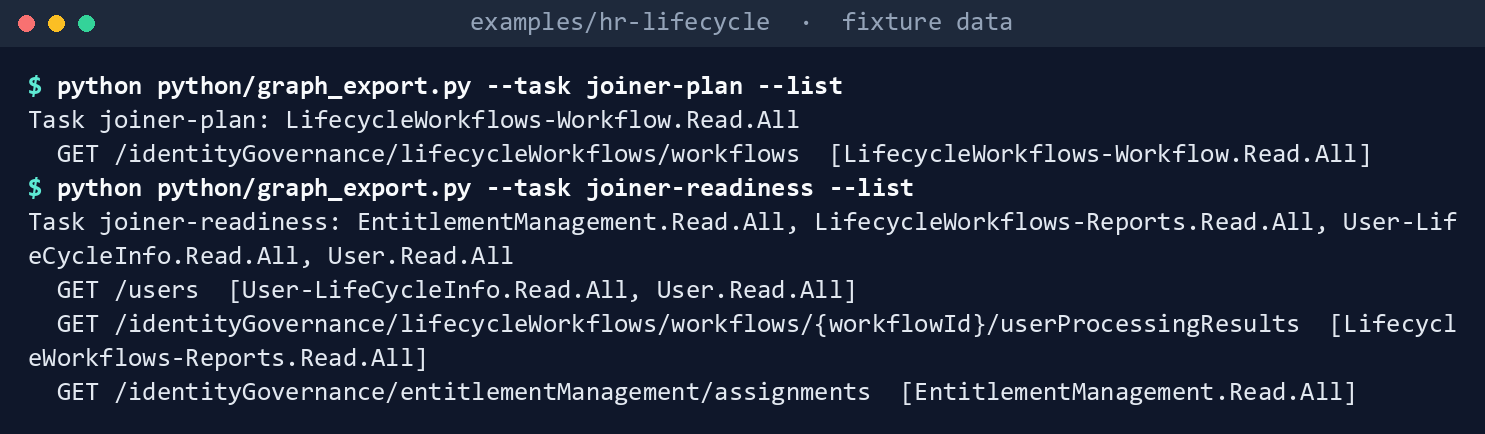
What the terminal shows, run on the kit’s fixtures (the same output as text) Lint the program’s workflows:
python python/joiner_workflows.py lint config/workflows --budget 50Workflows: 6 files, budget 50 Lint: 0 Finding, 0 Warn, 0 Info
What the terminal shows, run on the kit’s fixtures (the same output as text) Lint three broken copies, with a budget of two to see JW-07:
python python/joiner_workflows.py lint tests/fixtures/ch03/bad-workflows --budget 2Workflows: 3 files, budget 2 Lint: 7 Finding, 4 Warn, 0 Info JW-03 Finding: Bad-DayOne-GroupAdd: offsetInDays 200 is outside -180 to 180 JW-04 Finding: Bad-Leaver-DeleteSameDay: a leaver workflow triggered on employeeHireDate JW-07 Finding: workflow count: 3 workflows over the budget of 2 (Learn's licensing page says 50, its limits page 100) JW-08 Finding: Bad-PreHire-ByDepartment: scheduled with no execution limit recorded; set it in the admin center (Learn: not in the API) and record it in _program JW-09 Finding: Bad-DayOne-GroupAdd: joiner adds the user to groups directly; give baseline access by access package JW-11 Finding: Bad-Leaver-DeleteSameDay: delete and disable in one workflow; delete in a separate post-separation workflow JW-12 Finding: Bad-Leaver-DeleteSameDay: scope rule uses manager, which Learn doesn't list for a workflow scope JW-02 Warn: Bad-PreHire-ByDepartment: scope rule uses no coded attribute (employeeType or the coded extension slots); scope by code, not by name JW-02 Warn: Bad-PreHire-ByDepartment: scope rule reads the display value department; a renamed organization silently drops users JW-05 Warn: Bad-PreHire-ByDepartment: TAP lifetime 4320 minutes; Learn recommends at most 24 hours for a new hire JW-05 Warn: Bad-PreHire-ByDepartment: TAP isn't one-time use; the tenant policy can force it (design guidance: do)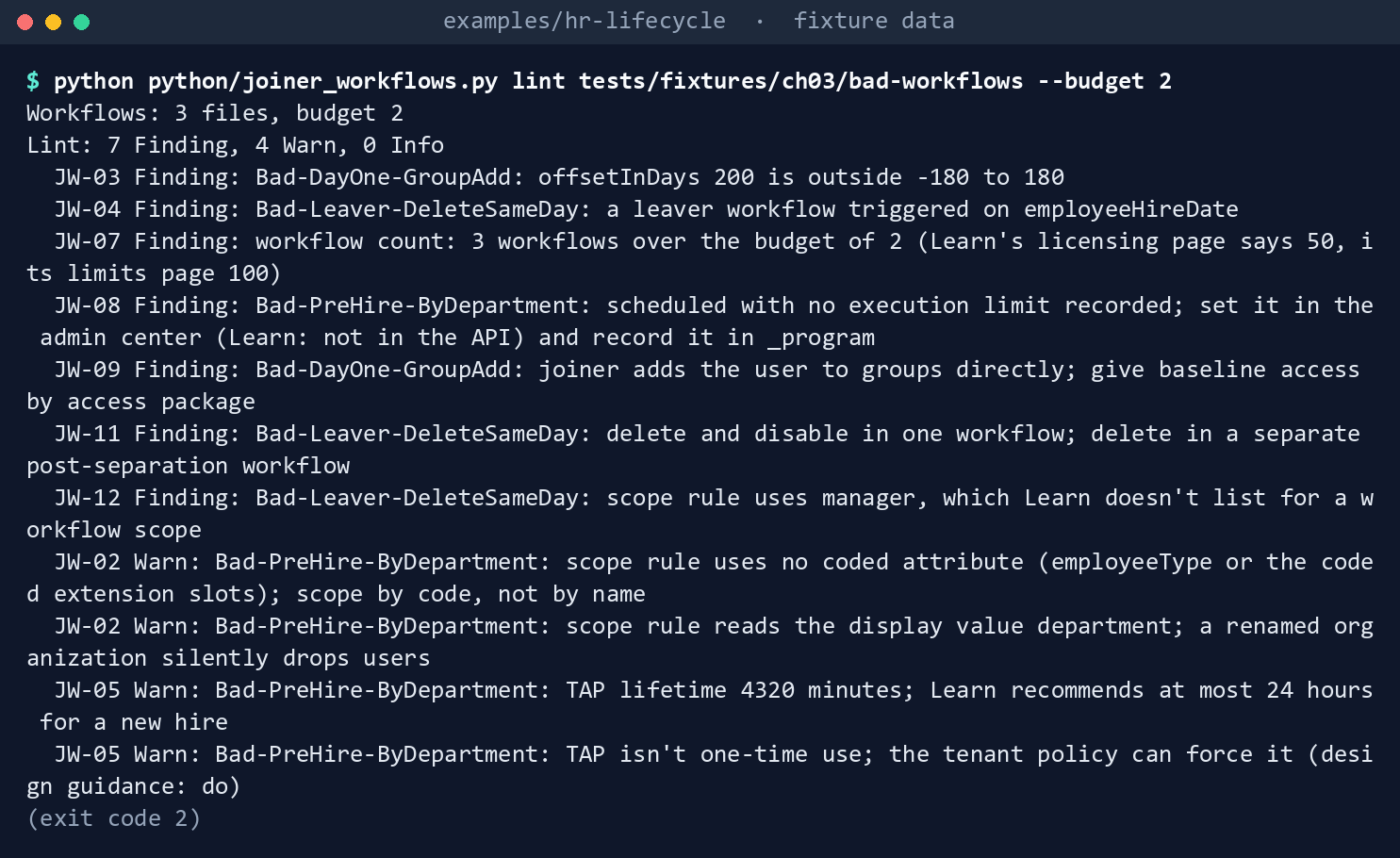
What the terminal shows, run on the kit’s fixtures (the same output as text) The exit code is 2. The broken pre-hire workflow uses
tapLifetimeInMinutes, the name in Learn’s table; the program’s file usestapLifetimeMinutes, the name in Learn’s example. Both are read.Plan against the tenant’s export:
python python/joiner_workflows.py plan config/workflows --current tests/fixtures/ch03/workflows.json --out out/ch03/plannone JML-Leaver-LastDay-Contractors new-version JML-Joiner-DayOne-Employees create JML-Leaver-LastDay-Employees none JML-Mover-OrgCode none JML-Leaver-PostSeparation-Employees none JML-Joiner-PreHire-Employees Plan: 0 Finding, 1 Warn, 0 Info Plan written to out/ch03/plan/plan.json; nothing was sent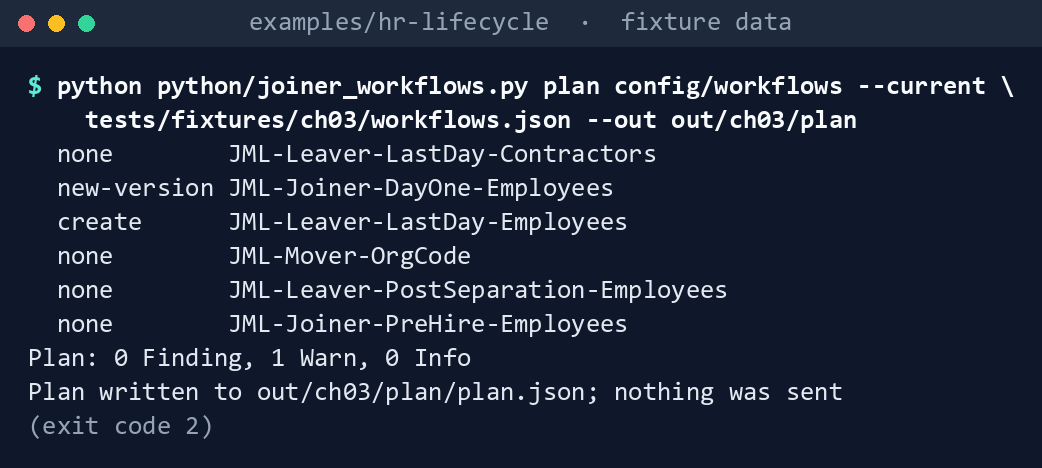
What the terminal shows, run on the kit’s fixtures (the same output as text) The exit code is 2: a Warn counts as well as a Finding.
The day-one workflow in the tenant requests a different package, so it gets a new version; its body in
out/ch03/plan/bodies/day-one.jsonis wrapped inworkflowforcreateNewVersion. The employee leaver doesn’t exist yet, so it gets a create. The Warn is JW-15 forOnboard Marketing (legacy), a workflow made in the portal that no file defines. Try the same plan on the broken folder: it stops with an error, because those files have Findings, and exits 1:python python/joiner_workflows.py plan tests/fixtures/ch03/bad-workflows --current tests/fixtures/ch03/workflows.json --out out/ch03/plan-baderror: the files have lint findings; fix them before planning
What the terminal shows, run on the kit’s fixtures (the same output as text) Measure day one:
python python/joiner_workflows.py readiness --hires tests/fixtures/ch03/hr-hires.csv --users tests/fixtures/ch03/hire-users.json \
    --prehire-results tests/fixtures/ch03/prehire-results.json --assignments tests/fixtures/ch03/joiner-assignments.json \
    --workflows config/workflows --as-of 2026-11-02T08:00:00Z --cloud gcc --out out/ch03/readiness
Day one 2026-11-02: 1 of 4 hires ready (25%) Readiness: 0 Finding, 3 Warn, 0 Info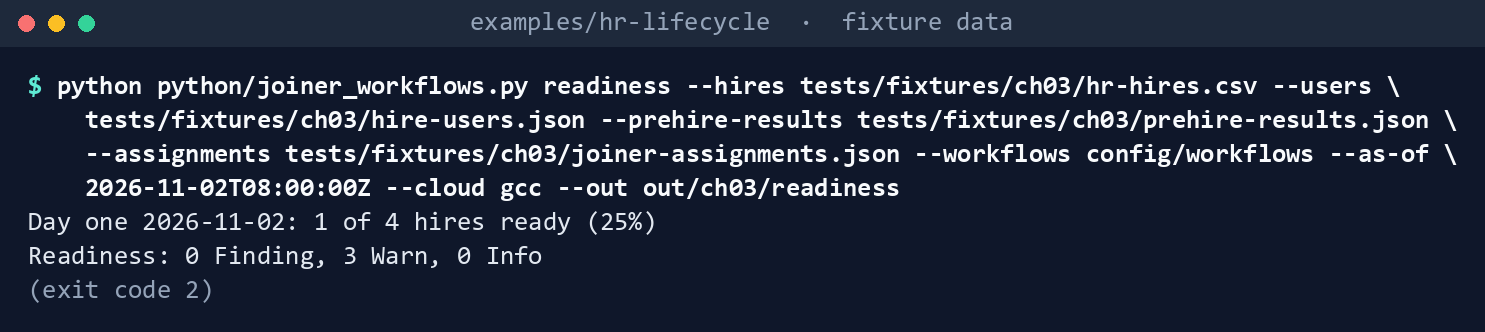
What the terminal shows, run on the kit’s fixtures (the same output as text) findings.jsonsays why:omar.haddadlacks only the onboarding package (still delivering);pia.santosis disabled, unlicensed, without the package, and her pre-hire run failed; person100104has no account at all. The hire on November 9 isn’t counted.summary.jsonholds the rate, 0.25, which Chapter 07 reads.Run the tests:
python -m pytest tests -q
What the terminal shows, run on the kit’s fixtures (the same output as text)
Expected result: 57 tests passing. Delete out/ch03 when you’re done:
rm -rf out/ch03
Lab 2: test tenant
Not run by the authors. Use a test tenant in the worldwide or GCC cloud with Microsoft Entra ID Governance trial or test licenses, never production, and test users whose hire date is a few days away.31 Work in examples/hr-lifecycle. You’ll need my-hires.csv: the test hires, in the layout of tests/fixtures/ch03/hr-hires.csv. You’ll replace: <graph-token> (a bearer token for graph.microsoft.com issued to the reader app), <tenant-id> (the test tenant’s ID), <file> (a body file the plan wrote, such as pre-hire.json), <workflow-id> (the ID of the workflow in the tenant), <prehire-workflow-id> (the pre-hire workflow’s ID) and <start-date> (the test hire’s start date and time, such as 2026-11-09T08:00:00Z).
Every command in this lab, in order, from examples/hr-lifecycle. Each step below says what it does and what to look for.
In a POSIX shell (Git Bash on Windows):
# Step 1: Export
export HRLC_GRAPH_TOKEN='<graph-token>'
python python/graph_export.py --task joiner-plan --cloud gcc --out exports/joiner

# Step 2: Plan
python -c "import json; p='config/workflows/pre-hire.json'; d=json.load(open(p)); d['executionConditions']['trigger']['offsetInDays'] = -5; json.dump(d, open(p, 'w'), indent=2)"
python python/joiner_workflows.py plan config/workflows --current exports/joiner/workflows.json --out out/ch03/plan
In PowerShell 7:
# Step 3: Send one change
Connect-MgGraph -Environment Global -TenantId <tenant-id> -Scopes LifecycleWorkflows-Workflow.ReadWrite.All

# Step 3: Send one change
New-MgIdentityGovernanceLifecycleWorkflow -BodyParameter (Get-Content out/ch03/plan/bodies/<file> -Raw | ConvertFrom-Json -AsHashtable)

# Step 3: Send one change
New-MgIdentityGovernanceLifecycleWorkflowNewVersion -WorkflowId <workflow-id> -BodyParameter (Get-Content out/ch03/plan/bodies/<file> -Raw | ConvertFrom-Json -AsHashtable)

# Step 4: Set the execution limit
../validation-kit/Invoke-ValidationKit.ps1 -OutputPath out/ch03-vk -CheckId VK-HR-06
In a POSIX shell (Git Bash on Windows):
# Step 6: Measure
python python/graph_export.py --task joiner-readiness --cloud gcc --param workflowId=<prehire-workflow-id> --out exports/readiness
python python/joiner_workflows.py readiness --hires my-hires.csv --users exports/readiness/hire-users.json \
    --prehire-results exports/readiness/joiner-results.json --assignments exports/readiness/joiner-assignments.json \
    --workflows config/workflows --as-of <start-date> --cloud gcc --out out/ch03/readiness-test
In PowerShell 7:
# Step 7: Back it out
Remove-MgIdentityGovernanceLifecycleWorkflow -WorkflowId <workflow-id>
In a POSIX shell (Git Bash on Windows):
# Step 7: Back it out
git checkout -- config/workflows/pre-hire.json
python python/graph_export.py --task joiner-plan --cloud gcc --out exports/joiner-after
python python/joiner_workflows.py plan config/workflows --current exports/joiner-after/workflows.json --out out/ch03/plan-restore
In PowerShell 7:
# Step 7: Back it out
New-MgIdentityGovernanceLifecycleWorkflowNewVersion -WorkflowId <workflow-id> -BodyParameter (Get-Content out/ch03/plan-restore/bodies/<file> -Raw | ConvertFrom-Json -AsHashtable)
In a POSIX shell (Git Bash on Windows):
# Step 7: Back it out
rm -rf exports out/ch03 out/ch03-vk
Export. Register a reader app with a certificate and grant
LifecycleWorkflows-Workflow.Read.Allwith admin consent, plusEntitlementManagement.Read.All,LifecycleWorkflows-Reports.Read.All,User-LifeCycleInfo.Read.AllandUser.Read.Allfor the readiness export in step 6. Then put a token for it inHRLC_GRAPH_TOKENand export:export HRLC_GRAPH_TOKEN='<graph-token>' python python/graph_export.py --task joiner-plan --cloud gcc --out exports/joinerPlan. Edit one file and plan against the export. The first command is the example edit: it moves the pre-hire workflow’s trigger from seven days before the hire date to five:
python -c "import json; p='config/workflows/pre-hire.json'; d=json.load(open(p)); d['executionConditions']['trigger']['offsetInDays'] = -5; json.dump(d, open(p, 'w'), indent=2)"
python python/joiner_workflows.py plan config/workflows --current exports/joiner/workflows.json --out out/ch03/plan
Review
plan.jsonand the bodies.Send one change. As a Lifecycle Workflows Administrator, with Graph PowerShell, send a create, or a new version.32 Sign in:
Connect-MgGraph -Environment Global -TenantId <tenant-id> -Scopes LifecycleWorkflows-Workflow.ReadWrite.AllFor a create:
New-MgIdentityGovernanceLifecycleWorkflow -BodyParameter (Get-Content out/ch03/plan/bodies/<file> -Raw | ConvertFrom-Json -AsHashtable)For a new version:
New-MgIdentityGovernanceLifecycleWorkflowNewVersion -WorkflowId <workflow-id> -BodyParameter (Get-Content out/ch03/plan/bodies/<file> -Raw | ConvertFrom-Json -AsHashtable)Leave scheduling off until the next step is done.
Set the execution limit in the admin center under the workflow’s Settings, with the value from
_program.executionLimit, as Learn’s procedure describes.33 The API doesn’t show a per-workflow limit, so the admin center’s Settings page is the read-back for it: confirm the value there. The validation kit’s VK-HR-06 reads only what the API shows; run it in PowerShell 7 and confirm any VK-HR-06 finding in the admin center:../validation-kit/Invoke-ValidationKit.ps1 -OutputPath out/ch03-vk -CheckId VK-HR-06Check the pass. Confirm the tenant’s Temporary Access Pass policy allows the file’s lifetime and one-time use;34 run the pre-hire workflow on demand for one test user with no methods; confirm the manager’s mailbox receives the pass.35
Measure. On the test hire’s start date, export the users, the pre-hire results and the onboarding assignments, and run
readiness:python python/graph_export.py --task joiner-readiness --cloud gcc --param workflowId=<prehire-workflow-id> --out exports/readiness python python/joiner_workflows.py readiness --hires my-hires.csv --users exports/readiness/hire-users.json \ --prehire-results exports/readiness/joiner-results.json --assignments exports/readiness/joiner-assignments.json \ --workflows config/workflows --as-of <start-date> --cloud gcc --out out/ch03/readiness-testBack it out. Delete a workflow the lab created (it can be restored for 30 days):3637
Remove-MgIdentityGovernanceLifecycleWorkflow -WorkflowId <workflow-id>For a new version, send the previous file’s body as a further version. Put the file back, export the workflows again and plan against the new export, then send the body:
git checkout -- config/workflows/pre-hire.json
python python/graph_export.py --task joiner-plan --cloud gcc --out exports/joiner-after
python python/joiner_workflows.py plan config/workflows --current exports/joiner-after/workflows.json --out out/ch03/plan-restore
New-MgIdentityGovernanceLifecycleWorkflowNewVersion -WorkflowId <workflow-id> -BodyParameter (Get-Content out/ch03/plan-restore/bodies/<file> -Raw | ConvertFrom-Json -AsHashtable)Remove the reader app, its permission and certificate, and delete
exportsandout/ch03:rm -rf exports out/ch03 out/ch03-vk
Verified facts
| Item | Value | US Government clouds | Stage | Source |
|---|---|---|---|---|
| Create workflow | POST /identityGovernance/lifecycleWorkflows/workflows; LifecycleWorkflows-Workflow.ReadWrite.All; Lifecycle Workflows Administrator; up to 100 workflows |
L4 and L5 | v1.0 | 38 |
| Create a new version | POST /workflows/{workflowId}/createNewVersion; same permission and role |
L4 and L5 | v1.0 | 39 |
| Versions, not in-place updates; one tenant schedule, every 3 hours by default, 1 to 24 | — | — | v1.0 | 40 |
| Time-based trigger | employeeHireDate, employeeLeaveDateTime, createdDateTime; offset -180 to 180 |
— | v1.0 | 41 |
| Attribute-change trigger | triggerAttributes, each with a name |
— | v1.0 | 42 |
| Scope rule | Listed user properties, including employeeType and onPremisesExtensionAttributes/extensionAttribute1 to 15; eq, ne, in, startsWith |
— | v1.0 | 43 |
| Pass task | 1b555e50-7f65-41d5-b514-5894a026d10d; lifetime 10 to 43,200 minutes; one-time use; manager and manager’s mail; no other methods, sign-ins or role assignments |
Not confirmed for GCC High | GA | 44 |
| Pass for a new hire | 24-hour maximum recommended | — | — | 45 |
| Other task IDs the files use | Request user access package assignment c1ec1e76-…; Disable 1dfdfcc7-…; Revoke all refresh tokens 509589a4-…; Delete user 8d18588d-…; Remove access package assignment 4a0b64f2-…; Send email to notify manager of user move aab41899-…; Remove all access package assignments for user 42ae2956-… |
— | — | 46 |
| Tasks per workflow | 25 | — | — | 47 |
| Execution limits | Tenant or per workflow, percentage or count, quarantine on a scheduled run; on-demand runs aren’t limited; a workflow limit “isn’t currently reflected in the API” | — | GA | 48 |
| Catch-up window | A scheduled workflow processes a user up to three days after the trigger date | — | — | 49 |
| List userProcessingResults | LifecycleWorkflows-Reports.Read.All; Global Reader or Lifecycle Workflows Administrator |
L4 and L5 | v1.0 | 50 |
| List access package assignments | EntitlementManagement.Read.All |
— | v1.0 | 51 |
| Lifecycle Workflows, entitlement management | Available in Azure Government; Entra ID Governance in GCC, GCC High and DoD | Available | GA | 52 |
Places where Learn’s pages differ, recorded so a later edit doesn’t loosen the code:
- The pass’s lifetime argument. Learn’s built-in task table names it
tapLifetimeInMinutes; the example under it usestapLifetimeMinutes.53 JW-05 reads either; which one the service accepts is confirmed in Lab 2. - The custom task extension’s ID. The same page gives
4262b724-8dba-4fad-afc3-43fcbb497a0ein its summary table andd79d1fcc-16be-490c-a865-f4533b1639eein the task’s own section.54 The lint knows the first, which Book 19, Chapter 05 also uses; none of this chapter’s files carries the task. - The mover category. The create page’s property table lists the category values
joinerandleaver, while its third example creates amoverworkflow.55 The program’s mover file follows the example; Lab 2 confirms it. - The workflow ceiling. The create page and the service limits page say 100; the licensing page says 50.5657 The budget is 50.
What couldn’t be verified: the name a mover’s attributeChangeTrigger takes for an extension attribute (the file uses the scope’s form, onPremisesExtensionAttributes/extensionAttribute10; Learn’s trigger page gives no example), and the execution limit, which the code can only record because the API doesn’t carry it.
Federal requirements and evidence
This chapter supports the guide’s Gate 3. The Gate 3 requirements table maps it to NIST SP 800-53 AC-2(1) (automated system account management), IA-5 (the initial authenticator is time-limited and reaches an accountable person) and OMB M-22-09’s phishing-resistant MFA, which the pass bridges to; the federal framework crosswalk lists each source. What this code gives the ISSO:
| Requirement | KSI | What this code gives | What the ISSO keeps |
|---|---|---|---|
| AC-2(1), automated system account management, Moderate | KSI-IAM-JIT | The reviewed workflow files and the plan that changed each version | The files and each plan’s output folder, with its manifest’s SHA-256, as the definitions and versions AC-2(1) asks for |
| IA-5, the initial authenticator | KSI-IAM-APM | The lint’s clean run: a one-time pass of at most 24 hours, and an execution limit on every scheduled workflow (the guardrails) | The lint output, filed with the change, and the TAP policy export |
| OMB M-22-09, phishing-resistant MFA, which the pass bridges to | KSI-IAM-APM, as Book 02, Chapter 10 maps it | The pass ends when the card is bound (Chapter 05) | Accounts still on a pass past the agreed window, as findings |
| AC-2(1) and CA-7, the day-one readiness rate Book 03, Chapter 11 measures | KSI-IAM-JIT; KSI-MLA-EVC | The readiness summary per start date | summary.json per start date |
| AC-2(1), run history | KSI-IAM-JIT | None: this code doesn’t keep it | The run history the workflows leave, exported past Entra’s 30-day view58 (the guide’s evidence list says where it goes) |
Each scripted step in the labs, and each file the code writes, with the evidence it leaves:
| Lab step | What it runs or writes | Requirement | KSI | Evidence |
|---|---|---|---|---|
| Lab 1, step 1 | graph_export.py --task joiner-plan --list and --task joiner-readiness --list |
AC-6, least privilege: GET calls only | KSI-IAM-ELP | The printed lists, and config/calls.json as reviewed |
| Lab 1, steps 2 and 3 | joiner_workflows.py lint (JW-01 to JW-14) on the program’s files and on the broken copies |
AC-2(1); IA-5 for the pass (JW-05); CM-3(2), validated before merge | KSI-IAM-JIT; KSI-IAM-APM; KSI-CMT-VTD | The clean run on config/workflows, filed with the change |
| Lab 1, step 4 | joiner_workflows.py plan, writing plan.json, findings.json (JW-15) and bodies/ |
CM-3: each change a new workflow or a new version, not an edit in place | KSI-CMT-RMV, KSI-CMT-LMC | out/ch03/plan/plan.json and the body sent for each step |
| Lab 1, steps 4 and 5 | manifest.json in each output folder |
AU-9; SI-7 | KSI-MLA-OSM; KSI-SVC-VRI | A SHA-256 per file, written once |
| Lab 1, step 5 | joiner_workflows.py readiness, writing readiness.json, summary.json and findings.json |
AC-2(1); CA-7 | KSI-IAM-JIT; KSI-MLA-EVC | out/ch03/readiness/summary.json: the day-one readiness rate |
| Lab 1, step 6 | python -m pytest tests -q |
CM-3(2) (design guidance) | KSI-CMT-VTD | 57 passed, kept with the change |
| Lab 1, clean-up | rm -rf out/ch03 |
None: fixture output isn’t evidence | — | — |
| Lab 2, steps 1 and 2 | graph_export.py --task joiner-plan, writing workflows.json and export.json; edit one file; plan |
CM-3; AC-6 for GET only | KSI-CMT-RMV, KSI-CMT-LMC; KSI-IAM-ELP | exports/joiner/export.json; out/ch03/plan/plan.json with its manifest |
| Lab 2, step 3 | New-MgIdentityGovernanceLifecycleWorkflow or New-MgIdentityGovernanceLifecycleWorkflowNewVersion with the planned body |
CM-3; AC-2(1) | KSI-CMT-RMV, KSI-CMT-LMC; KSI-IAM-JIT | The body file from bodies/, the new version in the tenant and its directory audit record |
| Lab 2, step 4 | Invoke-ValidationKit.ps1 -CheckId VK-HR-06 |
CM-6, configuration settings: the limits the API shows, read back; the per-workflow limit is confirmed in the admin center | KSI-MLA-EVC | The kit’s run folder under out/ch03-vk; a screenshot or export of the workflow’s Settings page |
| Lab 2, step 6 | graph_export.py --task joiner-readiness, writing hire-users.json, joiner-results.json, joiner-assignments.json and export.json; readiness into out/ch03/readiness-test |
AC-2(1); CA-7 | KSI-IAM-JIT; KSI-MLA-EVC | out/ch03/readiness-test/summary.json and its manifest |
| Lab 2, step 7 | Remove-MgIdentityGovernanceLifecycleWorkflow; restore the file; export again; plan and send the restore; rm -rf the lab files |
CM-3: the change backed out | KSI-CMT-RMV, KSI-CMT-LMC | out/ch03/plan-restore/plan.json and the directory audit records of the delete and the new version |
KSIs are FedRAMP 20x indicators for cloud service providers: the agency authorizes its own system and lines this evidence up with what its providers report against them, and it doesn’t report KSIs itself (Book 00, Appendix B). Each KSI shown lists the row’s control among its related SP 800-53 controls on FedRAMP’s page;59 which file supports which indicator is the program’s mapping (design guidance). Controls the guide’s table doesn’t name (AC-6, AU-9, CA-7, CM-3, CM-3(2), CM-6, SI-7) are in the Moderate baseline (Book 13, Appendix A; Book 14, Appendix A).
Accounts still on a pass after the agreed window, when the card should have been bound (Chapter 05), are a finding for the ISSO; this chapter’s code doesn’t read them.
Dangers
| Danger | What happens | The guard |
|---|---|---|
| A workflow edited in the portal | The tenant drifts from the reviewed file | JW-15 in every plan; the file is the only source of a new version |
| A scope on a department name | A reorganization renames the department and the workflow silently stops | JW-02 |
| A long or reusable pass | The bridge outlives the card’s arrival | JW-05 |
| A rehire whose old account kept its methods | The pass task fails for them | Learn’s prerequisite stated in the chapter; the rehire workflow needs its own path (guide, Step 3) |
| No execution limit | A bad HR load runs to the end | JW-08; VK-HR-06 reads the limits the API shows, and the admin center confirms the per-workflow limit |
| A new hire added to an app group directly | Access no review or package knows about | JW-09 |
| Delete in the leaver | The account is gone before devices are retired | JW-11 |
| A plan from broken files | The mistake reaches the tenant as a new version | plan refuses while a Finding stands |
| More workflows than the licensing page allows | The tenant hits a ceiling Learn states two ways | JW-07 holds 50 |
| A readiness figure from a midday export | Late fixes count as ready | Run readiness on the start-of-day export |
Checklist
Footnotes
Microsoft Learn, “Overview of Lifecycle Workflows APIs,” https://learn.microsoft.com/graph/api/resources/identitygovernance-lifecycleworkflows-overview?view=graph-rest-1.0 (read November 1, 2026; carried from the HR-driven identity implementation guide’s verification log).↩︎
Microsoft Learn, “Manage workflow versions,” changing a workflow’s tasks or execution conditions requires a new version, https://learn.microsoft.com/entra/id-governance/manage-workflow-tasks (read November 9, 2026).↩︎
Microsoft Learn, “Create workflow” (lifecycle workflows), national cloud deployments, permissions, request body and examples, https://learn.microsoft.com/graph/api/identitygovernance-lifecycleworkflowscontainer-post-workflows?view=graph-rest-1.0 (read November 1, 2026).↩︎
Microsoft Learn, “workflow: createNewVersion,” https://learn.microsoft.com/graph/api/identitygovernance-workflow-createnewversion?view=graph-rest-1.0 (read November 1, 2026).↩︎
Microsoft Learn, “List userProcessingResults,” https://learn.microsoft.com/graph/api/identitygovernance-workflow-list-userprocessingresults?view=graph-rest-1.0 (read November 1, 2026).↩︎
Microsoft Learn, “Microsoft Entra feature availability,” https://learn.microsoft.com/entra/identity/authentication/feature-availability (read November 1, 2026; carried from the HR-driven identity implementation guide’s verification log).↩︎
Microsoft Learn, “Create workflow” (lifecycle workflows), national cloud deployments, permissions, request body and examples, https://learn.microsoft.com/graph/api/identitygovernance-lifecycleworkflowscontainer-post-workflows?view=graph-rest-1.0 (read November 1, 2026).↩︎
Microsoft Learn, “workflow: createNewVersion,” https://learn.microsoft.com/graph/api/identitygovernance-workflow-createnewversion?view=graph-rest-1.0 (read November 1, 2026).↩︎
Microsoft Learn, “timeBasedAttributeTrigger resource type,” https://learn.microsoft.com/graph/api/resources/identitygovernance-timebasedattributetrigger?view=graph-rest-1.0 (read November 1, 2026).↩︎
Microsoft Learn, “attributeChangeTrigger resource type,” https://learn.microsoft.com/graph/api/resources/identitygovernance-attributechangetrigger?view=graph-rest-1.0 (read November 1, 2026).↩︎
Microsoft Learn, “ruleBasedSubjectSet resource type,” supported user properties and query parameters, https://learn.microsoft.com/graph/api/resources/identitygovernance-rulebasedsubjectset?view=graph-rest-1.0 (read November 1, 2026).↩︎
Microsoft Learn, “Lifecycle Workflow built-in tasks,” supported tasks and task details, https://learn.microsoft.com/entra/id-governance/lifecycle-workflow-tasks (read November 1, 2026).↩︎
Microsoft Learn, “How to synchronize attributes for Lifecycle workflows,” importance of time, https://learn.microsoft.com/entra/id-governance/how-to-lifecycle-workflow-sync-attributes (read November 1, 2026; carried from the HR-driven identity implementation guide’s verification log).↩︎
Microsoft Learn, “Configure execution limits and quarantine for Lifecycle Workflows,” https://learn.microsoft.com/entra/id-governance/lifecycle-workflow-execution-limits (read November 1, 2026).↩︎
Microsoft Learn, “Use custom attribute triggers in lifecycle workflows,” on-premises extension attributes (1-15) as attribute-change triggers, https://learn.microsoft.com/entra/id-governance/workflow-custom-triggers (read November 9, 2026).↩︎
Microsoft Learn, “Automate employee offboarding tasks after their last day of work with the Microsoft Entra admin center,” the post-offboarding template’s scheduled delete after the leave date, https://learn.microsoft.com/entra/id-governance/tutorial-scheduled-leaver-portal (read November 9, 2026).↩︎
Microsoft Learn, “Create workflow” (lifecycle workflows), national cloud deployments, permissions, request body and examples, https://learn.microsoft.com/graph/api/identitygovernance-lifecycleworkflowscontainer-post-workflows?view=graph-rest-1.0 (read November 1, 2026).↩︎
Microsoft Learn, “timeBasedAttributeTrigger resource type,” https://learn.microsoft.com/graph/api/resources/identitygovernance-timebasedattributetrigger?view=graph-rest-1.0 (read November 1, 2026).↩︎
Microsoft Learn, “timeBasedAttributeTrigger resource type,” https://learn.microsoft.com/graph/api/resources/identitygovernance-timebasedattributetrigger?view=graph-rest-1.0 (read November 1, 2026).↩︎
Microsoft Learn, “Lifecycle Workflow built-in tasks,” supported tasks and task details, https://learn.microsoft.com/entra/id-governance/lifecycle-workflow-tasks (read November 1, 2026).↩︎
Microsoft Learn, “How to synchronize attributes for Lifecycle workflows,” importance of time, https://learn.microsoft.com/entra/id-governance/how-to-lifecycle-workflow-sync-attributes (read November 1, 2026; carried from the HR-driven identity implementation guide’s verification log).↩︎
Microsoft Learn, “Microsoft Entra ID Governance service limits,” Lifecycle Workflows, https://learn.microsoft.com/entra/id-governance/governance-service-limits (read November 1, 2026; carried from the HR-driven identity implementation guide’s verification log).↩︎
Microsoft Learn, “Create workflow” (lifecycle workflows), national cloud deployments, permissions, request body and examples, https://learn.microsoft.com/graph/api/identitygovernance-lifecycleworkflowscontainer-post-workflows?view=graph-rest-1.0 (read November 1, 2026).↩︎
Microsoft Learn, “Microsoft Entra ID Governance licensing fundamentals,” https://learn.microsoft.com/entra/id-governance/licensing-fundamentals (read November 1, 2026; carried from the HR-driven identity implementation guide’s verification log).↩︎
Microsoft Learn, “Configure execution limits and quarantine for Lifecycle Workflows,” https://learn.microsoft.com/entra/id-governance/lifecycle-workflow-execution-limits (read November 1, 2026).↩︎
Microsoft Learn, “Lifecycle Workflow built-in tasks,” supported tasks and task details, https://learn.microsoft.com/entra/id-governance/lifecycle-workflow-tasks (read November 1, 2026).↩︎
Microsoft Learn, “ruleBasedSubjectSet resource type,” supported user properties and query parameters, https://learn.microsoft.com/graph/api/resources/identitygovernance-rulebasedsubjectset?view=graph-rest-1.0 (read November 1, 2026).↩︎
Microsoft Learn, “Check status of a Lifecycle workflow,” user workflow history and user processing results, https://learn.microsoft.com/entra/id-governance/check-status-workflow (read November 9, 2026).↩︎
Microsoft Learn, “List userProcessingResults,” https://learn.microsoft.com/graph/api/identitygovernance-workflow-list-userprocessingresults?view=graph-rest-1.0 (read November 1, 2026).↩︎
Microsoft Learn, “View, add, and remove assignments for an access package in entitlement management,” view assignments programmatically, https://learn.microsoft.com/entra/id-governance/entitlement-management-access-package-assignments (read November 1, 2026).↩︎
Microsoft Learn, “Tutorial: Preparing user accounts for Lifecycle workflows,” a workflow doesn’t trigger for a hire date before the workflow’s creation, so set
employeeHireDatein the future, https://learn.microsoft.com/entra/id-governance/tutorial-prepare-user-accounts (read November 9, 2026).↩︎Microsoft Learn, “New-MgIdentityGovernanceLifecycleWorkflow,” https://learn.microsoft.com/powershell/module/microsoft.graph.identity.governance/new-mgidentitygovernancelifecycleworkflow?view=graph-powershell-1.0, and “New-MgIdentityGovernanceLifecycleWorkflowNewVersion,” https://learn.microsoft.com/powershell/module/microsoft.graph.identity.governance/new-mgidentitygovernancelifecycleworkflownewversion?view=graph-powershell-1.0 (read November 1, 2026).↩︎
Microsoft Learn, “Configure execution limits and quarantine for Lifecycle Workflows,” https://learn.microsoft.com/entra/id-governance/lifecycle-workflow-execution-limits (read November 1, 2026).↩︎
Microsoft Learn, “Configure Temporary Access Pass to register passwordless authentication methods,” enable the Temporary Access Pass policy, https://learn.microsoft.com/entra/identity/authentication/howto-authentication-temporary-access-pass (read November 1, 2026; carried from the HR-driven identity implementation guide’s verification log).↩︎
Microsoft Learn, “Automate employee onboarding tasks before their first day of work with the Microsoft Entra admin center,” run the pre-hire workflow on demand and check its tasks, https://learn.microsoft.com/entra/id-governance/tutorial-onboard-custom-workflow-portal (read November 9, 2026).↩︎
Microsoft Learn, “Remove-MgIdentityGovernanceLifecycleWorkflow,” https://learn.microsoft.com/powershell/module/microsoft.graph.identity.governance/remove-mgidentitygovernancelifecycleworkflow?view=graph-powershell-1.0 (read November 1, 2026).↩︎
Microsoft Learn, “Delete a lifecycle workflow,” soft delete, restore, and permanent removal after 30 days, https://learn.microsoft.com/entra/id-governance/delete-lifecycle-workflow (read November 9, 2026).↩︎
Microsoft Learn, “Create workflow” (lifecycle workflows), national cloud deployments, permissions, request body and examples, https://learn.microsoft.com/graph/api/identitygovernance-lifecycleworkflowscontainer-post-workflows?view=graph-rest-1.0 (read November 1, 2026).↩︎
Microsoft Learn, “workflow: createNewVersion,” https://learn.microsoft.com/graph/api/identitygovernance-workflow-createnewversion?view=graph-rest-1.0 (read November 1, 2026).↩︎
Microsoft Learn, “Overview of Lifecycle Workflows APIs,” https://learn.microsoft.com/graph/api/resources/identitygovernance-lifecycleworkflows-overview?view=graph-rest-1.0 (read November 1, 2026; carried from the HR-driven identity implementation guide’s verification log).↩︎
Microsoft Learn, “timeBasedAttributeTrigger resource type,” https://learn.microsoft.com/graph/api/resources/identitygovernance-timebasedattributetrigger?view=graph-rest-1.0 (read November 1, 2026).↩︎
Microsoft Learn, “attributeChangeTrigger resource type,” https://learn.microsoft.com/graph/api/resources/identitygovernance-attributechangetrigger?view=graph-rest-1.0 (read November 1, 2026).↩︎
Microsoft Learn, “ruleBasedSubjectSet resource type,” supported user properties and query parameters, https://learn.microsoft.com/graph/api/resources/identitygovernance-rulebasedsubjectset?view=graph-rest-1.0 (read November 1, 2026).↩︎
Microsoft Learn, “Lifecycle Workflow built-in tasks,” supported tasks and task details, https://learn.microsoft.com/entra/id-governance/lifecycle-workflow-tasks (read November 1, 2026).↩︎
Microsoft Learn, “How to synchronize attributes for Lifecycle workflows,” importance of time, https://learn.microsoft.com/entra/id-governance/how-to-lifecycle-workflow-sync-attributes (read November 1, 2026; carried from the HR-driven identity implementation guide’s verification log).↩︎
Microsoft Learn, “Lifecycle Workflow built-in tasks,” supported tasks and task details, https://learn.microsoft.com/entra/id-governance/lifecycle-workflow-tasks (read November 1, 2026).↩︎
Microsoft Learn, “Microsoft Entra ID Governance service limits,” Lifecycle Workflows, https://learn.microsoft.com/entra/id-governance/governance-service-limits (read November 1, 2026; carried from the HR-driven identity implementation guide’s verification log).↩︎
Microsoft Learn, “Configure execution limits and quarantine for Lifecycle Workflows,” https://learn.microsoft.com/entra/id-governance/lifecycle-workflow-execution-limits (read November 1, 2026).↩︎
Microsoft Learn, “Lifecycle workflows execution conditions and scheduling,” Lifecycle workflow catch-up window, https://learn.microsoft.com/entra/id-governance/lifecycle-workflow-execution-conditions (read November 1, 2026).↩︎
Microsoft Learn, “List userProcessingResults,” https://learn.microsoft.com/graph/api/identitygovernance-workflow-list-userprocessingresults?view=graph-rest-1.0 (read November 1, 2026).↩︎
Microsoft Learn, “View, add, and remove assignments for an access package in entitlement management,” view assignments programmatically, https://learn.microsoft.com/entra/id-governance/entitlement-management-access-package-assignments (read November 1, 2026).↩︎
Microsoft Learn, “Microsoft Entra feature availability,” https://learn.microsoft.com/entra/identity/authentication/feature-availability (read November 1, 2026; carried from the HR-driven identity implementation guide’s verification log).↩︎
Microsoft Learn, “Lifecycle Workflow built-in tasks,” supported tasks and task details, https://learn.microsoft.com/entra/id-governance/lifecycle-workflow-tasks (read November 1, 2026).↩︎
Microsoft Learn, “Lifecycle Workflow built-in tasks,” supported tasks and task details, https://learn.microsoft.com/entra/id-governance/lifecycle-workflow-tasks (read November 1, 2026).↩︎
Microsoft Learn, “Create workflow” (lifecycle workflows), national cloud deployments, permissions, request body and examples, https://learn.microsoft.com/graph/api/identitygovernance-lifecycleworkflowscontainer-post-workflows?view=graph-rest-1.0 (read November 1, 2026).↩︎
Microsoft Learn, “Create workflow” (lifecycle workflows), national cloud deployments, permissions, request body and examples, https://learn.microsoft.com/graph/api/identitygovernance-lifecycleworkflowscontainer-post-workflows?view=graph-rest-1.0 (read November 1, 2026).↩︎
Microsoft Learn, “Microsoft Entra ID Governance licensing fundamentals,” https://learn.microsoft.com/entra/id-governance/licensing-fundamentals (read November 1, 2026; carried from the HR-driven identity implementation guide’s verification log).↩︎
Microsoft Learn, “Auditing Lifecycle Workflows,” audit logs record Lifecycle Workflows actions within a timeframe of up to 30 days, https://learn.microsoft.com/entra/id-governance/lifecycle-workflow-audits (read November 9, 2026).↩︎
FedRAMP, “Key Security Indicators,” FedRAMP Consolidated Rules for 2026, indicator titles and “Related SP 800-53 Controls,” including the mapping updates of October 13, 2026, https://www.fedramp.gov/2026/reference/key-security-indicators/ (read November 2, 2026; the indicator IDs are carried from Book 13, Appendix A and Book 14, Chapter 03).↩︎