Federal Modernization Workbook
Chapter 08 — One Writer per Attribute
Two writers on one attribute isn’t drift you can fix. It’s drift you’ve scheduled.
The fourth gap the example guide found, and the one Pass 2 item that can be built offline today. Book 03’s design makes Entra inbound provisioning the one writer into the directory; SailPoint ISC can also provision Entra ID through its connector. If both write department, the reconciliation in Chapter 06 reports drift that the next sync recreates. writer_check.py compares the two configurations, Microsoft Graph’s synchronization schema for the inbound job and the ISC source’s provisioning policies, and reports each attribute with two writers. Lab 1 runs on a laptop; Lab 2 exports the two configurations from a test tenant and a sandbox.
Jump to a slide (16)
Deck · Narrated deck (about 9 minutes, captions) · Script · Captions. Recorded on November 1, 2026 from the approved chapter.
Goal and audience
Goal. By the end of this chapter you can export the two provisioning configurations, run the check, and say for each Entra ID user attribute which system writes it, or show that two do.
Audience. Identity engineers who own Entra inbound provisioning or the SailPoint Entra source, the data architect who decides which writer owns each attribute, and the ISSO. You should read JSON. You don’t need a tenant until Lab 2.
Why this is a build, and why now
The fourth gap in the example guide: SailPoint reads the HR system and can provision the directory, while Book 03 makes Entra inbound provisioning the one writer. Its design guidance is to pick one writer per attribute: either Entra inbound provisioning stays the door and SailPoint governs entitlements, or SailPoint becomes the provisioning service and takes on Book 03’s middleware duties. Not both. The implementation example plans “a read-only check of SailPoint and Entra provisioning mappings that flags any attribute with two writers” for Pass 2. Both configurations can be exported as JSON through documented reads, so the check runs on files, offline, today.
Pass 2’s other items need more than files: one approver per authority class needs the catalog app’s internals, which the example guide lists as unverified; change records on demand need a ServiceNow flow on an instance; the SailPoint half of the evidence export needs event retention; and email intake needs a mailbox, an inbound action and a workflow’s external trigger. No chapter builds them yet.
The code: examples/servicenow-sailpoint
What exists
Nothing in Pass 1 read either provisioning configuration. The drift client sees the result of two writers, attribute drift that comes back, but not the cause.
What this chapter adds
clients/python/writer_check.py reads two exports:
- The inbound job’s schema, from
GET /servicePrincipals/{id}/synchronization/jobs/{jobId}/schema.1 It takes the synchronization rules whosetargetDirectoryNameis the Entra directory (--entra-directory, defaultAzure Active Directory, the name Learn’s examples use), the enabled object mappings toUser, and each attribute mapping’stargetAttributeNameandflowType.Always, the default, updates the attribute on every change;ObjectAddOnlysets it only when the object is created.2 - The ISC source’s provisioning policies, from
GET /v3/sources/{sourceId}/provisioning-policieson the source that writes to Entra ID.3 Each policy has ausageTypeandfields[].name.UPDATEis the update account profile, used for attribute sync;CREATEis the create account profile, used when the account is made.4 Other usage types (enable, disable and the rest) don’t write user attributes this way and are ignored.
Then, per attribute both write: Finding when both update it (each overwrites the other); Warn when one updates it and the other sets it at creation (two sources for its first value); Info when both set it only at creation. The command exits 1 on any Finding.
SailPoint’s field names are the connector’s, not necessarily Entra ID’s; the check matches names case-insensitively and takes --alias field=attribute for each pair that differs. It doesn’t guess: which connector field writes which Entra attribute is something to confirm in the source’s schema, and the alias list is a reviewed input (design guidance). Two fictional exports in tests/fixtures/writers/ show the shapes: an HR-to-Entra job and an ISC source that creates accounts and updates department, title and officeLocation.
The tests
tests/python/test_writer_check.py, 6 tests: flow types, usage types and aliases, the three severities, disabled mappings ignored, a wrong directory name refused, and the command line.
The check reads fictional exports. It shows the comparison, not that your schema names the Entra directory the same way or that SailPoint’s field names match Entra’s. Run Lab 2 on your own exports, and review the alias list, before acting on a result.
Lab 1: fixtures, no tenant
Work in examples/servicenow-sailpoint, with Python 3.10 or later and pytest.
Every command in this lab, in order, from examples/servicenow-sailpoint. Each step below says what it does and what to look for.
# Step 1: Run this chapter's tests
python -m pytest tests/python/test_writer_check.py -q

# Step 2: Check the two fictional exports
python clients/python/writer_check.py --entra-schema tests/fixtures/writers/entra_inbound_schema.json --isc-policies tests/fixtures/writers/isc_entra_source_policies.json

# Step 3: Map SailPoint's title to Entra ID's jobTitle
python clients/python/writer_check.py --entra-schema tests/fixtures/writers/entra_inbound_schema.json --isc-policies tests/fixtures/writers/isc_entra_source_policies.json --alias title=jobTitle

# Step 4: See the directory-name guard
python clients/python/writer_check.py --entra-schema tests/fixtures/writers/entra_inbound_schema.json --isc-policies tests/fixtures/writers/isc_entra_source_policies.json --entra-directory "Microsoft Entra ID"

# Step 5: List the reads the exports need
python clients/python/kit_calls.py --task writer-check
Run this chapter’s tests:
python -m pytest tests/python/test_writer_check.py -q
What the terminal shows, run on the kit’s fixtures (the same output as text) 6 passed.Check the two fictional exports:
python clients/python/writer_check.py --entra-schema tests/fixtures/writers/entra_inbound_schema.json --isc-policies tests/fixtures/writers/isc_entra_source_policies.jsonEntra inbound writes 8 attributes; SailPoint writes 7; 1 Finding, 1 Warn, 2 Info Finding department Entra update SailPoint update both update it: each overwrites the other, so drift never settles Warn displayName Entra update SailPoint create one updates it and the other sets it at creation: two sources for its first value Info mailNickname Entra create SailPoint create both set it only at creation Info userPrincipalName Entra create SailPoint create both set it only at creation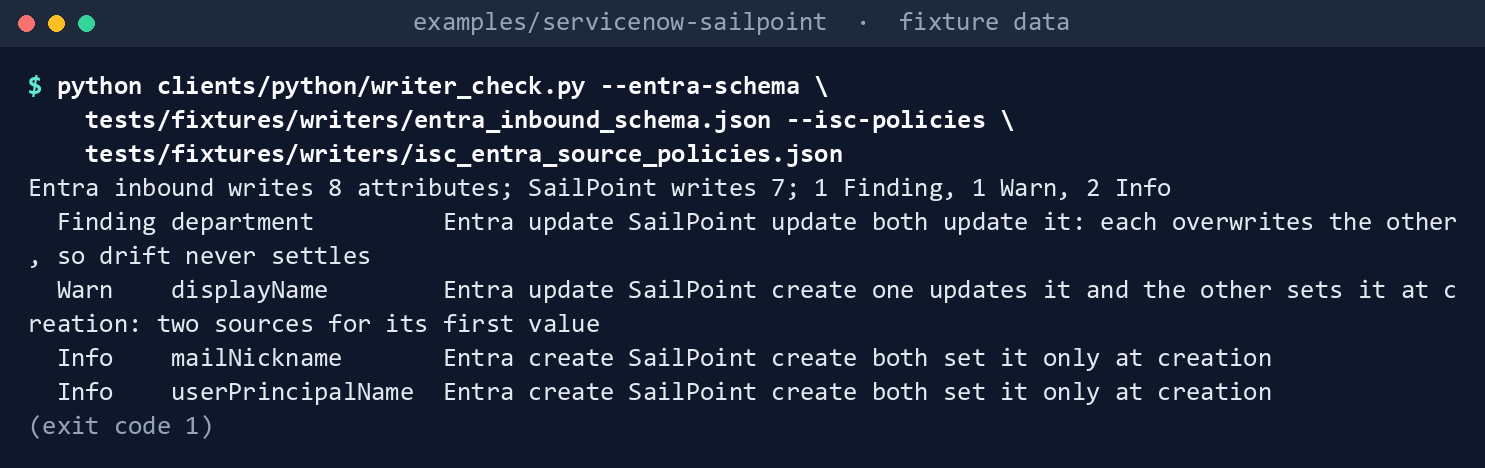
What the terminal shows, run on the kit’s fixtures (the same output as text) The command exits 1.
Map SailPoint’s
titleto Entra ID’sjobTitle, and run it again:python clients/python/writer_check.py --entra-schema tests/fixtures/writers/entra_inbound_schema.json --isc-policies tests/fixtures/writers/isc_entra_source_policies.json --alias title=jobTitle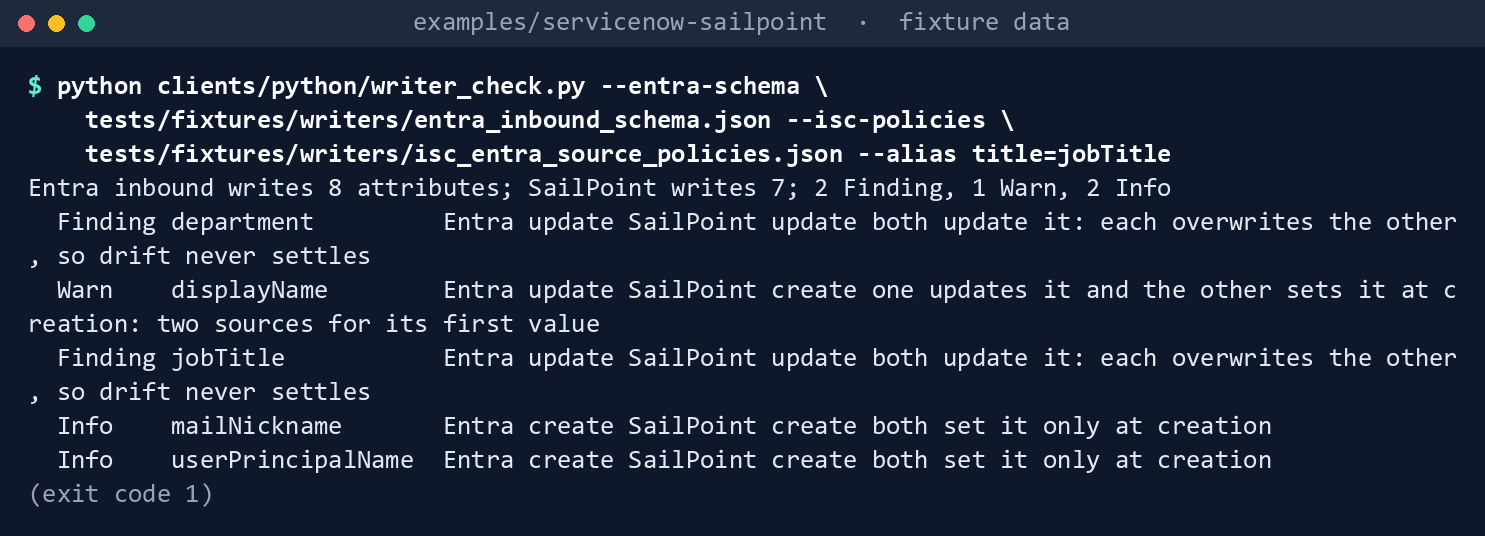
What the terminal shows, run on the kit’s fixtures (the same output as text) The summary becomes
2 Finding, 1 Warn, 2 Info, withFinding jobTitleadded. Without the alias the second writer was invisible: the alias list is part of what a reviewer checks.See the directory-name guard:
python clients/python/writer_check.py --entra-schema tests/fixtures/writers/entra_inbound_schema.json --isc-policies tests/fixtures/writers/isc_entra_source_policies.json --entra-directory "Microsoft Entra ID"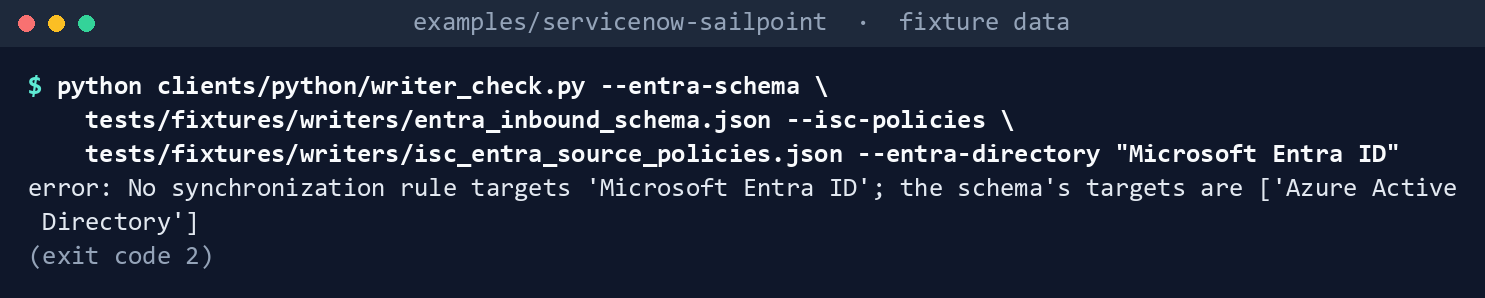
What the terminal shows, run on the kit’s fixtures (the same output as text) error: No synchronization rule targets 'Microsoft Entra ID'; the schema's targets are ['Azure Active Directory'], exit 2. A wrong name doesn’t pass as “no overlap.”List the reads the exports need:
python clients/python/kit_calls.py --task writer-check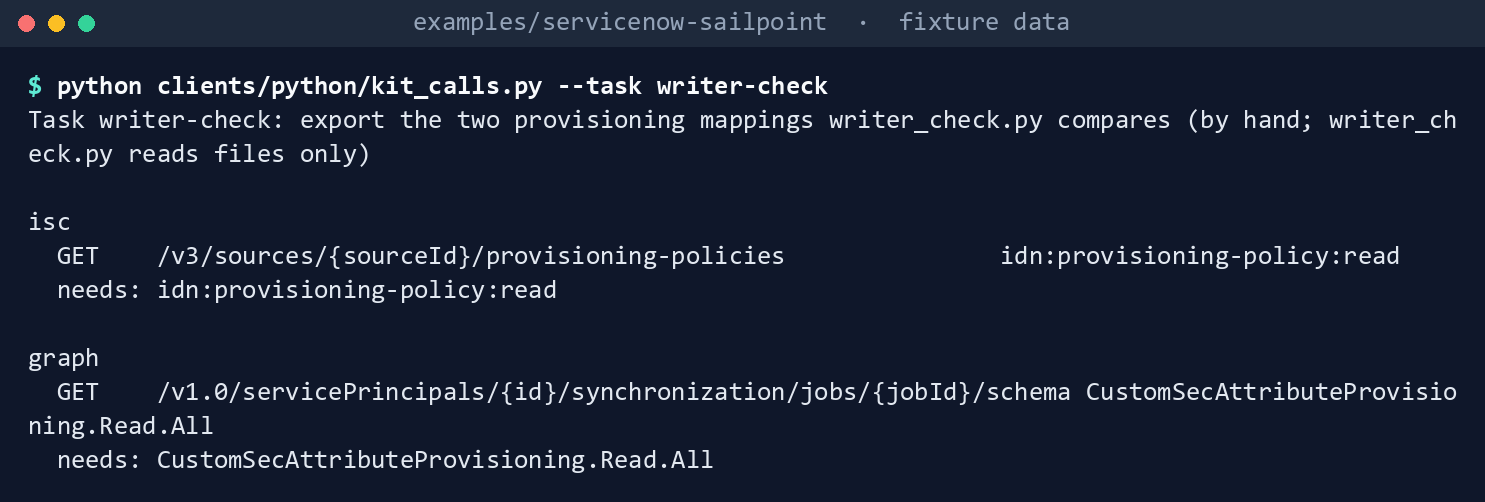
What the terminal shows, run on the kit’s fixtures (the same output as text) idn:provisioning-policy:readon ISC andCustomSecAttributeProvisioning.Read.Allon Graph.
Lab 2: exports from a test tenant and a SailPoint sandbox
Not run by the authors. Use a test Entra tenant with an inbound provisioning job and a SailPoint sandbox with an Entra source, never production. Both reads are GET only. Work in examples/servicenow-sailpoint. You’ll replace: <graph-tenant-id>, <graph-client-id> and <graph-cert.pem> (a test app registration holding the Graph permission below, and the PEM file holding its certificate and key), <graph-cloud> (Global for worldwide and GCC, USGov for GCC High, USGovDoD), <service-principal-id> (the provisioning app’s service principal), <job-id> (its job, from the first listing), <target-directory-name> (what step 1 prints), <tenant> (your sandbox tenant’s name), <policy-client-id> and <policy-client-secret> (the ISC API client of step 2), <source-id> (the Entra source in ISC), and <sailpoint-field>=<entra-attribute> (one pair from your alias list).
Every command in this lab, in order, from examples/servicenow-sailpoint. Each step below says what it does and what to look for.
# Step 1: Export the inbound job's schema
mkdir -p out
export GRAPH_TENANT_ID="<graph-tenant-id>"
export GRAPH_CLIENT_ID="<graph-client-id>"
export GRAPH_CERT_PATH="<graph-cert.pem>"
export GRAPH_CLOUD="<graph-cloud>"
export GRAPH_ACCESS_TOKEN=$(python -c "import sys; sys.path.insert(0, 'clients/python'); import kit_common as kc; print(kc.graph_headers(kc.load_config(), kc.Http())['Authorization'].split()[1])")
export GRAPH_ROOT=$(python -c "import sys; sys.path.insert(0, 'clients/python'); import kit_common as kc; print(kc.graph_endpoints(kc.load_config())[1])")
curl -s -H "Authorization: Bearer $GRAPH_ACCESS_TOKEN" -H "Accept: application/json" "$GRAPH_ROOT/v1.0/servicePrincipals/<service-principal-id>/synchronization/jobs"

# Step 1: Export the inbound job's schema
curl -s -H "Authorization: Bearer $GRAPH_ACCESS_TOKEN" -H "Accept: application/json" -o out/entra_inbound_schema.json "$GRAPH_ROOT/v1.0/servicePrincipals/<service-principal-id>/synchronization/jobs/<job-id>/schema"

# Step 1: Export the inbound job's schema
python -c "import json; s=json.load(open('out/entra_inbound_schema.json')); print(sorted({r.get('targetDirectoryName') for r in s.get('synchronizationRules') or []}))"

# Step 2: Export the ISC source's policies
export SAILPOINT_API_BASE="https://<tenant>.api.identitynow.com"
export SAILPOINT_ACCESS_TOKEN=$(curl -s -X POST "$SAILPOINT_API_BASE/oauth/token" -d grant_type=client_credentials -d client_id="<policy-client-id>" -d client_secret="<policy-client-secret>" | python -c "import json,sys; print(json.load(sys.stdin)['access_token'])")
curl -s -H "Authorization: Bearer $SAILPOINT_ACCESS_TOKEN" -H "Accept: application/json" -o out/isc_entra_source_policies.json "$SAILPOINT_API_BASE/v3/sources/<source-id>/provisioning-policies"

# Step 4: Run the check
python clients/python/writer_check.py --entra-schema out/entra_inbound_schema.json --isc-policies out/isc_entra_source_policies.json --entra-directory "<target-directory-name>" --alias "<sailpoint-field>=<entra-attribute>"

# Step 5: Back it out
rm -f out/entra_inbound_schema.json out/isc_entra_source_policies.json
unset GRAPH_TENANT_ID GRAPH_CLIENT_ID GRAPH_CERT_PATH GRAPH_CLOUD GRAPH_ACCESS_TOKEN GRAPH_ROOT SAILPOINT_API_BASE SAILPOINT_ACCESS_TOKEN
Export the inbound job’s schema. Find the provisioning app’s service principal, then list its jobs and save the job’s schema. The first commands get a Graph token for the app registration and the Graph root for your cloud with the kit’s own code.56
mkdir -p out
export GRAPH_TENANT_ID="<graph-tenant-id>"
export GRAPH_CLIENT_ID="<graph-client-id>"
export GRAPH_CERT_PATH="<graph-cert.pem>"
export GRAPH_CLOUD="<graph-cloud>"
export GRAPH_ACCESS_TOKEN=$(python -c "import sys; sys.path.insert(0, 'clients/python'); import kit_common as kc; print(kc.graph_headers(kc.load_config(), kc.Http())['Authorization'].split()[1])")
export GRAPH_ROOT=$(python -c "import sys; sys.path.insert(0, 'clients/python'); import kit_common as kc; print(kc.graph_endpoints(kc.load_config())[1])")
curl -s -H "Authorization: Bearer $GRAPH_ACCESS_TOKEN" -H "Accept: application/json" "$GRAPH_ROOT/v1.0/servicePrincipals/<service-principal-id>/synchronization/jobs"
curl -s -H "Authorization: Bearer $GRAPH_ACCESS_TOKEN" -H "Accept: application/json" -o out/entra_inbound_schema.json "$GRAPH_ROOT/v1.0/servicePrincipals/<service-principal-id>/synchronization/jobs/<job-id>/schema"Learn lists
CustomSecAttributeProvisioning.Read.Allas the least-privileged application permission for that read, andSynchronization.Read.Allamong the higher ones; in delegated use the least-privileged roles are Application Administrator, Cloud Application Administrator and Hybrid Identity Administrator.7 Note the rule’stargetDirectoryNamefor--entra-directory; this prints it:python -c "import json; s=json.load(open('out/entra_inbound_schema.json')); print(sorted({r.get('targetDirectoryName') for r in s.get('synchronizationRules') or []}))"Export the ISC source’s policies. With an API client holding only
idn:provisioning-policy:read, read the Entra source’s provisioning policies and save the response. The documented user level for that endpoint isORG_ADMIN, so a personal access token is the wrong tool here; use an API client.8export SAILPOINT_API_BASE="https://<tenant>.api.identitynow.com" export SAILPOINT_ACCESS_TOKEN=$(curl -s -X POST "$SAILPOINT_API_BASE/oauth/token" -d grant_type=client_credentials -d client_id="<policy-client-id>" -d client_secret="<policy-client-secret>" | python -c "import json,sys; print(json.load(sys.stdin)['access_token'])") curl -s -H "Authorization: Bearer $SAILPOINT_ACCESS_TOKEN" -H "Accept: application/json" -o out/isc_entra_source_policies.json "$SAILPOINT_API_BASE/v3/sources/<source-id>/provisioning-policies"Build the alias list from the Entra source’s account schema: for each SailPoint field the policies name, the Entra attribute it writes. Keep the list in the repository and have the data architect review it.
Run the check on the two exports with the aliases. The command shows one pair; give
--aliasonce for each pair in your list.python clients/python/writer_check.py --entra-schema out/entra_inbound_schema.json --isc-policies out/isc_entra_source_policies.json --entra-directory "<target-directory-name>" --alias "<sailpoint-field>=<entra-attribute>"Give each Finding to the data architect to decide which system owns the attribute. Book 03’s default keeps Entra inbound provisioning as the writer.
Back it out. Delete the two exports if they hold anything beyond mappings, and remove the Graph permission and the ISC API client:
rm -f out/entra_inbound_schema.json out/isc_entra_source_policies.json
unset GRAPH_TENANT_ID GRAPH_CLIENT_ID GRAPH_CERT_PATH GRAPH_CLOUD GRAPH_ACCESS_TOKEN GRAPH_ROOT SAILPOINT_API_BASE SAILPOINT_ACCESS_TOKEN
The verified facts
| Item | Value | Source |
|---|---|---|
| Get synchronizationSchema | GET /servicePrincipals/{id}/synchronization/jobs/{jobId}/schema; application: CustomSecAttributeProvisioning.Read.All least privileged, Synchronization.Read.All higher; delegated: Synchronization.Read.All; available in US Government L4 and L5 |
9 |
| Schema shape | synchronizationRules with sourceDirectoryName, targetDirectoryName, objectMappings (sourceObjectName, targetObjectName, attributeMappings with targetAttributeName) |
10 |
attributeMapping flowType |
Always (default), ObjectAddOnly (only when a new object is created), MultiValueAddOnly, ValueAddOnly, AttributeAddOnly; AD-to-Entra jobs don’t respect it |
11 |
| objectMapping | enabled; flowTypes (Add, Update, Delete) |
12 |
| ISC provisioning policies | GET /v3/sources/{sourceId}/provisioning-policies; idn:provisioning-policy:read or :manage; user level ORG_ADMIN; items have name, usageType, fields |
13 |
| Usage types | CREATE (create account profile), UPDATE (update account profile, used for attribute sync), ENABLE, DISABLE and others |
14 |
| GCC endpoints | Microsoft 365 GCC uses graph.microsoft.com |
15 |
| SailPoint Identity Security Cloud | FedRAMP Certified, Moderate | 16 |
What couldn’t be verified
- Why Learn lists
CustomSecAttributeProvisioning.Read.Allas the least-privileged application permission for reading a synchronization schema, rather thanSynchronization.Read.All. The code follows Learn’s table; confirm in a test tenant that the schema read works with it (research gaps, row 71). - The
targetDirectoryNamean HR inbound provisioning job uses for the Entra directory. Learn’s examples useAzure Active Directoryand one page says “Microsoft Entra ID”; the check refuses a name it doesn’t find rather than guess (research gaps, row 72). - How SailPoint’s Entra connector field names map to Entra attributes. Not checked here; the alias list is a reviewed input (research gaps, row 73).
- Whether other SailPoint paths write Entra attributes outside provisioning policies (attribute sync settings, transforms or workflows). The check covers policies only (research gaps, row 74).
Federal requirements and evidence
| What the output proves | Requirement it supports | KSI | Who keeps it |
|---|---|---|---|
| Each Entra ID user attribute has one authoritative writer, or the overlap is named and assigned | NIST SP 800-53 CM-6 (configuration settings) and CM-3 at Moderate;17 Book 13’s one-authoritative-record principle | KSI-MLA-EVC; KSI-CMT-LMC | The check’s output and the data architect’s decisions, kept with the provisioning configuration |
| Attribute drift that the next sync recreates is traced to its cause | CA-7 and SI-4 at Moderate;18 Book 03’s drift measures | KSI-MLA-EVC; KSI-MLA-RVL | The check, run whenever either provisioning configuration changes |
| A change to either provisioning configuration is checked before it lands | CM-3 (change control), CM-4 (impact analyses) at Moderate19 | KSI-CMT-VTD; none cites CM-4 | The pull request or change record that runs the check |
| Lab 1, step 1: the check holds, tested before a change merges | SA-11 (developer testing) at Moderate20 | KSI-SCR-MIT | The pytest tests/python/test_writer_check.py run, in the pull request’s checks |
| Lab 1, step 2: an attribute both systems write is a Finding, and the command exits 1 | CM-6; CM-3 | KSI-MLA-EVC; KSI-CMT-LMC | The writer_check.py output, given to the data architect |
| Lab 1, step 3: a second writer under another name shows only with the alias | CM-6 | KSI-MLA-EVC | The --alias list in the repository, and the output it gives |
| Lab 1, step 4: a wrong directory name stops the check instead of passing as no overlap | CM-6 | KSI-MLA-EVC | The --entra-directory error, exit 2 |
| Lab 1, step 5: the reads the two exports need, and nothing more | AC-6 (least privilege) at Moderate21 | KSI-IAM-ELP | The kit_calls.py --task writer-check output, attached to the access requests |
| Lab 2, step 1: the inbound provisioning job’s mappings, read with the least-privileged Graph permission | CM-6; AC-6 | KSI-MLA-EVC; KSI-IAM-ELP | out/entra_inbound_schema.json, kept with the check’s output if it holds only mappings |
| Lab 2, step 2: the Entra source’s provisioning policies, read with one scope | CM-6; AC-6 | KSI-MLA-EVC; KSI-IAM-ELP | out/isc_entra_source_policies.json, kept the same way |
| Lab 2, step 3: the alias list is reviewed before it is used | CM-3 | KSI-CMT-LMC | The alias list’s pull request and the data architect’s review |
| Lab 2, step 4: each attribute both systems write is named and given to an owner | CM-6; CM-3 | KSI-MLA-EVC; KSI-CMT-LMC | The writer_check.py output on the two exports, with the data architect’s decisions |
| Lab 2, step 5: no export, permission or API client is left beyond what is kept | AC-2 (account management) and AC-6 at Moderate22 | KSI-IAM-SNU; KSI-IAM-ELP | The app registration and API client lists; the rm -f command |
The KSI column names the FedRAMP 20x Key Security Indicators whose related SP 800-53 controls include the row’s control.23 KSIs are indicators for cloud service providers: the agency authorizes its own system and lines its own evidence up with what its providers report against them; it doesn’t report KSIs itself.
Dangers
| Danger | What happens | The guard |
|---|---|---|
| Two systems update one attribute | Drift is fixed and recreated on the next sync, forever | A Finding, exit 1 |
| Field names that differ hide a second writer | The check reports no overlap | --alias, reviewed; Lab 1, step 3 |
| The wrong directory name | Every attribute looks unwritten | The check refuses a name the schema doesn’t target |
| A disabled mapping counted | False findings | Disabled object mappings are skipped |
| Exports with personal data | A schema with expressions is fine; a policy with values may not be | Export mappings only; delete lab copies |
| Writers outside provisioning policies | The check misses them | Listed under what couldn’t be verified; a person confirms |
Checklist
Footnotes
Microsoft Learn, “Get synchronizationSchema,” national cloud availability, permissions, HTTP request and example response, https://learn.microsoft.com/graph/api/synchronization-synchronizationschema-get?view=graph-rest-1.0 (read November 1, 2026).↩︎
Microsoft Learn, “attributeMapping resource type,” properties, https://learn.microsoft.com/graph/api/resources/synchronization-attributemapping?view=graph-rest-1.0 (read November 1, 2026).↩︎
SailPoint, Identity Security Cloud OpenAPI specification, v3,
listProvisioningPolicies(path/sources/{sourceId}/provisioning-policies, scopes, user level) andProvisioningPolicyDto, https://github.com/sailpoint-oss/api-specs/blob/main/idn/v3/paths/provisioning-policies.yaml and https://github.com/sailpoint-oss/api-specs/blob/main/idn/v3/schemas/ProvisioningPolicyDto.yaml (read November 1, 2026, at commit7f6741e).↩︎SailPoint, Identity Security Cloud OpenAPI specification, v3,
UsageType, https://github.com/sailpoint-oss/api-specs/blob/main/idn/v3/schemas/UsageType.yaml (read November 1, 2026).↩︎Microsoft Learn, “Microsoft Entra ID synchronization API overview,” working with the synchronization API, https://learn.microsoft.com/graph/api/resources/synchronization-overview?view=graph-rest-1.0 (read November 1, 2026).↩︎
Microsoft Learn, “Get synchronizationSchema,” national cloud availability, permissions, HTTP request and example response, https://learn.microsoft.com/graph/api/synchronization-synchronizationschema-get?view=graph-rest-1.0 (read November 1, 2026).↩︎
Microsoft Learn, “Get synchronizationSchema,” national cloud availability, permissions, HTTP request and example response, https://learn.microsoft.com/graph/api/synchronization-synchronizationschema-get?view=graph-rest-1.0 (read November 1, 2026).↩︎
SailPoint, Identity Security Cloud OpenAPI specification, v3,
listProvisioningPolicies(path/sources/{sourceId}/provisioning-policies, scopes, user level) andProvisioningPolicyDto, https://github.com/sailpoint-oss/api-specs/blob/main/idn/v3/paths/provisioning-policies.yaml and https://github.com/sailpoint-oss/api-specs/blob/main/idn/v3/schemas/ProvisioningPolicyDto.yaml (read November 1, 2026, at commit7f6741e).↩︎Microsoft Learn, “Get synchronizationSchema,” national cloud availability, permissions, HTTP request and example response, https://learn.microsoft.com/graph/api/synchronization-synchronizationschema-get?view=graph-rest-1.0 (read November 1, 2026).↩︎
Microsoft Learn, “Get synchronizationSchema,” national cloud availability, permissions, HTTP request and example response, https://learn.microsoft.com/graph/api/synchronization-synchronizationschema-get?view=graph-rest-1.0 (read November 1, 2026).↩︎
Microsoft Learn, “attributeMapping resource type,” properties, https://learn.microsoft.com/graph/api/resources/synchronization-attributemapping?view=graph-rest-1.0 (read November 1, 2026).↩︎
Microsoft Learn, “objectMapping resource type,” properties, https://learn.microsoft.com/graph/api/resources/synchronization-objectmapping?view=graph-rest-1.0 (read November 1, 2026).↩︎
SailPoint, Identity Security Cloud OpenAPI specification, v3,
listProvisioningPolicies(path/sources/{sourceId}/provisioning-policies, scopes, user level) andProvisioningPolicyDto, https://github.com/sailpoint-oss/api-specs/blob/main/idn/v3/paths/provisioning-policies.yaml and https://github.com/sailpoint-oss/api-specs/blob/main/idn/v3/schemas/ProvisioningPolicyDto.yaml (read November 1, 2026, at commit7f6741e).↩︎SailPoint, Identity Security Cloud OpenAPI specification, v3,
UsageType, https://github.com/sailpoint-oss/api-specs/blob/main/idn/v3/schemas/UsageType.yaml (read November 1, 2026).↩︎Microsoft Learn, “Microsoft Graph national cloud deployments,” https://learn.microsoft.com/graph/deployments (read November 1, 2026).↩︎
FedRAMP Marketplace data, https://www.fedramp.gov/marketplace/products.json (last change November 1, 2026): SailPoint Identity Security Cloud, FR2001938710A (read November 1, 2026).↩︎
National Institute of Standards and Technology, SP 800-53B Moderate baseline, release 5.2.0 OSCAL profile (includes AC-2, AC-6, CA-7, CM-3, CM-4, CM-6, SA-11 and SI-4), https://github.com/usnistgov/oscal-content/blob/main/nist.gov/SP800-53/rev5/json/NIST_SP-800-53_rev5_MODERATE-baseline_profile.json (read November 1, 2026).↩︎
National Institute of Standards and Technology, SP 800-53B Moderate baseline, release 5.2.0 OSCAL profile (includes AC-2, AC-6, CA-7, CM-3, CM-4, CM-6, SA-11 and SI-4), https://github.com/usnistgov/oscal-content/blob/main/nist.gov/SP800-53/rev5/json/NIST_SP-800-53_rev5_MODERATE-baseline_profile.json (read November 1, 2026).↩︎
National Institute of Standards and Technology, SP 800-53B Moderate baseline, release 5.2.0 OSCAL profile (includes AC-2, AC-6, CA-7, CM-3, CM-4, CM-6, SA-11 and SI-4), https://github.com/usnistgov/oscal-content/blob/main/nist.gov/SP800-53/rev5/json/NIST_SP-800-53_rev5_MODERATE-baseline_profile.json (read November 1, 2026).↩︎
National Institute of Standards and Technology, SP 800-53B Moderate baseline, release 5.2.0 OSCAL profile (includes AC-2, AC-6, CA-7, CM-3, CM-4, CM-6, SA-11 and SI-4), https://github.com/usnistgov/oscal-content/blob/main/nist.gov/SP800-53/rev5/json/NIST_SP-800-53_rev5_MODERATE-baseline_profile.json (read November 1, 2026).↩︎
National Institute of Standards and Technology, SP 800-53B Moderate baseline, release 5.2.0 OSCAL profile (includes AC-2, AC-6, CA-7, CM-3, CM-4, CM-6, SA-11 and SI-4), https://github.com/usnistgov/oscal-content/blob/main/nist.gov/SP800-53/rev5/json/NIST_SP-800-53_rev5_MODERATE-baseline_profile.json (read November 1, 2026).↩︎
National Institute of Standards and Technology, SP 800-53B Moderate baseline, release 5.2.0 OSCAL profile (includes AC-2, AC-6, CA-7, CM-3, CM-4, CM-6, SA-11 and SI-4), https://github.com/usnistgov/oscal-content/blob/main/nist.gov/SP800-53/rev5/json/NIST_SP-800-53_rev5_MODERATE-baseline_profile.json (read November 1, 2026).↩︎
FedRAMP, “Key Security Indicators,” FedRAMP Consolidated Rules for 2026, indicator titles and “Related SP 800-53 Controls,” https://www.fedramp.gov/2026/reference/key-security-indicators/ (read November 2, 2026).↩︎