Federal Modernization Workbook
Chapter 08 — Conditional Access for Workload Identities
A stolen client secret works from anywhere unless something says where the workload is allowed to be, so that place is written down, reviewed, and enforced one ring at a time.
The policies behind the project plan’s Phase 5 and its Gate 5, “workload identities under Conditional Access.” You start with Learn’s own Graph JSON sample for a location-based policy that targets service principals, which the repository keeps as a pinned copy, and you send it to a fake Graph and the pre-merge check to see what it leaves to you. Then you use examples/non-person-identity for the rest: the scope as a reviewed file, the program’s CA015 and CA037 rendered per ring and always created report-only, a check before merge and a check against the tenant, a reader that summarizes the service principal sign-in logs per principal, enforcement only after decision D-NP5 and only with -AllowEnforce, and an alert definition for block events. Lab 1 runs on a laptop with no tenant; Lab 2 uses a test tenant.
Jump to a slide (18)
Deck · Narrated deck (about 11 minutes, captions) · Script · Captions. Recorded on November 2, 2026 from the approved chapter.
Goal and audience
Goal. By the end of this chapter you can do the plan’s three tasks from code. NP5.1, “scope set: Tier 1 single-tenant service principals assigned directly, never through a group; workload egress ranges named; managed identities and multitenant apps recorded as out of scope.” NP5.2, “CA015 location restriction and CA037 high-risk block in report-only; service principal sign-in logs read.” NP5.3, after the CISO’s decision D-NP5, “policies enforced ring by ring; block events alerted to security operations.” You can show the CISO the evidence Gate 5 asks for, and say for each rule whether it is Learn’s, Learn’s sample, or the program’s design.
Audience. Developers who build the project’s Conditional Access code, the identity engineers who own the policies, the application owners whose workloads are in scope, and the ISSO and security operations staff who review the results. You should read PowerShell 7 and the Graph conditionalAccessPolicy JSON, and know Chapter 01’s register. You don’t need a tenant until Lab 2.
The context the code depends on
Learn is short and firm about what Conditional Access for workload identities can do. A policy can block a service principal from outside known public IP ranges, on risk detected by Microsoft Entra ID Protection, or with authentication contexts; block is the only grant control.1 The limits decide the scope:2
- Licensing. Workload ID Premium licenses (Learn’s Conditional Access pages also write “Workload Identities Premium”) are required to create or modify these policies. Without them, existing policies keep working but can’t be changed.
- Single-tenant only. Policies apply to single-tenant service principals registered in the tenant. Microsoft and third-party SaaS apps, including multitenant apps, aren’t covered.
- No managed identities. Managed identities aren’t covered; Learn suggests an access review for them instead.
- Direct assignment. A policy assigned to a group that contains a service principal isn’t enforced for it. The service principal has to be assigned directly, by the enterprise application’s object ID; the app registration’s object ID can’t be used.
Book 02, Chapter 09 and Book 04, Chapter 05 state the same limits. The program’s two policies are Book 04’s Wave 4: CA015-ServiceAccounts-LocationRestriction blocks workload identities, assigned directly, from any location except NL-WorkloadEgress, and CA037-WorkloadIdentities-HighRisk-Block blocks them at high service principal risk (Book 04, Chapter 07); Appendix A has CA015’s JSON (Appendix A). Book 04’s rollout rule applies: report-only first, then rings, never deleted on rollback (Book 04, Chapter 07).
Licensing, D-NP4. Workload ID Premium is a standalone product, not part of other premium plans. Only workload identities eligible for premium features need licenses; license assignment isn’t required, and one license in the tenant unlocks the features. Conditional Access for workload identities covers single-tenant applications; ID Protection covers single-tenant and multitenant apps; Microsoft apps and managed identities are eligible for neither.3 The plan’s decision D-NP4 licenses the single-tenant service principals classified Tier 1 in Book 04, Chapter 06, Book 04’s position (Book 04, Chapter 05). The scope file records D-NP4, and the check fails without it.
Risk, CA037. ID Protection detects risk on workload identities from offline indicators (leaked credentials, suspicious sign-ins against a learned baseline, threat intelligence, an admin’s confirmation of compromise and others); full risk details and risk-based controls need Workload ID Premium, and managed identities aren’t in scope.4 CA037 has nothing to act on until ID Protection raises a service principal’s risk to high, so its report-only results are usually empty; that is expected, not a gap in the evidence.
Enforcement, D-NP5. The CISO’s decision has three options: enforce; extend report-only; or enforce with named exclusions, each with an owner and an end date. Gate 5 then asks for “every Tier 1 single-tenant service principal assigned directly to the enforced location and risk policies; report-only results reviewed before enforcement; every out-of-scope identity (managed identities, multitenant and SaaS apps) recorded with the control that covers it instead” (project plan). The code holds each of those as a file or a check.
Which cloud, for these calls
The target estate is Microsoft 365 GCC, whose Microsoft Entra tenant uses the worldwide endpoints: Graph at graph.microsoft.com. GCC High and DoD use graph.microsoft.us and dod-graph.microsoft.us.5 Listing and changing Conditional Access policies and named locations list the global service, US Government L4 and US Government L5,6 7 8 9 10 11 and so does the beta sign-in log read.12 Learn’s feature availability page for Azure for US Government lists Conditional Access as available and says Workload ID Premium is available there; the Workload ID FAQ says to contact the account manager in the Azure Government clouds, where the free trial isn’t offered.13 14 That page’s ID Protection table lists user risk detections only; whether workload identity risk detections, which CA037 depends on, run in GCC High and DoD is open (research gaps, row 75). The code takes the cloud as an explicit name and has no default.
Start with Microsoft’s sample
What Microsoft gives you
Learn’s page Conditional Access for workload identities is Microsoft’s procedure. It gives the admin center steps for a location-based policy and for a risk-based one, says to save either in report-only to estimate its effect, and says where report-only results appear: the service principal sign-ins in the admin center, and the Conditional Access insights and reporting workbook. It ends with “Sample JSON for location-based configuration using the Microsoft Graph beta endpoint.”15 Learn’s ID Protection page for workload identities explains the risk the risk-based policy acts on, and has no code.16
The repository’s search on October 30, 2026 found no other Microsoft sample to start from: no microsoftgraph/* or Azure-Samples/* repository holds a workload identity Conditional Access policy, and the Create conditionalAccessPolicy page’s examples don’t target service principals.17
The pinned copy
The sample exists only inside the Learn page, so the repository pins the page’s source, unmodified, in examples/third_party/entra-workload-identity-ca-page: workload-identity.md from MicrosoftDocs/entra-docs at commit 7f78b50 (October 30, 2026), retrieved October 30, 2026, with the repository’s licenses (MIT for both).18 snapshot.json records each file’s SHA-256, checked against the upstream git blob hashes; a unit test checks them, and the weekly source watch reports new commits to the page. Updating the copy is a reviewed pull request.
Read-NpiWcaLearnSample extracts the page’s one JSON block, unmodified. The tests send it to the fake Graph’s create route and run the pre-merge check on it, as if it were a file in the repository. Nothing is sent to a tenant.
What it leaves to you
Each row is pinned by a test in tests/NpiWorkloadCa.Tests.ps1: the first block for Learn’s sample as published, the others for the example.
| Learn’s sample, as published | Why it matters | What examples/non-person-identity adds |
|---|---|---|
Targets service principals through clientApplications, all resources, all locations but an excluded one, block |
— | Kept as the model: CA015 has the same shape |
| Labeled for the Graph beta endpoint | The v1.0 condition set has clientApplications and servicePrincipalRiskLevels19 20 |
The code writes v1.0 (research gaps, row 71) |
state and the IDs are display text (“enabled OR disabled OR …”, “[Service principal Object ID]”) |
Not a value Graph accepts; the fake refuses it with 400, as Graph’s state values allow | Every value comes from a reviewed file; NPI-WCA-07 fails any state other than report-only in a file |
Offers ServicePrincipalsInMyTenant |
Sweeps in every service principal, Tier 1 or not, and nobody reviewed the list | NPI-WCA-01: only the ring’s object IDs from the scope file |
Offers AllTrusted as the allowed location |
Trusts every network marked trusted for users, too | NPI-WCA-08: only the NL-WorkloadEgress named location, kept untrusted |
No clientAppTypes |
v1.0 marks it required21 | ["all"], as Appendix A does (research gaps, row 72) |
| Location only; the risk policy is admin center steps | CA037 has no published JSON | CA037 as a reviewed file with servicePrincipalRiskLevels: ["high"] |
| Report-only results read in the admin center | Nothing a pipeline can keep as evidence | The beta sign-in reader and a per-principal summary with its SHA-256 |
| One policy, no scope beyond the IDs typed in | No record of who is in, who is out, and why | The scope file: Tier 1, rings, egress ranges, the out-of-scope identities with their controls, D-NP4 and D-NP5 |
| No rings, no alert | Enforcement is all or nothing, and nobody hears about a block | Per-ring policies, enforcement only with -AllowEnforce after D-NP5, and the block alert definition |
The verdict. Keep Learn’s JSON as the model for CA015’s shape. Don’t create it as published: Graph would refuse it, and with its placeholders filled the easy way it would cover every service principal in the tenant and trust every trusted network.
The code: what examples/non-person-identity adds
This chapter adds its own module, powershell/NpiWorkloadCa, which imports Chapter 01’s NpiCore for the cloud table, the host check and the run manifest’s helpers. It adds its own call list config/calls-ch08.json, the reviewed files in workload-ca/, the entry script Invoke-NpiWorkloadCa.ps1, and fixtures in tests/fixtures/ch08/. Unlike Chapters 01 and 02’s read paths, it can write Conditional Access. Design guidance: it writes only as the wca-apply task, creates every new policy report-only, enforces a ring only with -AllowEnforce after D-NP5, and has no delete.
The files
| File | Who keeps it | What it holds |
|---|---|---|
workload-ca/policies/CA015-ServiceAccounts-LocationRestriction.json |
Identity engineering | Book 04’s CA015: {scope:ring} in includeServicePrincipals, {location:NL-WorkloadEgress} excluded, all resources, all client app types, block, report-only |
workload-ca/policies/CA037-WorkloadIdentities-HighRisk-Block.json |
Identity engineering | Book 04’s CA037: the same targeting, servicePrincipalRiskLevels: ["high"], block, report-only |
workload-ca/locations/NL-WorkloadEgress.json |
Identity engineering | An untrusted ipNamedLocation; its ranges come from the scope |
workload-ca/alerts/NPI-WCA-BlockAlert.json |
Security operations | The block alert definition (below) |
The scope file (tests/fixtures/ch08/scope.json in Lab 1) |
The identity governance officer, with application owners | Tenant and cloud; the D-NP4 record; the egress ranges; the rings; each in-scope service principal by object ID with its tier, type, audience, ring and record; each out-of-scope identity with its class, the control that covers it and who reviewed it; the enforcement record (D-NP5, the rings marked, each ring’s reviewed sign-in summary, dated exclusions) |
The fixture’s egress ranges are documentation ranges (192.0.2.0/28, 198.51.100.32/29, 2001:db8:10::/48). A real tenant keeps its scope file with its decision records, and every change to it is a reviewed pull request.
One policy per ring. Design guidance: each template is rendered once per ring, named <template>-<ring>, with that ring’s object IDs. Enforcing a ring changes one policy’s state and leaves the next ring in report-only. Book 04 names one CA015 and one CA037; the suffix is the program’s (research gaps, row 78).
The pre-merge check
Test-NpiWcaRepository reads files only, and runs in the pull request pipeline. Test-NpiWcaTenantScope runs the rules that need the tenant on every plan.
| Rule | Severity | What it flags | Source |
|---|---|---|---|
| NPI-WCA-01 | Finding | A policy that targets users, groups or roles, a filter, ServicePrincipalsInMyTenant or text instead of the ring’s object IDs |
Learn: a group isn’t enforced; assign directly22 |
| NPI-WCA-02 | Finding | A managed identity in scope, in the file or in the tenant | Learn23 |
| NPI-WCA-03 | Finding | A service principal in scope that isn’t an application registered in this tenant and single-tenant | Learn24 |
| NPI-WCA-04 | Finding; Warn | An in-scope object ID that isn’t a service principal here (an app registration’s object ID, say) or whose appId differs (Finding); one that is disabled (Warn) |
Learn: the registration’s object ID can’t be used25 |
| NPI-WCA-05 | Finding | No D-NP4 record; a principal that isn’t Tier 1; an unknown ring; a duplicate | Learn: Premium to create or modify26; D-NP4 (Design guidance) |
| NPI-WCA-06 | Finding; Info | An out-of-scope record with no control, reviewer or date, or a managed identity, multitenant, SaaS, agent or legacy service principal in the tenant with no record (Finding); an eligible single-tenant app that isn’t Tier 1 (Info) | Gate 5 |
| NPI-WCA-07 | Finding | A policy file that isn’t report-only, grants anything but block, doesn’t target all resources, has no clientAppTypes: ["all"], or has neither a location nor a risk condition |
Learn: block only27; v1.0 condition set28 |
| NPI-WCA-08 | Finding; Warn | An egress range that isn’t CIDR or is broader than /16 (IPv4) or /32 (IPv6), or a policy that excludes anything but NL-WorkloadEgress (Finding); a named location marked trusted (Warn) |
Design guidance |
| NPI-WCA-09 | Finding | A ring marked for enforcement with no D-NP5 record or no reviewed sign-in summary, a ring enforced before an earlier one, an exclusion with no owner, reason or end date, or one that has ended | D-NP5; Gate 5 (Design guidance) |
On the fixture scope and the repository’s files the check passes with nothing to report, and the tenant check reports two Info: Legacy Reports and Build Pipeline are single-tenant and eligible, but not Tier 1, so D-NP4 leaves them uncovered. Microsoft’s own apps are recognized by the owner tenant IDs the scope lists (research gaps, row 76).
The plan, the dry run and the writes
Get-NpiWcaTenant reads the tenant’s policies and named locations: two GETs, every page, only on the cloud’s own host. Get-NpiWcaPlan compares the files and scope with the tenant, property by property and only on the properties the files set, with lists compared as sets. The named location comes first, because CA015 excludes it by ID.
| Action | When |
|---|---|
| Create | Not in the tenant. A policy is always created report-only, whatever its ring’s state |
| Update | Differs; the PATCH carries only the changed top-level properties |
| NoChange | Matches |
| Blocked | A CA015 policy whose named location doesn’t exist yet; the next run creates it |
| Held | The ring is marked for enforcement, but this run may not enforce it (below) |
| NotInRepository | A workload identity policy in the tenant that no file names: reported, never deleted |
Invoke-NpiWcaPlan turns the plan into requests. As the read task it returns them with Sent false, and its client can’t send a write. As wca-apply it refuses to start if the pre-merge or tenant check has a Finding, refuses to create a policy that isn’t report-only or assigns anything but object IDs, and refuses to enable a policy the plan didn’t mark as an allowed enforcement. Policies are matched by display name. Rollback follows Book 04: remove the ring from the enforcement record and apply, and its policies go back to report-only; Learn’s own rollback says to delete or disable the policies,29 and this code does neither by itself.
Enforcement, ring by ring
Get-NpiWcaEnforcement decides, for each ring, whether this run may set its policies to enabled. All of these must hold, or the ring is Held in report-only with the reason:
- The scope’s enforcement record marks the ring, under a D-NP5 record whose outcome is Enforce or EnforceWithExclusions, with who decided and when.
- The run was given
-AllowEnforce, in the change that enforces it. -SignInSummaryPathnames a sign-in summary whose SHA-256 is the one the ring’s record cites, with its reviewer and date: the report-only results were reviewed before enforcement, as Gate 5 asks.- That summary shows the ring ready.
- Every earlier ring is enforced.
A policy created on the run that enforces its ring is still created report-only, and turns on in the next run. Exclusions are D-NP5’s third option: each names a principal of the ring, an owner, a reason and an end date, goes into excludeServicePrincipals for that ring’s policies, and drops out on its end date.
The sign-in reader
Learn’s List signIns returns only interactive sign-ins unless the filter names an event type, and gives the filter for service principal sign-ins: a time range and signInEventTypes/any(t: t eq 'servicePrincipal'). That filter is on the beta endpoint (research gaps, row 73).30 The appliedConditionalAccessPolicies property is omitted unless the caller can read Conditional Access data: an app needs Policy.Read.All, Policy.Read.ConditionalAccess or Policy.ReadWrite.ConditionalAccess.31 And the report-only results (reportOnlySuccess, reportOnlyFailure, reportOnlyNotApplied, reportOnlyInterrupted) are members of an evolvable enumeration that comes back only with the request header Prefer: include-unknown-enum-members.32
Get-NpiWcaSignIn sends that filter with that header, follows every page, and throws if any result still comes back as unknownFutureValue. Get-NpiWcaSignInSummary keeps only service principal sign-ins, and for each in-scope principal records its sign-ins, the results our CA015 and CA037 policies recorded, the addresses outside the reviewed egress ranges, and any block (53003, BlockedByConditionalAccess33). Each principal gets a status:
| Status | Meaning |
|---|---|
| NoSignIns | Nothing in the window: nothing to judge |
| NotEvaluated | Sign-ins, but no result from our policies yet (the ring’s policy wasn’t there) |
| WouldBlock | A report-only failure, a block, or an address outside the egress ranges |
| Clear | Evaluated by our policies, with nothing that would block |
A ring is ready when every principal is Clear and the window is at least 14 days. Design guidance: Book 04 asks for at least two weeks of report-only for the risk wave (Book 04, Chapter 07), and the code applies the same to CA015 (research gaps, row 79). The summary holds no user data: service principal sign-ins only, by object ID and address. The same sign-ins give the same file, byte for byte, so the reviewer approves a hash and the enforcement record cites it.
The block alert
NP5.3 asks for block events alerted to security operations. New-NpiWcaAlertRule renders workload-ca/alerts/NPI-WCA-BlockAlert.json with the in-scope object IDs: a log search over AADServicePrincipalSignInLogs for result 53003, every five minutes over fifteen, severity 1, to the security operations action group. The table has ServicePrincipalId, AppId, IPAddress, ConditionalAccessStatus and ConditionalAccessPolicies columns.34 35 Design guidance: the definition is written to the run folder for a reviewed deployment as a log search alert rule;36 this code doesn’t write to Azure Monitor, and the sign-in logs have to reach a Log Analytics workspace first (research gaps, row 77). Each alert is triaged as a possible stolen credential or a workload that moved, and the application owner is told the same day.
Least privilege
| Task | Calls | Permissions | Delegated role |
|---|---|---|---|
wca-read |
List policies; list named locations; get and list service principals | Policy.Read.All,37 38 Application.Read.All39 40 |
Global Reader or Security Reader |
wca-signins |
List signIns (beta) | AuditLog.Read.All, Policy.Read.ConditionalAccess41 |
Global Reader, Reports Reader, Security Reader, Security Operator or Security Administrator42 |
wca-apply |
The reads; create and update policies; create and update the named location | Policy.Read.All and Policy.ReadWrite.ConditionalAccess,43 44 45 46 Application.Read.All |
Conditional Access Administrator or Security Administrator |
Policy.Read.ConditionalAccess is the narrowest of the three permissions Learn lists for reading the Conditional Access results in sign-ins; Learn’s page doesn’t rank them (research gaps, row 74). A test keeps each task’s permissions equal to the union of its calls, and no call is a DELETE.
The tests
This chapter’s tests are the 48 in tests/NpiWorkloadCa.Tests.ps1: 9 on Learn’s sample and page as published, then the call list, the clouds and hosts, each rule on the files and on a file changed in memory, the tenant check, the plan, the dry run and the applies against the fake, the refusals, enforcement ring by ring, the sign-in reader and its summary, the alert, and the entry script’s manifest and exit code. They pass under PowerShell 7 with no module, tenant or network.
The commands below check Learn’s pinned sample and the repository’s files, and plan against a fictional tenant served by a fake. They show what the code does, not that a tenant accepts the same JSON. This code writes Conditional Access policies when run as wca-apply, and enforces them when given -AllowEnforce. Review it and the files, and run Lab 2 in a test tenant, before it goes near production.
Lab 1: fixtures, no tenant
You need PowerShell 7.1 or later with Pester 5. Work in examples/non-person-identity. The dates are the fixture’s: the run is “as of” October 30, 2026.
Every command in this lab, in order, from examples/non-person-identity. Each step below says what it does and what to look for.
# Step 1: Check Learn's sample and page as published
Invoke-Pester -Path tests/NpiWorkloadCa.Tests.ps1 -FullNameFilter '*(Learn), run as published*' -Output None -PassThru |
    Select-Object PassedCount, FailedCount, NotRunCount

# Step 2: List what each task needs
Import-Module ./powershell/NpiWorkloadCa/NpiWorkloadCa.psm1
foreach ($t in 'wca-read', 'wca-signins', 'wca-apply') { "$t : " + ((Get-NpiWcaRequiredPermission -Task $t).GraphPermissions -join ', ') }

# Step 3: Run the pre-merge check on the files and the fixture scope
./Invoke-NpiWorkloadCa.ps1 -Mode Check -ScopePath tests/fixtures/ch08/scope.json

# Step 4: Run the same check on Learn's sample
Test-NpiWcaPolicyBody -Body (Read-NpiWcaLearnSample -Path ../third_party/entra-workload-identity-ca-page/workload-identity.md) -EgressName NL-WorkloadEgress -Name learn-sample |
    Format-Table Rule, Severity

# Step 5: Check the scope against the fictional tenant and plan, sending nothing
./Invoke-NpiWorkloadCa.ps1 -Mode Plan -Cloud gcc -ScopePath tests/fixtures/ch08/scope.json -FixturePath tests/fixtures/ch08/tenant.json -OutputPath out/wca
Get-Content out/wca/plan.json -Raw | ConvertFrom-Json | Format-Table Kind, Name, Action

# Step 6: Read the service principal sign-ins and summarize them
./Invoke-NpiWorkloadCa.ps1 -Mode SignIns -Cloud gcc -ScopePath tests/fixtures/ch08/scope.json -FixturePath tests/fixtures/ch08/tenant.json -From 2026-10-12 -To 2026-10-30T12:00:00 -OutputPath out/wca-signins

# Step 7: Apply against the fake, twice
$scope = Read-NpiWcaScope -Path tests/fixtures/ch08/scope.json
$repo = Read-NpiWcaRepository
$asOf = [datetime]'2026-10-30T12:00:00'
$fake = New-NpiWcaFixtureInvoker -Path tests/fixtures/ch08/tenant.json -Cloud gcc
$findings = @(Test-NpiWcaRepository -Repository $repo -Scope $scope -AsOf $asOf)
foreach ($run in 1..2) {
    $client = New-NpiWcaClient -Cloud gcc -Task wca-apply -Invoke $fake.Invoke
    $plan = Get-NpiWcaPlan -Repository $repo -Scope $scope -Tenant (Get-NpiWcaTenant -Client $client) -Enforcement (Get-NpiWcaEnforcement -Scope $scope) -AsOf $asOf
    $sent = @(Invoke-NpiWcaPlan -Client $client -Plan $plan -Findings $findings | Where-Object Sent)
    "Run ${run}: $($sent.Count) sent"
}
$fake.Tenant.policies | Where-Object { $_.displayName -like 'CA0*' } | ForEach-Object { '{0,-50} {1}' -f $_.displayName, $_.state }

# Step 8: Try to enforce Ring 1
$sha = (Get-FileHash out/wca-signins/signin-summary.json -Algorithm SHA256).Hash.ToLower()
$s = Get-Content tests/fixtures/ch08/scope.json -Raw | ConvertFrom-Json -AsHashtable
$s.enforcement = @{ decision = @{ id = 'D-NP5'; outcome = 'Enforce'; decidedBy = 'CISO'; decidedOn = '2026-10-30' }
                    rings = @(@{ ring = 'Ring1'; enforce = $true; signInReview = $sha; reviewedBy = 'ISSO'; reviewedOn = '2026-10-30' }); exclusions = @() }
$s | ConvertTo-Json -Depth 10 | Set-Content out/scope-ring1.json
./Invoke-NpiWorkloadCa.ps1 -Mode Plan -Cloud gcc -ScopePath out/scope-ring1.json -FixturePath tests/fixtures/ch08/tenant.json -OutputPath out/wca-held
./Invoke-NpiWorkloadCa.ps1 -Mode Plan -Cloud gcc -ScopePath out/scope-ring1.json -FixturePath tests/fixtures/ch08/tenant.json -OutputPath out/wca-enforce -AllowEnforce -SignInSummaryPath out/wca-signins/signin-summary.json

# Step 8: Try to enforce Ring 1
Copy-Item out/wca-signins/signin-summary.json out/signin-summary-edited.json
Add-Content out/signin-summary-edited.json ' ' -NoNewline
./Invoke-NpiWorkloadCa.ps1 -Mode Plan -Cloud gcc -ScopePath out/scope-ring1.json -FixturePath tests/fixtures/ch08/tenant.json -OutputPath out/wca-edited -AllowEnforce -SignInSummaryPath out/signin-summary-edited.json

# Step 9: Read the alert definition
(Get-Content out/wca/alert-rule.json -Raw | ConvertFrom-Json).query

# Step 10: Run the tests
Invoke-Pester -Path tests

# After the steps
Remove-Item -Recurse -Force out
Check Learn’s sample and page as published:
Invoke-Pester -Path tests/NpiWorkloadCa.Tests.ps1 -FullNameFilter '*(Learn), run as published*' -Output None -PassThru |
    Select-Object PassedCount, FailedCount, NotRunCount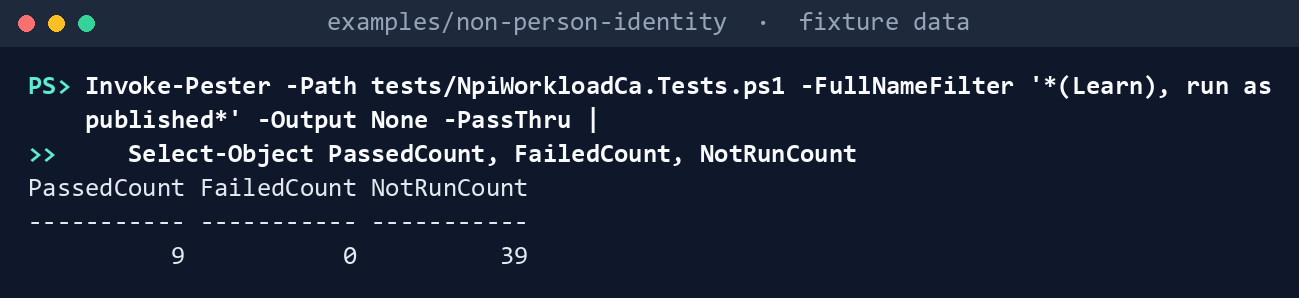
What the terminal shows, run on the kit’s fixtures (the same output as text) PassedCount 9,FailedCount 0,NotRunCount 39. Read the test that posts the sample to the fake: it answers400, because the sample’sstateis display text.List what each task needs:
Import-Module ./powershell/NpiWorkloadCa/NpiWorkloadCa.psm1
foreach ($t in 'wca-read', 'wca-signins', 'wca-apply') { "$t : " + ((Get-NpiWcaRequiredPermission -Task $t).GraphPermissions -join ', ') }
wca-read : Application.Read.All, Policy.Read.All wca-signins : AuditLog.Read.All, Policy.Read.ConditionalAccess wca-apply : Application.Read.All, Policy.Read.All, Policy.ReadWrite.ConditionalAccess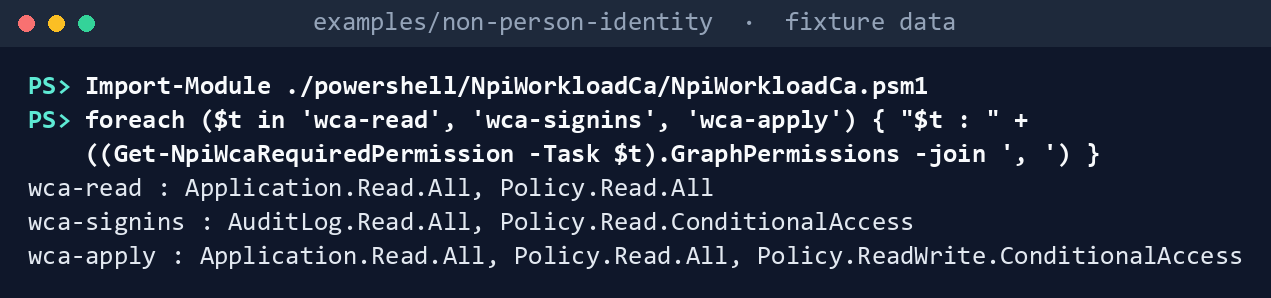
What the terminal shows, run on the kit’s fixtures (the same output as text) Run the pre-merge check on the files and the fixture scope:
./Invoke-NpiWorkloadCa.ps1 -Mode Check -ScopePath tests/fixtures/ch08/scope.json
What the terminal shows, run on the kit’s fixtures (the same output as text) Pre-merge check: 0 Finding, 0 Warn, 0 Info. A Finding prints its rule and object and exits with code 1, which fails the pipeline.Run the same check on Learn’s sample:
Test-NpiWcaPolicyBody -Body (Read-NpiWcaLearnSample -Path ../third_party/entra-workload-identity-ca-page/workload-identity.md) -EgressName NL-WorkloadEgress -Name learn-sample |
    Format-Table Rule, Severity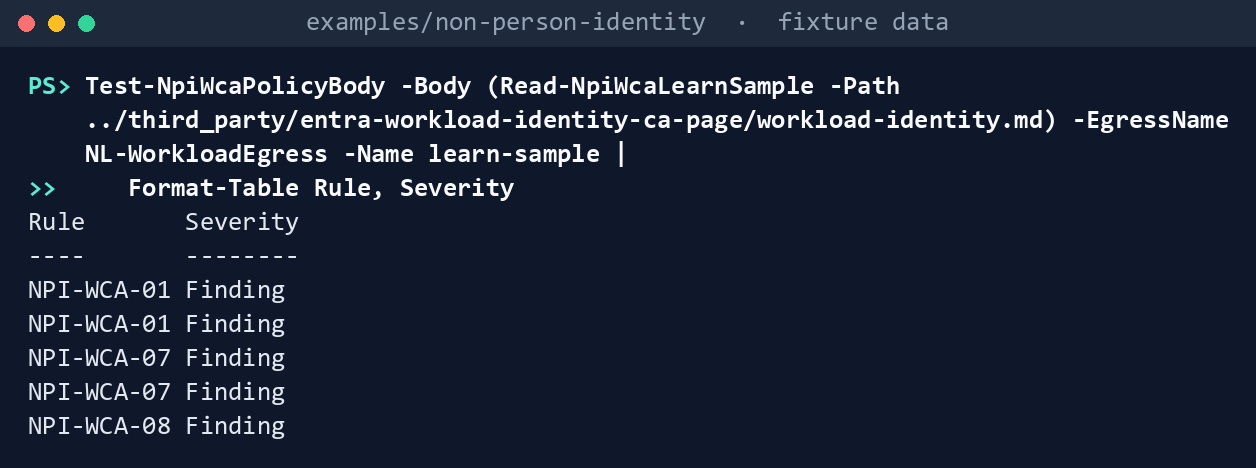
What the terminal shows, run on the kit’s fixtures (the same output as text) Five Findings: NPI-WCA-01 twice (the text in
includeServicePrincipals, withServicePrincipalsInMyTenant, and inexcludeServicePrincipals), NPI-WCA-07 twice (the display-text state, noclientAppTypes) and NPI-WCA-08 (AllTrustedoffered inexcludeLocations).Check the scope against the fictional tenant and plan, sending nothing:
./Invoke-NpiWorkloadCa.ps1 -Mode Plan -Cloud gcc -ScopePath tests/fixtures/ch08/scope.json -FixturePath tests/fixtures/ch08/tenant.json -OutputPath out/wca
Get-Content out/wca/plan.json -Raw | ConvertFrom-Json | Format-Table Kind, Name, Action
Checks: 0 Finding, 0 Warn, 2 Info Plan: 3 Create, 1 NoChange, 1 NotInRepository, 1 Update Dry run: 4 request(s) written to requests.json, none sent; rerun with -Apply to send them Kind Name Action ---- ---- ------ location NL-WorkloadEgress Update policy CA015-ServiceAccounts-LocationRestriction-Ring1 NoChange policy CA037-WorkloadIdentities-HighRisk-Block-Ring1 Create policy CA015-ServiceAccounts-LocationRestriction-Ring2 Create policy CA037-WorkloadIdentities-HighRisk-Block-Ring2 Create policy Workloads - block outside office (made in the portal) NotInRepository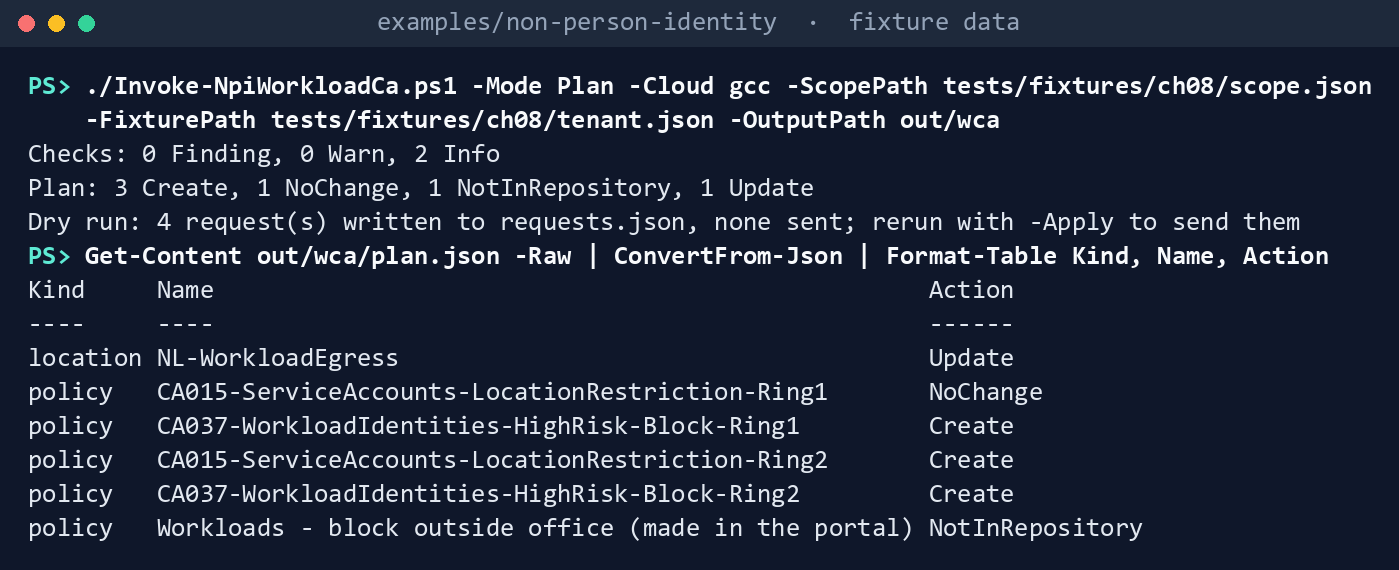
What the terminal shows, run on the kit’s fixtures (the same output as text) The named location lacks the IPv6 range, so it is Update. Ring 1’s CA015 already exists, report-only, and matches. The portal-made policy that targets
ServicePrincipalsInMyTenantis reported and left alone. The two Info are Legacy Reports and Build Pipeline, eligible but not Tier 1.manifest.jsonlists fourteen GETs and no write.Read the service principal sign-ins and summarize them:
./Invoke-NpiWorkloadCa.ps1 -Mode SignIns -Cloud gcc -ScopePath tests/fixtures/ch08/scope.json -FixturePath tests/fixtures/ch08/tenant.json -From 2026-10-12 -To 2026-10-30T12:00:00 -OutputPath out/wca-signinsService principal sign-ins 2026-10-12T00:00:00Z to 2026-10-30T12:00:00Z (18 days): 6 read Ring1: ready for enforcement Mail Automation Clear sign-ins 1 Payroll Export Clear sign-ins 2 Ring2: not ready Deploy Bot WouldBlock sign-ins 2; outside the egress ranges: 203.0.113.7 HR Connector NoSignIns sign-ins 0 Summary SHA-256: da391f12869037f18d222c223d38990565bd37b3bf115cb8d70617e44d6dc26b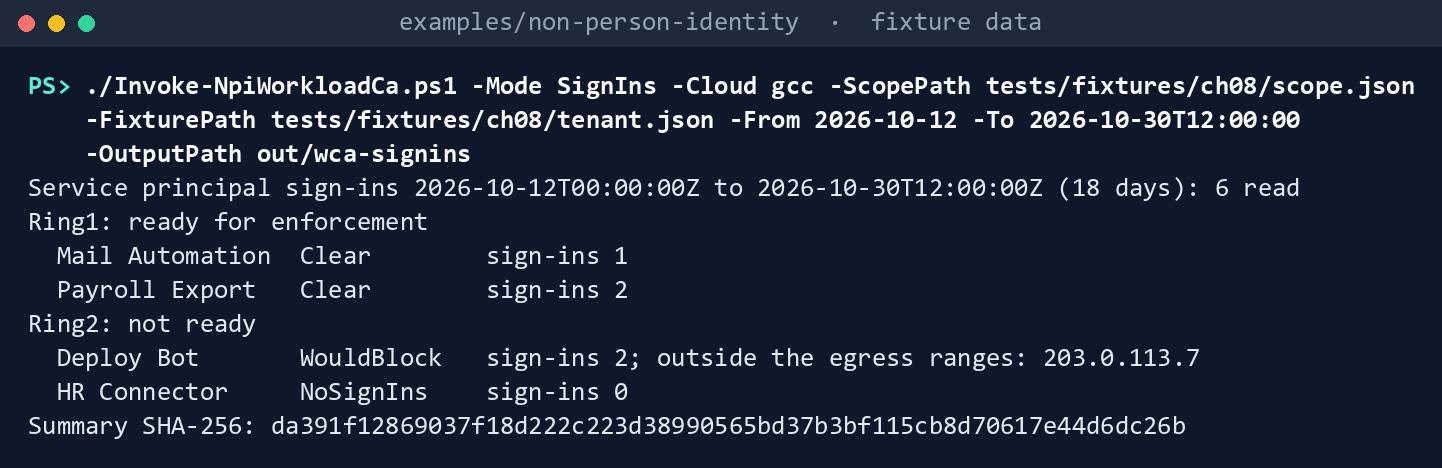
What the terminal shows, run on the kit’s fixtures (the same output as text) The fixture’s interactive user sign-in and its managed identity sign-in never come back: the filter asks for service principals only. Partner CRM’s sign-in is counted as another service principal’s, not judged. The hash is the same on every run with these inputs.
Apply against the fake, twice:
$scope = Read-NpiWcaScope -Path tests/fixtures/ch08/scope.json
$repo = Read-NpiWcaRepository
$asOf = [datetime]'2026-10-30T12:00:00'
$fake = New-NpiWcaFixtureInvoker -Path tests/fixtures/ch08/tenant.json -Cloud gcc
$findings = @(Test-NpiWcaRepository -Repository $repo -Scope $scope -AsOf $asOf)
foreach ($run in 1..2) {
    $client = New-NpiWcaClient -Cloud gcc -Task wca-apply -Invoke $fake.Invoke
    $plan = Get-NpiWcaPlan -Repository $repo -Scope $scope -Tenant (Get-NpiWcaTenant -Client $client) -Enforcement (Get-NpiWcaEnforcement -Scope $scope) -AsOf $asOf
    $sent = @(Invoke-NpiWcaPlan -Client $client -Plan $plan -Findings $findings | Where-Object Sent)
    "Run ${run}: $($sent.Count) sent"
}
$fake.Tenant.policies | Where-Object { $_.displayName -like 'CA0*' } | ForEach-Object { '{0,-50} {1}' -f $_.displayName, $_.state }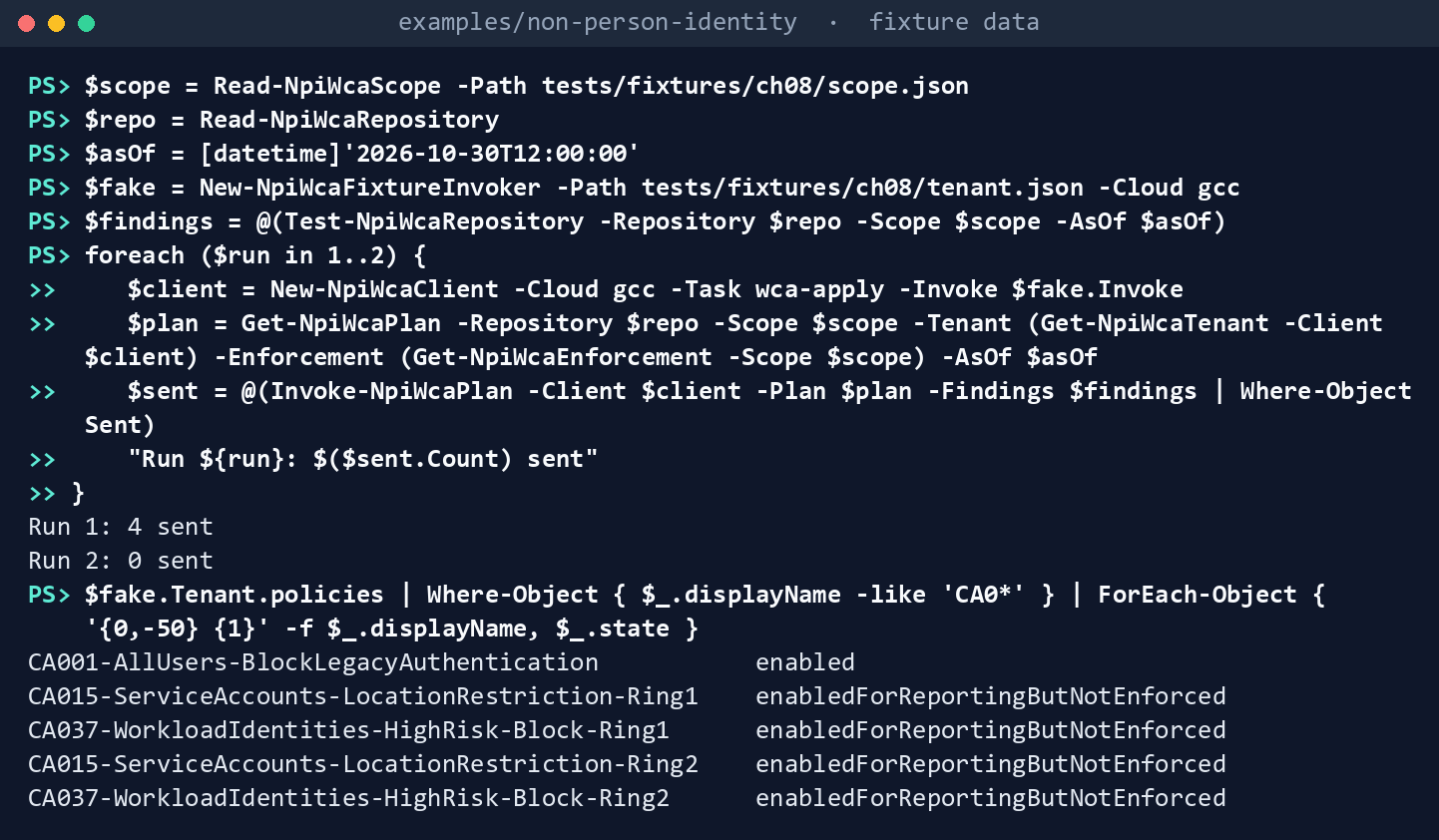
What the terminal shows, run on the kit’s fixtures (the same output as text) Run 1: 4 sent,Run 2: 0 sent, then every CA015 and CA037 policyenabledForReportingButNotEnforced. CA001, a user policy, is untouched.Try to enforce Ring 1: record D-NP5 and the reviewed summary’s hash in a copy of the scope, then plan without and with
-AllowEnforce:$sha = (Get-FileHash out/wca-signins/signin-summary.json -Algorithm SHA256).Hash.ToLower() $s = Get-Content tests/fixtures/ch08/scope.json -Raw | ConvertFrom-Json -AsHashtable $s.enforcement = @{ decision = @{ id = 'D-NP5'; outcome = 'Enforce'; decidedBy = 'CISO'; decidedOn = '2026-10-30' } rings = @(@{ ring = 'Ring1'; enforce = $true; signInReview = $sha; reviewedBy = 'ISSO'; reviewedOn = '2026-10-30' }); exclusions = @() } $s | ConvertTo-Json -Depth 10 | Set-Content out/scope-ring1.json ./Invoke-NpiWorkloadCa.ps1 -Mode Plan -Cloud gcc -ScopePath out/scope-ring1.json -FixturePath tests/fixtures/ch08/tenant.json -OutputPath out/wca-held ./Invoke-NpiWorkloadCa.ps1 -Mode Plan -Cloud gcc -ScopePath out/scope-ring1.json -FixturePath tests/fixtures/ch08/tenant.json -OutputPath out/wca-enforce -AllowEnforce -SignInSummaryPath out/wca-signins/signin-summary.json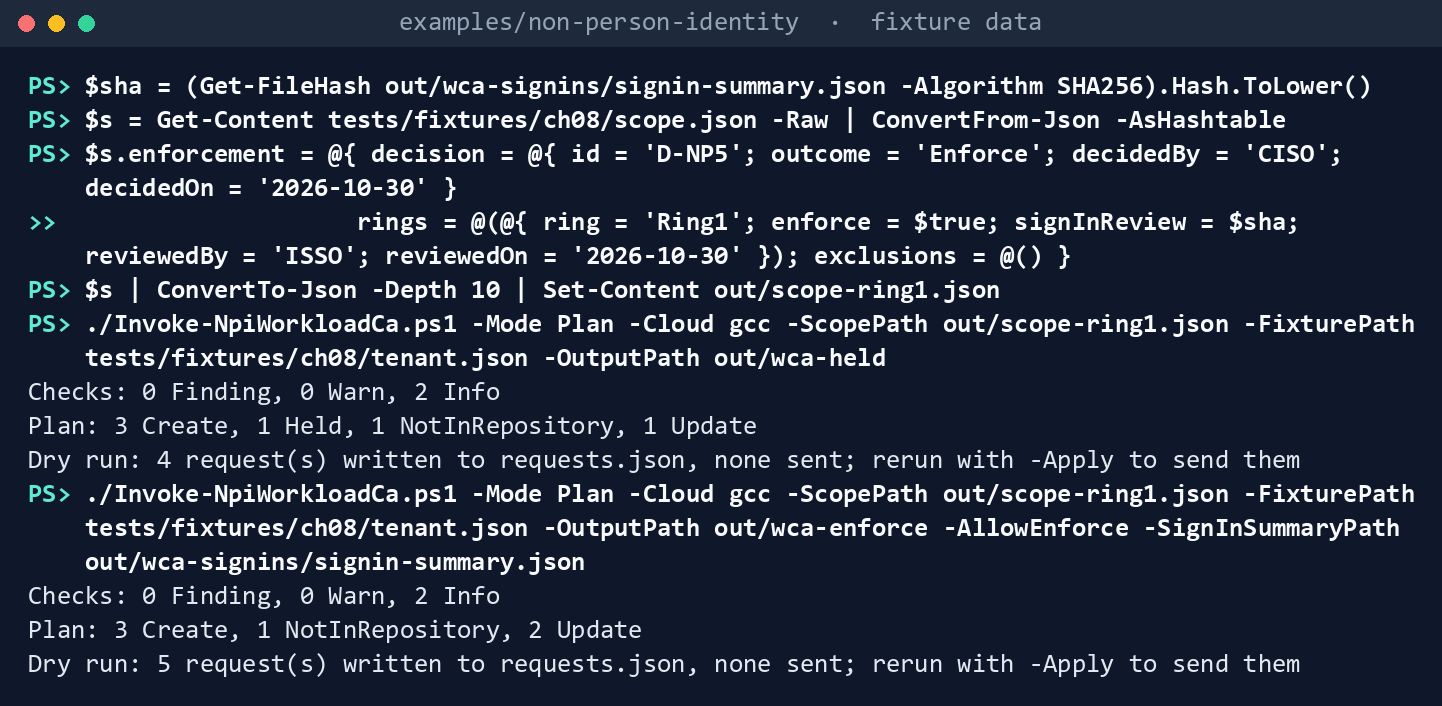
What the terminal shows, run on the kit’s fixtures (the same output as text) The first plan shows
Plan: 3 Create, 1 Held, 1 NotInRepository, 1 Update: Ring 1’s CA015 is Held, “needs -AllowEnforce in the change that enforces it.” The second showsPlan: 3 Create, 1 NotInRepository, 2 Update: CA015-Ring1 goes from report-only to enabled “under D-NP5 (2026-10-30)”, CA037-Ring1 is created report-only to be enforced on the next run, and Ring 2 stays report-only. Change one byte of the summary and the second plan holds Ring 1 again. These commands copy the summary, add one trailing space to the copy, and plan with the copy:Copy-Item out/wca-signins/signin-summary.json out/signin-summary-edited.json Add-Content out/signin-summary-edited.json ' ' -NoNewline ./Invoke-NpiWorkloadCa.ps1 -Mode Plan -Cloud gcc -ScopePath out/scope-ring1.json -FixturePath tests/fixtures/ch08/tenant.json -OutputPath out/wca-edited -AllowEnforce -SignInSummaryPath out/signin-summary-edited.json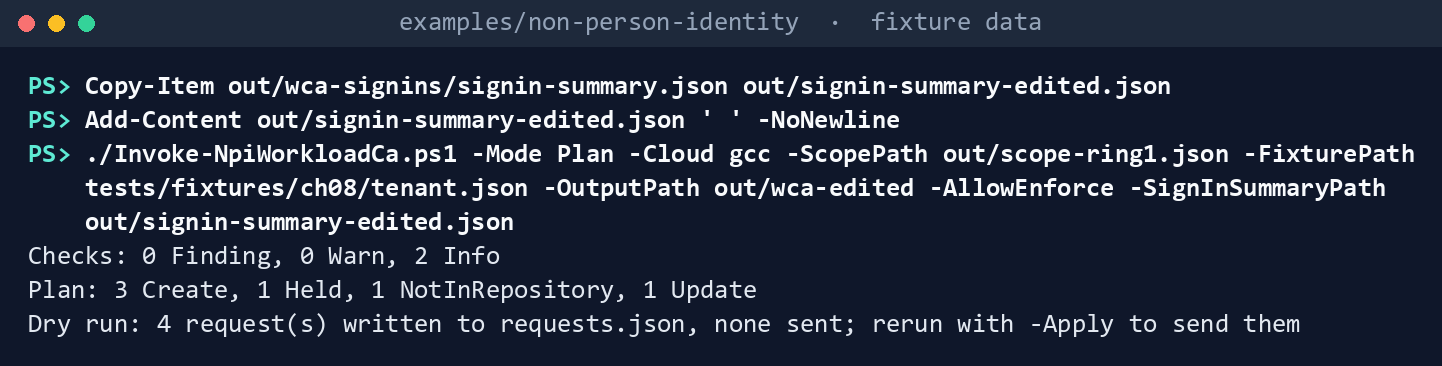
What the terminal shows, run on the kit’s fixtures (the same output as text) The plan shows
Plan: 3 Create, 1 Held, 1 NotInRepository, 1 Updateagain: the edited summary’s SHA-256 isn’t the one the reviewer recorded.Read the alert definition:
(Get-Content out/wca/alert-rule.json -Raw | ConvertFrom-Json).query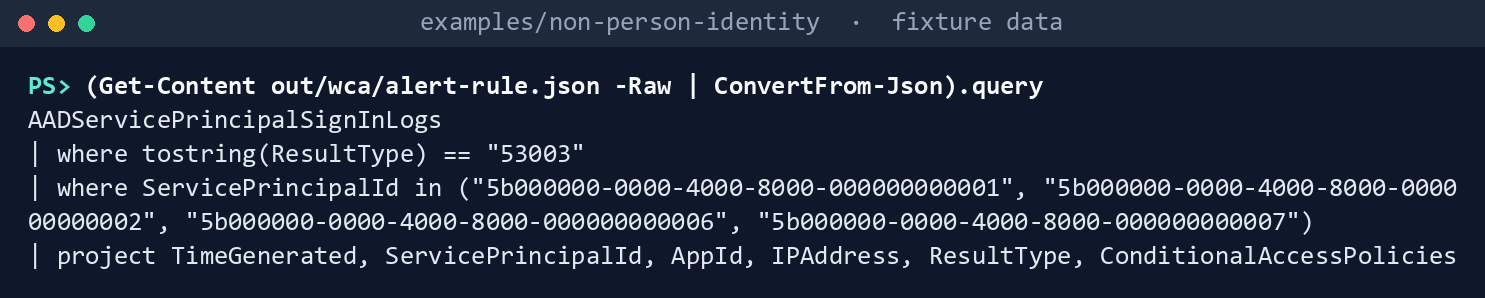
What the terminal shows, run on the kit’s fixtures (the same output as text) A query over
AADServicePrincipalSignInLogsfortostring(ResultType) == "53003"and the four in-scope object IDs.Run the tests:
Invoke-Pester -Path tests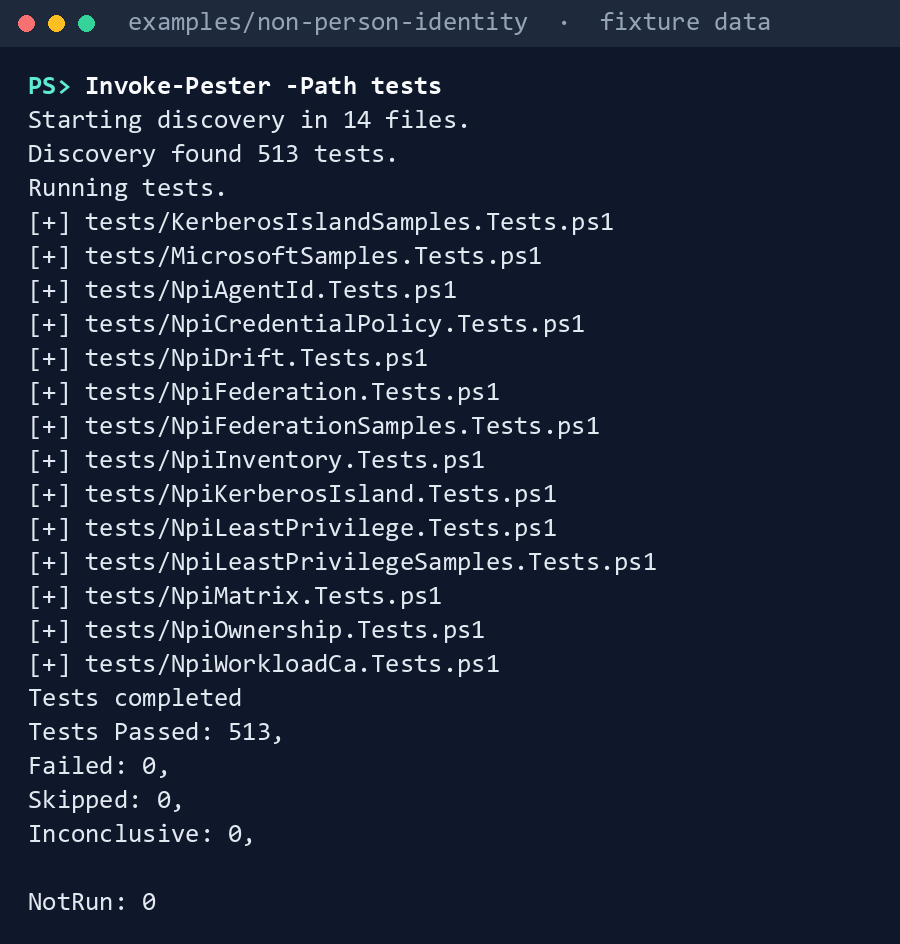
What the terminal shows, run on the kit’s fixtures (the same output as text)
Expected result: 513 tests passing, and each row of the gap table seen with your own eyes. Delete out when you’re done:
Remove-Item -Recurse -Force out
Lab 2: test tenant
Use a test tenant in the worldwide or GCC cloud, never production, with a Workload ID Premium trial or license (Learn: the trial isn’t offered in the Azure Government clouds47). You need one test app registration with a certificate and a host whose public egress address you know. Work in examples/non-person-identity on that host. You’ll replace: <tenant-id> (the test tenant’s ID), <test-app-sp-object-id>, <test-app-client-id> and <test-app-name> (the test app’s enterprise application object ID, its client ID and its name), <test-app-thumbprint> (the test app’s certificate thumbprint), <record> (its service record), <egress-ip> (the host’s public egress address), <d-np4-outcome>, <decided-by> and <decided-on> (the D-NP4 record), <microsoft-owner-tenant-id> (Microsoft’s owner tenant ID), <object-id>, <name>, <class>, <control>, <reviewed-by> and <reviewed-on> (one out-of-scope identity and the control that covers it, as the fixture’s outOfScope entries have them), <app-id> and <thumbprint> (the reading app you register in step 2, and its certificate), <signins-app-id> and <signins-thumbprint> (the separate sign-in reading app in step 5), <from> and <to> (the sign-in window), <enforce-from> and <enforce-to> (the 14 days or more with the ring Clear), <d-np5-decided-by>, <d-np5-decided-on>, <reviewer> and <reviewed-on-n5> (the D-NP5 record and the summary’s review).
Every command in this lab, in order, from examples/non-person-identity. Each step below says what it does and what to look for.
# Step 1: Write the scope
$s = Get-Content tests/fixtures/ch08/scope.json -Raw | ConvertFrom-Json -AsHashtable
$s.tenantId = '<tenant-id>'
$s.inScope = @(@{ objectId = '<test-app-sp-object-id>'; appId = '<test-app-client-id>'; name = '<test-app-name>'; tier = 'Tier1'; servicePrincipalType = 'Application'; signInAudience = 'AzureADMyOrg'; ring = 'Ring1'; record = '<record>' })
$s.egress.ranges = @('<egress-ip>/32')
$s.licensing = @{ decision = 'D-NP4'; outcome = '<d-np4-outcome>'; decidedBy = '<decided-by>'; decidedOn = '<decided-on>' }
$s.microsoftOwnerTenantIds = @('<microsoft-owner-tenant-id>')
$s.outOfScope = @()

# Step 1: Write the scope
$s.outOfScope += @{ objectId = '<object-id>'; name = '<name>'; class = '<class>'; control = '<control>'; reviewedBy = '<reviewed-by>'; reviewedOn = '<reviewed-on>' }

# Step 1: Write the scope
$s | ConvertTo-Json -Depth 10 | Set-Content my-scope.json

# Step 3: Plan, sending nothing
Connect-MgGraph -Environment Global -TenantId <tenant-id> -ClientId <app-id> -CertificateThumbprint <thumbprint>
./Invoke-NpiWorkloadCa.ps1 -Mode Check -ScopePath my-scope.json
./Invoke-NpiWorkloadCa.ps1 -Mode Plan -Cloud gcc -ScopePath my-scope.json -OutputPath out/wca-test

# Step 3: Plan, sending nothing
Get-Content out/wca-test/plan.json -Raw | ConvertFrom-Json | Format-Table Kind, Name, Action
Get-Content out/wca-test/requests.json -Raw

# Step 4: Apply, report-only
$planSha = (Get-Content out/wca-test/manifest.json -Raw | ConvertFrom-Json).files.'plan.json'

# Step 4: Apply, report-only
Disconnect-MgGraph
Connect-MgGraph -Environment Global -TenantId <tenant-id> -Scopes Policy.Read.All,Policy.ReadWrite.ConditionalAccess,Application.Read.All
./Invoke-NpiWorkloadCa.ps1 -Mode Plan -Cloud gcc -ScopePath my-scope.json -OutputPath out/wca-test-apply -Apply -ApprovedPlanSha256 $planSha
./Invoke-NpiWorkloadCa.ps1 -Mode Plan -Cloud gcc -ScopePath my-scope.json -OutputPath out/wca-test-dry2
$planSha2 = (Get-Content out/wca-test-dry2/manifest.json -Raw | ConvertFrom-Json).files.'plan.json'
./Invoke-NpiWorkloadCa.ps1 -Mode Plan -Cloud gcc -ScopePath my-scope.json -OutputPath out/wca-test-apply2 -Apply -ApprovedPlanSha256 $planSha2

# Step 5: Generate sign-ins and read them
Connect-MgGraph -Environment Global -TenantId <tenant-id> -ClientId <test-app-client-id> -CertificateThumbprint <test-app-thumbprint>
Disconnect-MgGraph

# Step 5: Generate sign-ins and read them
Connect-MgGraph -Environment Global -TenantId <tenant-id> -ClientId <signins-app-id> -CertificateThumbprint <signins-thumbprint>
./Invoke-NpiWorkloadCa.ps1 -Mode SignIns -Cloud gcc -ScopePath my-scope.json -From <from> -To <to> -OutputPath out/wca-test-signins

# Step 6: Enforce Ring 1 in a separate change
Connect-MgGraph -Environment Global -TenantId <tenant-id> -ClientId <signins-app-id> -CertificateThumbprint <signins-thumbprint>
./Invoke-NpiWorkloadCa.ps1 -Mode SignIns -Cloud gcc -ScopePath my-scope.json -From <enforce-from> -To <enforce-to> -OutputPath out/wca-test-signins-14d
$sha = (Get-FileHash out/wca-test-signins-14d/signin-summary.json -Algorithm SHA256).Hash.ToLower()
$s = Get-Content my-scope.json -Raw | ConvertFrom-Json -AsHashtable
$s.enforcement = @{ decision = @{ id = 'D-NP5'; outcome = 'Enforce'; decidedBy = '<d-np5-decided-by>'; decidedOn = '<d-np5-decided-on>' }
                    rings = @(@{ ring = 'Ring1'; enforce = $true; signInReview = $sha; reviewedBy = '<reviewer>'; reviewedOn = '<reviewed-on-n5>' }); exclusions = @() }
$s | ConvertTo-Json -Depth 10 | Set-Content my-scope.json

# Step 6: Enforce Ring 1 in a separate change
Connect-MgGraph -Environment Global -TenantId <tenant-id> -Scopes Policy.Read.All,Policy.ReadWrite.ConditionalAccess,Application.Read.All
./Invoke-NpiWorkloadCa.ps1 -Mode Plan -Cloud gcc -ScopePath my-scope.json -OutputPath out/wca-test-enforce-dry -AllowEnforce -SignInSummaryPath out/wca-test-signins-14d/signin-summary.json
$planSha = (Get-Content out/wca-test-enforce-dry/manifest.json -Raw | ConvertFrom-Json).files.'plan.json'
./Invoke-NpiWorkloadCa.ps1 -Mode Plan -Cloud gcc -ScopePath my-scope.json -OutputPath out/wca-test-enforce -Apply -AllowEnforce -SignInSummaryPath out/wca-test-signins-14d/signin-summary.json -ApprovedPlanSha256 $planSha
./Invoke-NpiWorkloadCa.ps1 -Mode Plan -Cloud gcc -ScopePath my-scope.json -OutputPath out/wca-test-enforce2-dry -AllowEnforce -SignInSummaryPath out/wca-test-signins-14d/signin-summary.json
$planSha2 = (Get-Content out/wca-test-enforce2-dry/manifest.json -Raw | ConvertFrom-Json).files.'plan.json'
./Invoke-NpiWorkloadCa.ps1 -Mode Plan -Cloud gcc -ScopePath my-scope.json -OutputPath out/wca-test-enforce2 -Apply -AllowEnforce -SignInSummaryPath out/wca-test-signins-14d/signin-summary.json -ApprovedPlanSha256 $planSha2

# Step 6: Enforce Ring 1 in a separate change
Connect-MgGraph -Environment Global -TenantId <tenant-id> -ClientId <test-app-client-id> -CertificateThumbprint <test-app-thumbprint>

# Step 7: Back it out
$s = Get-Content my-scope.json -Raw | ConvertFrom-Json -AsHashtable
$s.enforcement.rings = @()
$s | ConvertTo-Json -Depth 10 | Set-Content my-scope.json
./Invoke-NpiWorkloadCa.ps1 -Mode Plan -Cloud gcc -ScopePath my-scope.json -OutputPath out/wca-test-backout-dry
$planSha = (Get-Content out/wca-test-backout-dry/manifest.json -Raw | ConvertFrom-Json).files.'plan.json'
./Invoke-NpiWorkloadCa.ps1 -Mode Plan -Cloud gcc -ScopePath my-scope.json -OutputPath out/wca-test-backout -Apply -ApprovedPlanSha256 $planSha

# Step 7: Back it out
Remove-Item -Recurse -Force out/wca-test*
Remove-Item my-scope.json
Write the scope. Copy
tests/fixtures/ch08/scope.json; set the tenant ID; put the test app’s enterprise application object ID ininScope, in Ring1 (Learn: not the app registration’s48); set the egress ranges to the test host’s address as a /32; record D-NP4; record the tenant’s managed identities and multitenant apps inoutOfScope, and Microsoft’s owner tenant ID inmicrosoftOwnerTenantIds(research gaps, row 76). These commands start from the fixture and set every value butoutOfScope:$s = Get-Content tests/fixtures/ch08/scope.json -Raw | ConvertFrom-Json -AsHashtable $s.tenantId = '<tenant-id>' $s.inScope = @(@{ objectId = '<test-app-sp-object-id>'; appId = '<test-app-client-id>'; name = '<test-app-name>'; tier = 'Tier1'; servicePrincipalType = 'Application'; signInAudience = 'AzureADMyOrg'; ring = 'Ring1'; record = '<record>' }) $s.egress.ranges = @('<egress-ip>/32') $s.licensing = @{ decision = 'D-NP4'; outcome = '<d-np4-outcome>'; decidedBy = '<decided-by>'; decidedOn = '<decided-on>' } $s.microsoftOwnerTenantIds = @('<microsoft-owner-tenant-id>') $s.outOfScope = @()Then, once for each managed identity and multitenant app in the tenant:
$s.outOfScope += @{ objectId = '<object-id>'; name = '<name>'; class = '<class>'; control = '<control>'; reviewedBy = '<reviewed-by>'; reviewedOn = '<reviewed-on>' }And write the file:
$s | ConvertTo-Json -Depth 10 | Set-Content my-scope.jsonRegister the reading app in the admin center with a certificate, and grant only
Application.Read.AllandPolicy.Read.All, with admin consent:- Entra ID > App registrations > New registration; name it and Register. Its Application (client) ID is
<app-id>. - Certificates & secrets > Certificates > Upload certificate, upload a test certificate’s public part, and Add. Its Thumbprint is
<thumbprint>. - API permissions > Add a permission > Microsoft Graph > Application permissions; select
Application.Read.AllandPolicy.Read.All, then Add permissions and Grant admin consent for your tenant.
- Entra ID > App registrations > New registration; name it and Register. Its Application (client) ID is
Plan, sending nothing:
Connect-MgGraph -Environment Global -TenantId <tenant-id> -ClientId <app-id> -CertificateThumbprint <thumbprint>
./Invoke-NpiWorkloadCa.ps1 -Mode Check -ScopePath my-scope.json
./Invoke-NpiWorkloadCa.ps1 -Mode Plan -Cloud gcc -ScopePath my-scope.json -OutputPath out/wca-test
The tenant check should report no Finding. Read
plan.jsonandrequests.json:Get-Content out/wca-test/plan.json -Raw | ConvertFrom-Json | Format-Table Kind, Name, Action Get-Content out/wca-test/requests.json -RawApply, report-only. Apply is a person’s delegated run, on a plan a reviewer approved by its SHA-256; no application holds the write permission, and
-Applyrefuses to run without-ApprovedPlanSha256or as an application. The reviewer reads step 3’splan.jsonand approves the SHA-256 the dry run’smanifest.jsonrecords for it. Then run the plan with-Apply, and once more. Confirm in the admin center that the named location is untrusted and every new policy is Report-only, and record whether Graph v1.0 accepted the policies withclientApplications(research gaps, rows 71 and 72).Have the reviewer, who isn’t the person applying, approve the plan: read
out/wca-test/plan.jsonand record the SHA-256 of that file, which is theplan.jsonentry inout/wca-test/manifest.json:$planSha = (Get-Content out/wca-test/manifest.json -Raw | ConvertFrom-Json).files.'plan.json'Sign in as a person holding Conditional Access Administrator or Security Administrator (activated), delegated, and apply with the approved hash. The second run is a fresh dry run, because after the first apply the plan changes (the policies now exist), so it has its own hash for the reviewer to approve:
Disconnect-MgGraph
Connect-MgGraph -Environment Global -TenantId <tenant-id> -Scopes Policy.Read.All,Policy.ReadWrite.ConditionalAccess,Application.Read.All
./Invoke-NpiWorkloadCa.ps1 -Mode Plan -Cloud gcc -ScopePath my-scope.json -OutputPath out/wca-test-apply -Apply -ApprovedPlanSha256 $planSha
./Invoke-NpiWorkloadCa.ps1 -Mode Plan -Cloud gcc -ScopePath my-scope.json -OutputPath out/wca-test-dry2
$planSha2 = (Get-Content out/wca-test-dry2/manifest.json -Raw | ConvertFrom-Json).files.'plan.json'
./Invoke-NpiWorkloadCa.ps1 -Mode Plan -Cloud gcc -ScopePath my-scope.json -OutputPath out/wca-test-apply2 -Apply -ApprovedPlanSha256 $planSha2
Generate sign-ins and read them. Have the test app get a token with its certificate from the egress host, and once from another network. After the logs catch up, register a separate reading app with only
AuditLog.Read.AllandPolicy.Read.ConditionalAccess(or sign in as a Security Reader), and run-Mode SignInsover the window. Confirm that the sign-in from the egress host showsreportOnlyNotAppliedfor CA015-Ring1 and the otherreportOnlyFailure, and thatappliedConditionalAccessPoliciescame back with that permission (research gaps, rows 74 and 79). Compare with the admin center’s service principal sign-ins and their Report-only tab.49 On the egress host, and then on a host on another network, the test app signs in with its certificate:Connect-MgGraph -Environment Global -TenantId <tenant-id> -ClientId <test-app-client-id> -CertificateThumbprint <test-app-thumbprint> Disconnect-MgGraphRegister the sign-in reading app as in step 2, with
AuditLog.Read.AllandPolicy.Read.ConditionalAccessin place of the two read permissions, then read the window:Connect-MgGraph -Environment Global -TenantId <tenant-id> -ClientId <signins-app-id> -CertificateThumbprint <signins-thumbprint> ./Invoke-NpiWorkloadCa.ps1 -Mode SignIns -Cloud gcc -ScopePath my-scope.json -From <from> -To <to> -OutputPath out/wca-test-signinsEnforce Ring 1 in a separate change. After at least 14 days with the ring Clear, have a reviewer record the summary’s SHA-256 and D-NP5 in the scope, and run with
-Apply -AllowEnforce -SignInSummaryPath <summary>and the approved plan hash, twice. Get a token from the other network again: it should fail with AADSTS53003, the Conditional Access block,50 and, if the sign-in logs reach a test Log Analytics workspace, the query inalert-rule.jsonshould return it (row 77). After the 14 days, signed in as the sign-in reading app, read those days into a fresh summary; the reviewer records its hash and D-NP5:Connect-MgGraph -Environment Global -TenantId <tenant-id> -ClientId <signins-app-id> -CertificateThumbprint <signins-thumbprint> ./Invoke-NpiWorkloadCa.ps1 -Mode SignIns -Cloud gcc -ScopePath my-scope.json -From <enforce-from> -To <enforce-to> -OutputPath out/wca-test-signins-14d $sha = (Get-FileHash out/wca-test-signins-14d/signin-summary.json -Algorithm SHA256).Hash.ToLower() $s = Get-Content my-scope.json -Raw | ConvertFrom-Json -AsHashtable $s.enforcement = @{ decision = @{ id = 'D-NP5'; outcome = 'Enforce'; decidedBy = '<d-np5-decided-by>'; decidedOn = '<d-np5-decided-on>' } rings = @(@{ ring = 'Ring1'; enforce = $true; signInReview = $sha; reviewedBy = '<reviewer>'; reviewedOn = '<reviewed-on-n5>' }); exclusions = @() } $s | ConvertTo-Json -Depth 10 | Set-Content my-scope.jsonThen, signed in as a person as in step 4, run a dry run, have the reviewer approve its plan hash, and apply; repeat for the second run with its own dry run and hash:
Connect-MgGraph -Environment Global -TenantId <tenant-id> -Scopes Policy.Read.All,Policy.ReadWrite.ConditionalAccess,Application.Read.All
./Invoke-NpiWorkloadCa.ps1 -Mode Plan -Cloud gcc -ScopePath my-scope.json -OutputPath out/wca-test-enforce-dry -AllowEnforce -SignInSummaryPath out/wca-test-signins-14d/signin-summary.json
$planSha = (Get-Content out/wca-test-enforce-dry/manifest.json -Raw | ConvertFrom-Json).files.'plan.json'
./Invoke-NpiWorkloadCa.ps1 -Mode Plan -Cloud gcc -ScopePath my-scope.json -OutputPath out/wca-test-enforce -Apply -AllowEnforce -SignInSummaryPath out/wca-test-signins-14d/signin-summary.json -ApprovedPlanSha256 $planSha
./Invoke-NpiWorkloadCa.ps1 -Mode Plan -Cloud gcc -ScopePath my-scope.json -OutputPath out/wca-test-enforce2-dry -AllowEnforce -SignInSummaryPath out/wca-test-signins-14d/signin-summary.json
$planSha2 = (Get-Content out/wca-test-enforce2-dry/manifest.json -Raw | ConvertFrom-Json).files.'plan.json'
./Invoke-NpiWorkloadCa.ps1 -Mode Plan -Cloud gcc -ScopePath my-scope.json -OutputPath out/wca-test-enforce2 -Apply -AllowEnforce -SignInSummaryPath out/wca-test-signins-14d/signin-summary.json -ApprovedPlanSha256 $planSha2
On the host on the other network, the test app signs in again; this one should fail with AADSTS53003:
Connect-MgGraph -Environment Global -TenantId <tenant-id> -ClientId <test-app-client-id> -CertificateThumbprint <test-app-thumbprint>Back it out. Remove Ring 1 from the enforcement record and run with
-Applyand the reviewer’s approved hash of a dry run: both policies return to report-only. Then set both to Off in the admin center, or delete them by hand in the test tenant (the code never deletes). Delete the named location, delete the apps and their certificates, and delete theoutfolders. Signed in as a person, as in step 6:$s = Get-Content my-scope.json -Raw | ConvertFrom-Json -AsHashtable $s.enforcement.rings = @() $s | ConvertTo-Json -Depth 10 | Set-Content my-scope.json ./Invoke-NpiWorkloadCa.ps1 -Mode Plan -Cloud gcc -ScopePath my-scope.json -OutputPath out/wca-test-backout-dry $planSha = (Get-Content out/wca-test-backout-dry/manifest.json -Raw | ConvertFrom-Json).files.'plan.json' ./Invoke-NpiWorkloadCa.ps1 -Mode Plan -Cloud gcc -ScopePath my-scope.json -OutputPath out/wca-test-backout -Apply -ApprovedPlanSha256 $planShaAfter the admin center steps:
Remove-Item -Recurse -Force out/wca-test*
Remove-Item my-scope.json
Verified facts
| Item | Value | US Government clouds | Stage | Source |
|---|---|---|---|---|
| Conditional Access for workload identities | Block from outside known IP ranges, on ID Protection risk, or with authentication contexts; block is the only grant; report-only available; Premium licenses to create or modify; single-tenant service principals registered in the tenant; not SaaS, multitenant or managed identities; group assignment not enforced; enterprise application’s object ID, not the registration’s | Conditional Access available; Workload ID Premium available in Azure for US Government | No preview label on the page | 51 52 |
| Learn’s Graph sample | Location-based policy JSON “using the Microsoft Graph beta endpoint” | — | Labeled beta | 53 |
conditionalAccessClientApplications |
includeServicePrincipals: service principal IDs or ServicePrincipalsInMyTenant; excludeServicePrincipals; servicePrincipalFilter |
— | v1.0 | 54 |
conditionalAccessConditionSet |
clientApplications or users required; servicePrincipalRiskLevels low, medium, high, none; clientAppTypes required |
— | v1.0 | 55 |
| List policies | Policy.Read.All |
L4 and L5 | v1.0 | 56 |
| Create and update a policy | Policy.Read.All and Policy.ReadWrite.ConditionalAccess |
L4 and L5 | v1.0 | 57 58 |
| List named locations | Policy.Read.All; Global Reader, Security Reader, Security Administrator, Conditional Access Administrator, Global Secure Access Administrator |
L4 and L5 | v1.0 | 59 |
| Create a named location | Policy.Read.All and Policy.ReadWrite.ConditionalAccess; Security Administrator or Conditional Access Administrator; @odata.type of the derived type required; IPv4 CIDR or IPv6 ranges |
L4 and L5 | v1.0 | 60 |
| Update an ipNamedLocation | Same permissions and roles | L4 and L5 | v1.0 | 61 |
| List signIns | AuditLog.Read.All; only interactive sign-ins without an event type filter; service principal filter signInEventTypes/any(t: t eq 'servicePrincipal'); Conditional Access results need Policy.Read.All, Policy.Read.ConditionalAccess or Policy.ReadWrite.ConditionalAccess; descending by time; page size up to 1,000 |
L4 and L5 | Beta | 62 |
appliedConditionalAccessPolicy |
result includes reportOnlySuccess, reportOnlyFailure, reportOnlyNotApplied, reportOnlyInterrupted, returned with Prefer: include-unknown-enum-members |
— | Beta | 63 |
| Block error | AADSTS53003 BlockedByConditionalAccess | — | — | 64 |
| ID Protection for workload identities | Offline detections; full details and risk-based controls with Premium; single-tenant, SaaS and multitenant apps detected; managed identities not in scope | Not stated for workload identities | No preview label on the page | 65 66 |
| Workload ID Premium | Standalone; only eligible workload identities need licenses; no license assignment; CA for single-tenant apps; Microsoft apps and managed identities ineligible; Azure Government through the account manager; no trial there | Available; no trial | GA | 67 |
AADServicePrincipalSignInLogs |
ServicePrincipalId, AppId, IPAddress, ConditionalAccessStatus, ConditionalAccessPolicies; Learn’s sample queries filter on ResultType |
— | — | 68 69 |
| Get and list service principals | Application.Read.All |
— | v1.0 | 70 71 |
Where Learn’s pages differ, recorded so a later edit doesn’t loosen the code:
- Beta or v1.0. The workload identity page labels its JSON for the beta endpoint; the v1.0 resource pages have
clientApplications,ServicePrincipalsInMyTenantandservicePrincipalRiskLevels.72 73 74 The code writes v1.0, and Lab 2 confirms it (row 71). clientAppTypes. v1.0 marks it required; Learn’s sample leaves it out.75 76 The files set["all"](row 72).- Reading the Conditional Access results. The sign-in page lists three permissions without ranking them; the code declares the narrowest by name (row 74).
- Rollback. Learn’s page says to delete or disable the policies;77 Book 04 says never delete during a rollback (Book 04, Chapter 07). The code follows Book 04, the stricter.
Federal requirements and evidence
The workload identity policies are the Conditional Access part of the guide’s G4 Least privilege gate (its Step 4e): Tier 1 single-tenant service principals assigned directly, report-only first, and enforced ring by ring only after the report-only results were reviewed. Each row names the file or command that is the evidence. AC, AU, CA, CM and SI controls are in the NIST SP 800-53 Rev. 5 Moderate baseline; IA-9 is in no baseline and is tailored in, as the guide does.78
| What the output proves | Requirement it supports | KSI it aligns to | Who keeps it |
|---|---|---|---|
Learn’s location-policy sample and page, checked as published, are the model the files keep, and each gap is pinned by a test (Lab 1, step 1: NpiWorkloadCa.Tests.ps1, Learn’s blocks) |
AC-3 Access Enforcement | KSI-IAM-ELP | The repository’s tests |
Each task holds only what its calls need: reads, sign-in reads and writes are separate tasks, and none is a DELETE (Lab 1, step 2, and Lab 2, step 2: the permissions for wca-read, wca-signins and wca-apply) |
AC-6 Least Privilege; CM-5 Access Restrictions for Change | KSI-IAM-ELP, KSI-IAM-JIT (AC-6); KSI-CMT-RVP (CM-5) | Identity engineering; the ISSO keeps the consent record |
The policy, location and alert files target only the ring’s object IDs, block only, start report-only and exclude only the egress location, checked before merge (Lab 1, step 3: Invoke-NpiWorkloadCa.ps1 -Mode Check; workload-ca/) |
CM-6 Configuration Settings; CM-3(2) Testing, Validation, and Documentation of Changes | KSI-SVC-ACM, KSI-MLA-EVC (CM-6); KSI-CMT-VTD (CM-3(2)) | Identity engineering, in a reviewed pull request |
| The same check fails Learn’s sample, which targets what the program doesn’t allow (Lab 1, step 4: its findings) | CM-3(2) | KSI-CMT-VTD | The repository’s tests |
A managed identity, a multitenant app, a group or a filter in scope, no D-NP4 record, an untracked out-of-scope identity: each is a finding against the tenant (Lab 1, step 5: findings.json, NPI-WCA-01 to -09; the scope file) |
AC-3; IA-9 Service Identification and Authentication | KSI-IAM-ELP (AC-3); none cites IA-9 | The identity governance officer, with application owners |
The plan compares the files with the tenant, property by property, and lists every request it would send; nothing is sent (Lab 1, step 5, and Lab 2, step 3: plan.json, requests.json) |
CM-3 Configuration Change Control; CM-6 | KSI-CMT-LMC, KSI-CMT-RMV | Identity engineering |
Each in-scope principal’s sign-ins, the results our policies recorded and any address outside the egress ranges, with a status per ring (Lab 1, step 6, and Lab 2, step 5: signin-summary.json) |
AU-6 Audit Record Review, Analysis, and Reporting; CA-7 Continuous Monitoring | KSI-MLA-RVL (AU-6); KSI-MLA-EVC (CA-7) | Security operations; the reviewer who records its hash |
The apply creates the location and the policies report-only, and a second run sends nothing (Lab 1, step 7, and Lab 2, step 4: Run 1: 4 sent, Run 2: 0 sent; requests.json with Sent; the policies Report-only in the admin center) |
CM-3; CM-6 (settings from version-controlled files) | KSI-CMT-RMV, KSI-CMT-LMC | Identity engineering |
A ring is held in report-only without -AllowEnforce, enforced only with the summary whose hash the D-NP5 record cites, and refused with an edited summary (Lab 1, step 8: the plans in out/wca-held, out/wca-enforce and out/wca-edited) |
CM-4(2) Verification of Controls; CM-5 | KSI-CMT-VTD, KSI-CMT-LMC (CM-4(2)); KSI-CMT-RVP (CM-5) | The identity governance officer (D-NP5) |
Block events alert security operations within minutes (Lab 1, step 9: alert-rule.json; workload-ca/alerts/NPI-WCA-BlockAlert.json) |
SI-4 System Monitoring; AU-6 | KSI-IAM-SUS, KSI-MLA-RVL, KSI-SVC-EIS | Security operations |
A token from outside the egress ranges is blocked once the ring is enforced (Lab 2, step 6: the sign-in log entry with result 53003) |
AC-3; IA-9 | KSI-IAM-ELP; none cites IA-9 | Security operations |
Every run records the tenant, the cloud, every request and the scope’s SHA-256 (manifest.json in each output folder) |
AU-9 Protection of Audit Information; SI-7 Software, Firmware, and Information Integrity | KSI-MLA-OSM (AU-9); KSI-SVC-VRI (SI-7) | The ISSO |
The code passes its tests (Lab 1, step 10: Invoke-Pester -Path tests, 513 passed) |
CM-3(2) | KSI-CMT-VTD | The repository; the pull request’s checks |
| The scope file names each in-scope principal by object ID, its tier, ring and record, and the egress ranges (Lab 2, step 1: the copied scope) | AC-3; CM-8 System Component Inventory | KSI-IAM-ELP; KSI-PIY-GIV | The identity governance officer |
| Rolling back returns both policies to report-only through the same path; turning them off or deleting them is a person’s step (Lab 2, step 7) | CM-3 | KSI-CMT-LMC | Identity engineering |
KSIs are FedRAMP 20x indicators for cloud service providers. The KSI column names the indicators whose related controls, as FedRAMP lists them, include the row’s control or one of its enhancements; which output supports which indicator is the program’s mapping (design guidance).79 The agency authorizes its own system and lines this evidence up with what its providers report against KSIs; it doesn’t report KSIs itself (Book 00, Appendix B). Lab steps that only delete out have no row. The track-wide mapping is the guide’s Evidence table.
Dangers
| Danger | What happens | The guard |
|---|---|---|
| A service principal assigned through a group | The policy reports as configured and enforces nothing for it | NPI-WCA-01; only object IDs from the scope file reach includeServicePrincipals; -Apply refuses anything else |
| An app registration’s object ID in scope | The policy targets nothing | NPI-WCA-04 from the tenant check |
ServicePrincipalsInMyTenant or AllTrusted from Learn’s sample |
Every workload, Tier 1 or not, blocked from anywhere but every trusted user network | NPI-WCA-01 and NPI-WCA-08; the sample is a model, not a file |
| A managed identity or SaaS app assumed covered | Gate 5 passes on a control that doesn’t exist | NPI-WCA-02, -03 and -06: each recorded out of scope with the control that covers it |
| An egress range too broad, or the location marked trusted | The policy blocks nothing, or user policies trust workload networks | NPI-WCA-08: CIDR, no broader than /16 or /32, untrusted |
| A policy switched straight to On | A workload that moved, or a range nobody listed, stops at once | Every create is report-only; enforcement needs D-NP5, -AllowEnforce and a reviewed summary that shows the ring ready |
| Report-only results that were never returned | The summary looks clean because the results were dropped | The Prefer header on every read; the reader throws on unknownFutureValue; Policy.Read.ConditionalAccess declared |
| An enforced block nobody hears about | A production job fails silently, or an attacker’s attempt goes unnoticed | The alert definition on 53003, reviewed and deployed with the enforcement |
| A pipeline that deletes a policy no file names | A portal-made policy, perhaps a needed one, disappears | No DELETE in the call list; NotInRepository is reported only |
| A license that lapses | Existing policies keep working but can’t be changed, so a fix can’t ship80 | D-NP4 recorded in the scope; NPI-WCA-05 fails without it |
| A write permission left on an application | A standing path to change every Conditional Access policy | No application holds Policy.ReadWrite.ConditionalAccess: -Apply is a person’s delegated run, on a plan hash a reviewer approved, and refuses an application sign-in |
Checklist
Footnotes
Microsoft Learn, “Conditional Access for workload identities,” overview, implementation, roll back, sign-in logs, reference, https://learn.microsoft.com/entra/identity/conditional-access/workload-identity (accessed Oct 30, 2026).↩︎
Microsoft Learn, “Conditional Access for workload identities,” overview, implementation, roll back, sign-in logs, reference, https://learn.microsoft.com/entra/identity/conditional-access/workload-identity (accessed Oct 30, 2026).↩︎
Microsoft Learn, “Frequently asked questions about Microsoft Entra Workload ID,” https://learn.microsoft.com/entra/workload-id/workload-identities-faqs (accessed Oct 30, 2026).↩︎
Microsoft Learn, “Securing workload identities” (Microsoft Entra ID Protection), https://learn.microsoft.com/entra/id-protection/concept-workload-identity-risk (accessed Oct 30, 2026).↩︎
Microsoft Learn, “Microsoft Graph national cloud deployments,” https://learn.microsoft.com/graph/deployments (accessed Oct 30, 2026).↩︎
Microsoft Learn, “List policies” (conditionalAccessRoot), https://learn.microsoft.com/graph/api/conditionalaccessroot-list-policies?view=graph-rest-1.0 (accessed Oct 30, 2026).↩︎
Microsoft Learn, “Create conditionalAccessPolicy,” permissions and examples, https://learn.microsoft.com/graph/api/conditionalaccessroot-post-policies?view=graph-rest-1.0 (accessed Oct 30, 2026).↩︎
Microsoft Learn, “Update conditionalaccesspolicy,” https://learn.microsoft.com/graph/api/conditionalaccesspolicy-update?view=graph-rest-1.0 (accessed Oct 30, 2026).↩︎
Microsoft Learn, “List namedLocations,” https://learn.microsoft.com/graph/api/conditionalaccessroot-list-namedlocations?view=graph-rest-1.0 (accessed Oct 30, 2026).↩︎
Microsoft Learn, “Create namedLocation,” https://learn.microsoft.com/graph/api/conditionalaccessroot-post-namedlocations?view=graph-rest-1.0 (accessed Oct 30, 2026).↩︎
Microsoft Learn, “Update ipNamedlocation,” https://learn.microsoft.com/graph/api/ipnamedlocation-update?view=graph-rest-1.0 (accessed Oct 30, 2026).↩︎
Microsoft Learn, “List signIns” (beta), permissions and optional query parameters, https://learn.microsoft.com/graph/api/signin-list?view=graph-rest-beta (accessed Oct 30, 2026).↩︎
Microsoft Learn, “Microsoft Entra feature availability,” Microsoft Entra ID, ID Protection, and other Microsoft Entra products, https://learn.microsoft.com/entra/identity/authentication/feature-availability (accessed Oct 30, 2026).↩︎
Microsoft Learn, “Frequently asked questions about Microsoft Entra Workload ID,” https://learn.microsoft.com/entra/workload-id/workload-identities-faqs (accessed Oct 30, 2026).↩︎
Microsoft Learn, “Conditional Access for workload identities,” overview, implementation, roll back, sign-in logs, reference, https://learn.microsoft.com/entra/identity/conditional-access/workload-identity (accessed Oct 30, 2026).↩︎
Microsoft Learn, “Securing workload identities” (Microsoft Entra ID Protection), https://learn.microsoft.com/entra/id-protection/concept-workload-identity-risk (accessed Oct 30, 2026).↩︎
Microsoft Learn, “Create conditionalAccessPolicy,” permissions and examples, https://learn.microsoft.com/graph/api/conditionalaccessroot-post-policies?view=graph-rest-1.0 (accessed Oct 30, 2026).↩︎
Microsoft, MicrosoftDocs/entra-docs,
docs/identity/conditional-access/workload-identity.mdat commit7f78b50dce9d8cf119de57cbd6fd66e24a6c58d4(October 30, 2026; the page last changed May 16, 2026), MIT License, https://github.com/MicrosoftDocs/entra-docs/blob/7f78b50dce9d8cf119de57cbd6fd66e24a6c58d4/docs/identity/conditional-access/workload-identity.md (accessed Oct 30, 2026); pinned copy inexamples/third_party/entra-workload-identity-ca-page.↩︎Microsoft Learn, “conditionalAccessConditionSet resource type,” https://learn.microsoft.com/graph/api/resources/conditionalaccessconditionset?view=graph-rest-1.0 (accessed Oct 30, 2026).↩︎
Microsoft Learn, “conditionalAccessClientApplications resource type,” https://learn.microsoft.com/graph/api/resources/conditionalaccessclientapplications?view=graph-rest-1.0 (accessed Oct 30, 2026).↩︎
Microsoft Learn, “conditionalAccessConditionSet resource type,” https://learn.microsoft.com/graph/api/resources/conditionalaccessconditionset?view=graph-rest-1.0 (accessed Oct 30, 2026).↩︎
Microsoft Learn, “Conditional Access for workload identities,” overview, implementation, roll back, sign-in logs, reference, https://learn.microsoft.com/entra/identity/conditional-access/workload-identity (accessed Oct 30, 2026).↩︎
Microsoft Learn, “Conditional Access for workload identities,” overview, implementation, roll back, sign-in logs, reference, https://learn.microsoft.com/entra/identity/conditional-access/workload-identity (accessed Oct 30, 2026).↩︎
Microsoft Learn, “Conditional Access for workload identities,” overview, implementation, roll back, sign-in logs, reference, https://learn.microsoft.com/entra/identity/conditional-access/workload-identity (accessed Oct 30, 2026).↩︎
Microsoft Learn, “Conditional Access for workload identities,” overview, implementation, roll back, sign-in logs, reference, https://learn.microsoft.com/entra/identity/conditional-access/workload-identity (accessed Oct 30, 2026).↩︎
Microsoft Learn, “Conditional Access for workload identities,” overview, implementation, roll back, sign-in logs, reference, https://learn.microsoft.com/entra/identity/conditional-access/workload-identity (accessed Oct 30, 2026).↩︎
Microsoft Learn, “Conditional Access for workload identities,” overview, implementation, roll back, sign-in logs, reference, https://learn.microsoft.com/entra/identity/conditional-access/workload-identity (accessed Oct 30, 2026).↩︎
Microsoft Learn, “conditionalAccessConditionSet resource type,” https://learn.microsoft.com/graph/api/resources/conditionalaccessconditionset?view=graph-rest-1.0 (accessed Oct 30, 2026).↩︎
Microsoft Learn, “Conditional Access for workload identities,” overview, implementation, roll back, sign-in logs, reference, https://learn.microsoft.com/entra/identity/conditional-access/workload-identity (accessed Oct 30, 2026).↩︎
Microsoft Learn, “List signIns” (beta), permissions and optional query parameters, https://learn.microsoft.com/graph/api/signin-list?view=graph-rest-beta (accessed Oct 30, 2026).↩︎
Microsoft Learn, “List signIns” (beta), permissions and optional query parameters, https://learn.microsoft.com/graph/api/signin-list?view=graph-rest-beta (accessed Oct 30, 2026).↩︎
Microsoft Learn, “appliedConditionalAccessPolicy resource type” (beta), https://learn.microsoft.com/graph/api/resources/appliedconditionalaccesspolicy?view=graph-rest-beta (accessed Oct 30, 2026).↩︎
Microsoft Learn, “Microsoft Entra authentication and authorization error codes,” AADSTS53003, https://learn.microsoft.com/entra/identity-platform/reference-error-codes, and “Troubleshoot sign-in problems with Conditional Access,” https://learn.microsoft.com/entra/identity/conditional-access/troubleshoot-conditional-access (accessed Oct 30, 2026).↩︎
Microsoft Learn, “AADServicePrincipalSignInLogs” (Azure Monitor Logs reference), https://learn.microsoft.com/azure/azure-monitor/reference/tables/aadserviceprincipalsigninlogs (accessed Oct 30, 2026).↩︎
Microsoft Learn, “Queries for the AADServicePrincipalSignInLogs table,” https://learn.microsoft.com/azure/azure-monitor/reference/queries/aadserviceprincipalsigninlogs (accessed Oct 30, 2026).↩︎
Microsoft Learn, “Create or edit a log search alert rule,” https://learn.microsoft.com/azure/azure-monitor/alerts/alerts-create-log-alert-rule (accessed Oct 30, 2026).↩︎
Microsoft Learn, “List policies” (conditionalAccessRoot), https://learn.microsoft.com/graph/api/conditionalaccessroot-list-policies?view=graph-rest-1.0 (accessed Oct 30, 2026).↩︎
Microsoft Learn, “List namedLocations,” https://learn.microsoft.com/graph/api/conditionalaccessroot-list-namedlocations?view=graph-rest-1.0 (accessed Oct 30, 2026).↩︎
Microsoft Learn, “Get servicePrincipal,” https://learn.microsoft.com/graph/api/serviceprincipal-get?view=graph-rest-1.0 (accessed Oct 30, 2026); declared for the same call in Chapter 01’s call list.↩︎
Microsoft Learn, “List servicePrincipals,” permissions, https://learn.microsoft.com/graph/api/serviceprincipal-list?view=graph-rest-1.0 (accessed Oct 30, 2026).↩︎
Microsoft Learn, “List signIns” (beta), permissions and optional query parameters, https://learn.microsoft.com/graph/api/signin-list?view=graph-rest-beta (accessed Oct 30, 2026).↩︎
Microsoft Learn, “List signIns” (beta), permissions and optional query parameters, https://learn.microsoft.com/graph/api/signin-list?view=graph-rest-beta (accessed Oct 30, 2026).↩︎
Microsoft Learn, “Create conditionalAccessPolicy,” permissions and examples, https://learn.microsoft.com/graph/api/conditionalaccessroot-post-policies?view=graph-rest-1.0 (accessed Oct 30, 2026).↩︎
Microsoft Learn, “Update conditionalaccesspolicy,” https://learn.microsoft.com/graph/api/conditionalaccesspolicy-update?view=graph-rest-1.0 (accessed Oct 30, 2026).↩︎
Microsoft Learn, “Create namedLocation,” https://learn.microsoft.com/graph/api/conditionalaccessroot-post-namedlocations?view=graph-rest-1.0 (accessed Oct 30, 2026).↩︎
Microsoft Learn, “Update ipNamedlocation,” https://learn.microsoft.com/graph/api/ipnamedlocation-update?view=graph-rest-1.0 (accessed Oct 30, 2026).↩︎
Microsoft Learn, “Frequently asked questions about Microsoft Entra Workload ID,” https://learn.microsoft.com/entra/workload-id/workload-identities-faqs (accessed Oct 30, 2026).↩︎
Microsoft Learn, “Conditional Access for workload identities,” overview, implementation, roll back, sign-in logs, reference, https://learn.microsoft.com/entra/identity/conditional-access/workload-identity (accessed Oct 30, 2026).↩︎
Microsoft Learn, “Conditional Access for workload identities,” overview, implementation, roll back, sign-in logs, reference, https://learn.microsoft.com/entra/identity/conditional-access/workload-identity (accessed Oct 30, 2026).↩︎
Microsoft Learn, “Microsoft Entra authentication and authorization error codes,” AADSTS53003, https://learn.microsoft.com/entra/identity-platform/reference-error-codes, and “Troubleshoot sign-in problems with Conditional Access,” https://learn.microsoft.com/entra/identity/conditional-access/troubleshoot-conditional-access (accessed Oct 30, 2026).↩︎
Microsoft Learn, “Conditional Access for workload identities,” overview, implementation, roll back, sign-in logs, reference, https://learn.microsoft.com/entra/identity/conditional-access/workload-identity (accessed Oct 30, 2026).↩︎
Microsoft Learn, “Microsoft Entra feature availability,” Microsoft Entra ID, ID Protection, and other Microsoft Entra products, https://learn.microsoft.com/entra/identity/authentication/feature-availability (accessed Oct 30, 2026).↩︎
Microsoft Learn, “Conditional Access for workload identities,” overview, implementation, roll back, sign-in logs, reference, https://learn.microsoft.com/entra/identity/conditional-access/workload-identity (accessed Oct 30, 2026).↩︎
Microsoft Learn, “conditionalAccessClientApplications resource type,” https://learn.microsoft.com/graph/api/resources/conditionalaccessclientapplications?view=graph-rest-1.0 (accessed Oct 30, 2026).↩︎
Microsoft Learn, “conditionalAccessConditionSet resource type,” https://learn.microsoft.com/graph/api/resources/conditionalaccessconditionset?view=graph-rest-1.0 (accessed Oct 30, 2026).↩︎
Microsoft Learn, “List policies” (conditionalAccessRoot), https://learn.microsoft.com/graph/api/conditionalaccessroot-list-policies?view=graph-rest-1.0 (accessed Oct 30, 2026).↩︎
Microsoft Learn, “Create conditionalAccessPolicy,” permissions and examples, https://learn.microsoft.com/graph/api/conditionalaccessroot-post-policies?view=graph-rest-1.0 (accessed Oct 30, 2026).↩︎
Microsoft Learn, “Update conditionalaccesspolicy,” https://learn.microsoft.com/graph/api/conditionalaccesspolicy-update?view=graph-rest-1.0 (accessed Oct 30, 2026).↩︎
Microsoft Learn, “List namedLocations,” https://learn.microsoft.com/graph/api/conditionalaccessroot-list-namedlocations?view=graph-rest-1.0 (accessed Oct 30, 2026).↩︎
Microsoft Learn, “Create namedLocation,” https://learn.microsoft.com/graph/api/conditionalaccessroot-post-namedlocations?view=graph-rest-1.0 (accessed Oct 30, 2026).↩︎
Microsoft Learn, “Update ipNamedlocation,” https://learn.microsoft.com/graph/api/ipnamedlocation-update?view=graph-rest-1.0 (accessed Oct 30, 2026).↩︎
Microsoft Learn, “List signIns” (beta), permissions and optional query parameters, https://learn.microsoft.com/graph/api/signin-list?view=graph-rest-beta (accessed Oct 30, 2026).↩︎
Microsoft Learn, “appliedConditionalAccessPolicy resource type” (beta), https://learn.microsoft.com/graph/api/resources/appliedconditionalaccesspolicy?view=graph-rest-beta (accessed Oct 30, 2026).↩︎
Microsoft Learn, “Microsoft Entra authentication and authorization error codes,” AADSTS53003, https://learn.microsoft.com/entra/identity-platform/reference-error-codes, and “Troubleshoot sign-in problems with Conditional Access,” https://learn.microsoft.com/entra/identity/conditional-access/troubleshoot-conditional-access (accessed Oct 30, 2026).↩︎
Microsoft Learn, “Securing workload identities” (Microsoft Entra ID Protection), https://learn.microsoft.com/entra/id-protection/concept-workload-identity-risk (accessed Oct 30, 2026).↩︎
Microsoft Learn, “Microsoft Entra feature availability,” Microsoft Entra ID, ID Protection, and other Microsoft Entra products, https://learn.microsoft.com/entra/identity/authentication/feature-availability (accessed Oct 30, 2026).↩︎
Microsoft Learn, “Frequently asked questions about Microsoft Entra Workload ID,” https://learn.microsoft.com/entra/workload-id/workload-identities-faqs (accessed Oct 30, 2026).↩︎
Microsoft Learn, “AADServicePrincipalSignInLogs” (Azure Monitor Logs reference), https://learn.microsoft.com/azure/azure-monitor/reference/tables/aadserviceprincipalsigninlogs (accessed Oct 30, 2026).↩︎
Microsoft Learn, “Queries for the AADServicePrincipalSignInLogs table,” https://learn.microsoft.com/azure/azure-monitor/reference/queries/aadserviceprincipalsigninlogs (accessed Oct 30, 2026).↩︎
Microsoft Learn, “Get servicePrincipal,” https://learn.microsoft.com/graph/api/serviceprincipal-get?view=graph-rest-1.0 (accessed Oct 30, 2026); declared for the same call in Chapter 01’s call list.↩︎
Microsoft Learn, “List servicePrincipals,” permissions, https://learn.microsoft.com/graph/api/serviceprincipal-list?view=graph-rest-1.0 (accessed Oct 30, 2026).↩︎
Microsoft Learn, “Conditional Access for workload identities,” overview, implementation, roll back, sign-in logs, reference, https://learn.microsoft.com/entra/identity/conditional-access/workload-identity (accessed Oct 30, 2026).↩︎
Microsoft Learn, “conditionalAccessClientApplications resource type,” https://learn.microsoft.com/graph/api/resources/conditionalaccessclientapplications?view=graph-rest-1.0 (accessed Oct 30, 2026).↩︎
Microsoft Learn, “conditionalAccessConditionSet resource type,” https://learn.microsoft.com/graph/api/resources/conditionalaccessconditionset?view=graph-rest-1.0 (accessed Oct 30, 2026).↩︎
Microsoft Learn, “conditionalAccessConditionSet resource type,” https://learn.microsoft.com/graph/api/resources/conditionalaccessconditionset?view=graph-rest-1.0 (accessed Oct 30, 2026).↩︎
Microsoft Learn, “Conditional Access for workload identities,” overview, implementation, roll back, sign-in logs, reference, https://learn.microsoft.com/entra/identity/conditional-access/workload-identity (accessed Oct 30, 2026).↩︎
Microsoft Learn, “Conditional Access for workload identities,” overview, implementation, roll back, sign-in logs, reference, https://learn.microsoft.com/entra/identity/conditional-access/workload-identity (accessed Oct 30, 2026).↩︎
National Institute of Standards and Technology, SP 800-53B Moderate baseline, release 5.2.0 OSCAL profile (includes AC-3, AC-6, AU-6, AU-9, CA-7, CM-3, CM-3(2), CM-4(2), CM-5, CM-6, CM-8, SI-4 and SI-7; IA-9 is not in it), https://github.com/usnistgov/oscal-content/blob/main/nist.gov/SP800-53/rev5/json/NIST_SP-800-53_rev5_MODERATE-baseline_profile.json (read November 2, 2026).↩︎
FedRAMP, “Key Security Indicators,” FedRAMP Consolidated Rules for 2026, indicator statements and “Related SP 800-53 Controls” (no indicator lists IA-9), https://www.fedramp.gov/2026/reference/key-security-indicators/ (read November 2, 2026).↩︎
Microsoft Learn, “Conditional Access for workload identities,” overview, implementation, roll back, sign-in logs, reference, https://learn.microsoft.com/entra/identity/conditional-access/workload-identity (accessed Oct 30, 2026).↩︎